3
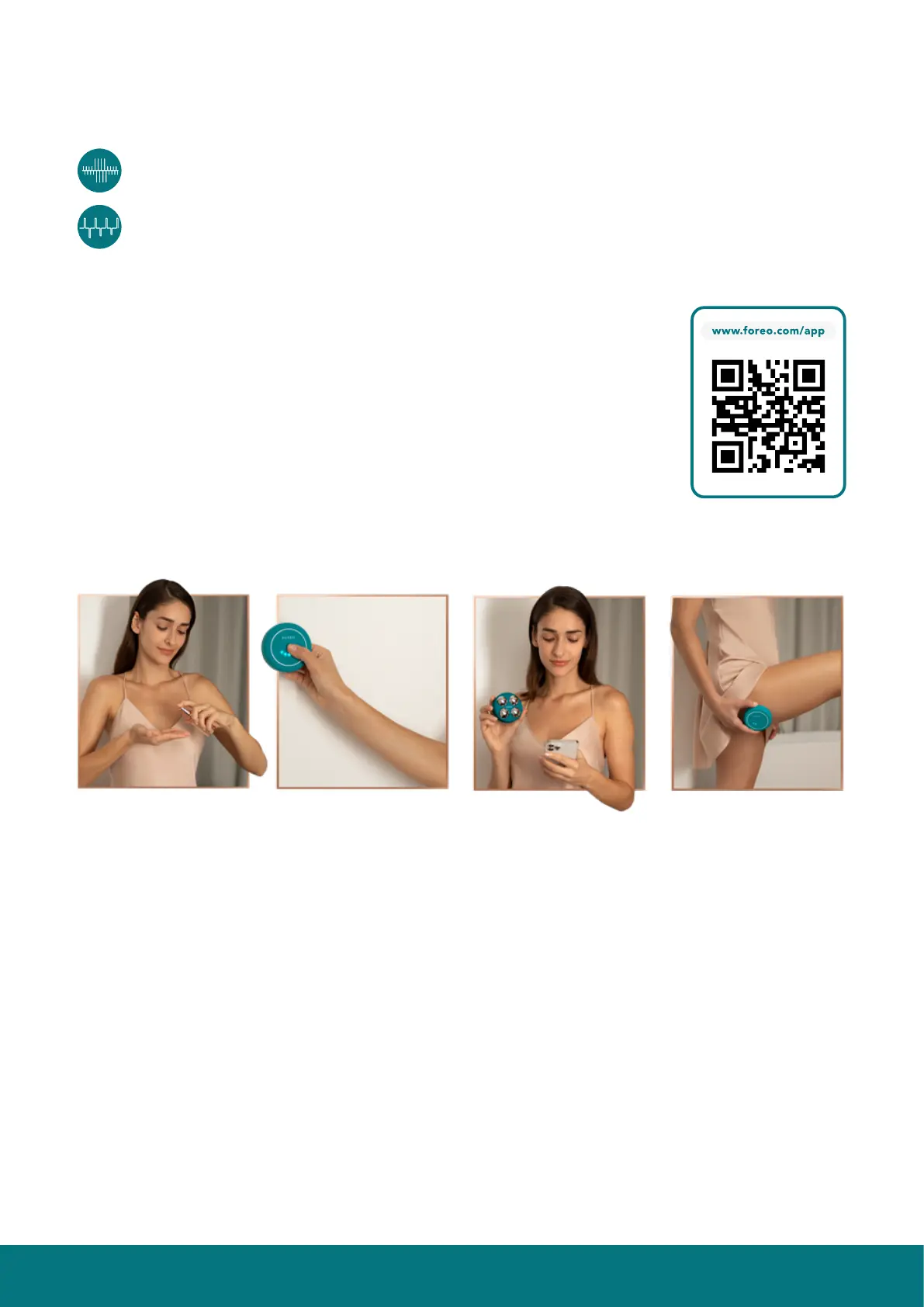
1. APPLY SERUM
Make sure both your skin and BEAR
™
device are clean and dry. Then
apply FOREO SUPERCHARGED
™
Body Serum evenly across all areas
you wish to treat, leaving a thin
mask-like layer on the surface of
the skin.
2. SELECT PREFERENCES
Press the universal button to turn your BEAR
™
device on. Adjust the
microcurrent intensity by quick-pressing the button again, once for each
level. Access more settings via the FOREO app.
3. TONE & LIFT
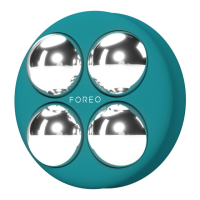
Press all four metallic spheres to your
skin with medium pressure, and
slowly glide the device upward over
the legs, buttocks, abs & arms, as
desired. Access guided treatment
videos for specific problem areas
on the FOREO app.
THINGS TO NOTE:
•
Shave any excessive hair in the treatment area as it can create a tingling sensation.
• Microcurrent devices like BEAR
™
2 body must be used with a conductive serum. For optimal results, we recommend using
FOREO SUPERCHARGED
™
Body Serum — developed specifically for use with FOREO’s microcurrent body devices.
• Leave a thin, mask-like layer of FOREO SUPERCHARGED
™
Body Serum on skin, so the device can glide smoothly. If treating
many areas in one session, you can apply the serum to each area before you use the device on that area.
• Make sure that all four microcurrent spheres are touching your skin during your treatment.
HOW TO USE BEAR
™
2 body
UNLOCK YOUR DEVICE
Before first use, download the FOREO For You mobile app to unlock and register
your device. Follow these simple steps;
1. Download the FOREO For You app on your mobile phone.
2. Log in to your account or sign up for a new one.
3. Add device (on the top of your screen).
4. Choose device series.
5. Press and hold the universal button to connect your device to the mobile app.
6. Fill in the purchase information.
Note: BEAR
™
2 body’s default setting is ‘Beginner Mode’ (microcurrent
intensity levels 1 - 5). If you wish to access ‘Pro Mode’ (microcurrent intensity
levels 6 - 10), you can do so via ‘Settings’ in the app. Once you select ‘Pro
Mode’, the intensity indicator lights on your device will refer to the Pro Mode
levels (6 - 10)
TYPES OF MICROCURRENT
BEAR
™
2 body features 2 types of microcurrent, unique to FOREO. Each has its own special benefit, and is implemented
into the video-guided treatments on the app, for optimized results.
Sculpting Microcurrent
™
- Channels microcurrent deeper into muscles to effectively tone them, for a firm &
sculpted appearance.
Advanced Microcurrent
™
- Steady current stimulates muscles to strengthen them, while tightening skin above.


 To Next Page