3
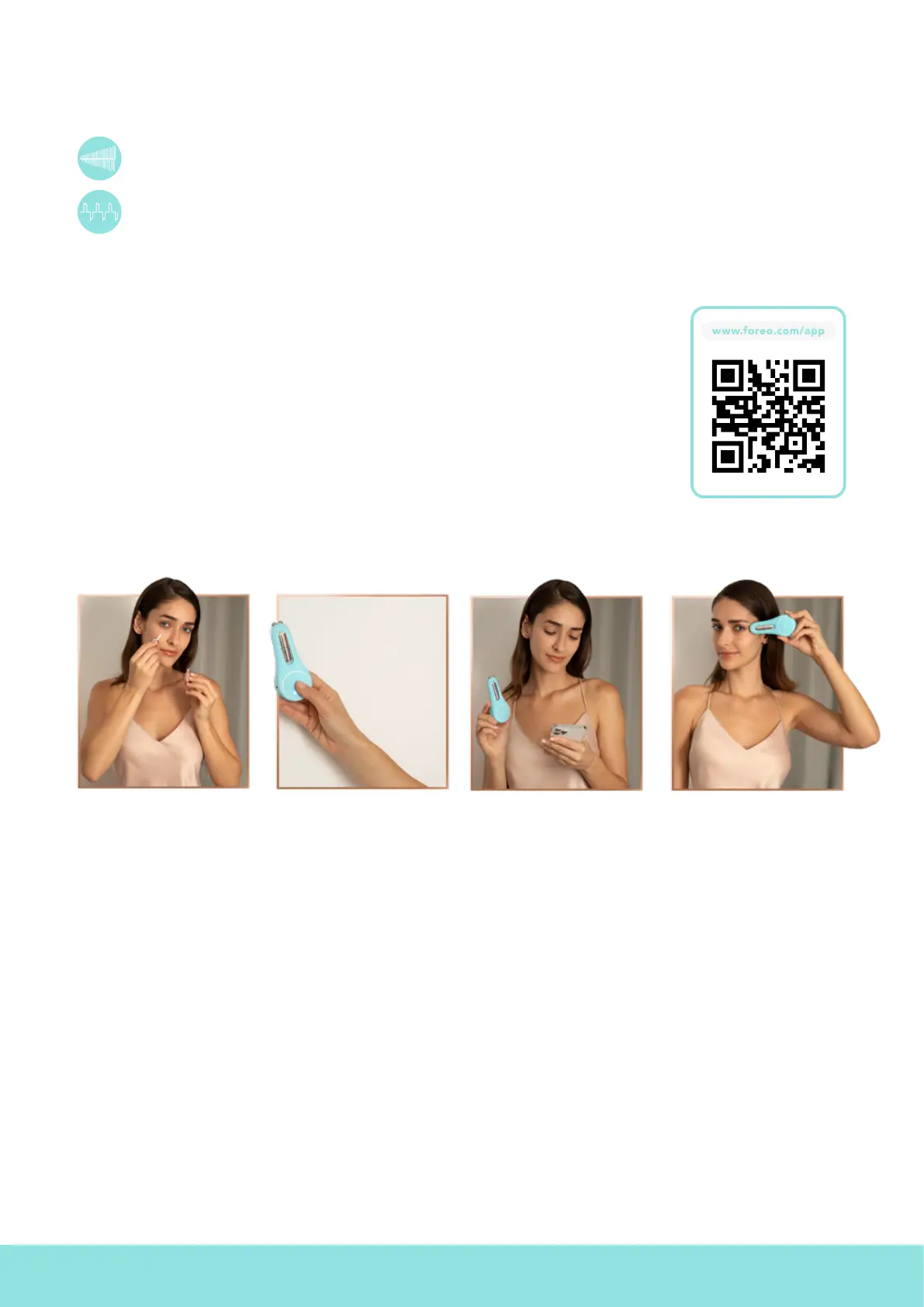
1. APPLY CONTOUR
BOOSTER
Make sure both your skin and BEAR
™
device are clean and dry. Then
apply FOREO SUPERCHARGED
™
Eye & Lip Contour Booster evenly
across all areas you wish to treat,
leaving a thin mask-like layer on the
surface of the skin.
2. SELECT PREFERENCES
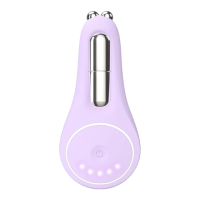
Press the universal button to turn your BEAR
™
2 eyes & lips device on. Adjust
the microcurrent intensity by quick-pressing the button again, once for each
level. Access guided treatment videos and more settings via the FOREO app.
3. SMOOTH & PLUMP
Lightly press both metallic spheres
to your skin, and slowly glide the
device around the orbital bone,
around the mouth, and across the
forehead, as desired. To plump lips,
tap and flick the metallic spheres
around the outside of the lip line.
THINGS TO NOTE:
•
Microcurrent devices like BEAR
™
2 eyes & lips must be used with conductive skincare. For optimal results, we recommend using
FOREO SUPERCHARGED
™
Eye & Lip Contour Booster — developed specifically to fit inside your BEAR
™
2 eyes & lips device for
ease of use. It also leaves skin with an instant, naturally highlighted look.
• Leave a thin, mask-like layer of FOREO SUPERCHARGED
™
Eye & Lip Contour Booster on skin, so the device can glide smoothly.
If treating many areas in one session, you can apply the contour booster to each area before you use the device on that area.
• Never use microcurrent devices like BEAR
™
2 eyes & lips on the midline bone of the neck, or within the orbital bone.
• Make sure that both microcurrent spheres are touching your skin during your treatment. Always glide the device in upward and
outward motions.
HOW TO USE BEAR
™
2 eyes & lips
UNLOCK YOUR DEVICE
Before first use, download the FOREO For You mobile app to unlock and register
your device. Follow these simple steps;
1. Download the FOREO For You app on your mobile phone.
2. Log in to your account or sign up for a new one.
3. Add device (on the top of your screen).
4. Choose device series.
5. Press and hold the universal button to connect your device to the mobile app.
6. Fill in the purchase information.
Note: BEAR
™
2 eyes & lips’s default setting is ‘Beginner Mode’ (microcurrent
intensity levels 1 - 5). If you wish to access ‘Pro Mode’ (microcurrent intensity
levels 6 - 10), you can do so via ‘Settings’ in the app. Once you select ‘Pro
Mode’, the intensity indicator lights on your device will refer to the Pro Mode
levels (6 - 10).
TYPES OF MICROCURRENT
BEAR
™
2 eyes & lips features 2 types of microcurrent, unique to FOREO. Each has its own special benefit, and is implemented
into the video-guided treatments on the app, for optimized results.
Lifting Microcurrent
™
- Repeatedly staggers current from low to high frequency, gently coaxing muscles into
naturally lifting, for a contoured look.
Tapping Microcurrent
™
- Quick and short waves of current flow through the upper layers of the skin, to brighten
and plump.


 To Next Page