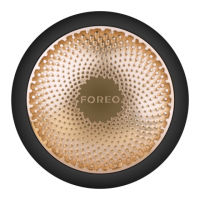
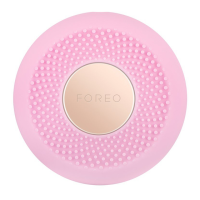
The FAQ™ 202 Smart Silicone LED Mask is an innovative, ultra-lightweight, and wireless device designed for at-home anti-aging and blemish treatment. Made with flexi-fit silicone, it molds to facial contours for even light coverage, allowing users to move freely during spa-level LED facial treatments. The mask features 8 different wavelengths, including Near-Infrared (NIR), to address various signs of aging and other skin concerns.
Function Description:
The FAQ™ 202 is an over-the-counter device that emits energy in the red, green, and blue regions of the spectrum, intended to treat facial wrinkles and/or blemishes. It utilizes LED light therapy, a skincare treatment that employs varying wavelengths of light, originally developed by NASA for plant growth experiments and later found to be beneficial for wound treatment and skin regeneration. Unlike other light therapies, LEDs do not contain ultraviolet rays, making them safe for regular use without causing burns. The mask delivers 600 points of light, pulsing 3000 times per second, optimized to ensure LED wavelengths penetrate evenly across all areas of the face.
Usage Features:
To begin using the FAQ™ 202, users must first unlock and register the device via the FAQ™ Swiss mobile app. The app, available by scanning a QR code, allows users to log in or create an account, add their device, and fill in purchase information. Once registered, the device is ready for use.
The mask can be operated manually or through the FAQ™ Swiss app.
- Manual Operation: The universal power button allows users to turn the mask on with a single press, switch between LED colors with subsequent presses, and turn it off by pressing and holding for 3 seconds.
- App Control: The FAQ™ Swiss app offers comprehensive control and enhanced features:
- Settings: Users can set preferences for LED light color, including the option to add NIR, and adjust light intensity (Low, Medium, or High). The app also allows setting an auto-off time using a sliding scale, and these preferences are remembered for offline use.
- Treatments: The app provides pre-programmed treatments targeting specific skin concerns, guided by videos.
- Smart Control: This feature acts as a remote control, enabling users to adjust preferences during a treatment.
- Set Reminder: Users can set alarms for their skincare regime, choosing specific treatments and days to receive reminders.
- Bluetooth Pairing: To pair the mask with the app, the device must be off. Users press and hold the universal button for 3 seconds until the mask flashes blue, indicating it's in Bluetooth pairing mode.
Treatment Process:
- Start with a clean and dry face, applying FAQ™ primer if desired.
- Place the FAQ™ 202 Silicone LED Face Mask over the face and secure it with the non-slip headband, which is made of silicone for comfort and to prevent hair pulling, keeping the mask securely in place.
- Press the universal power button to turn on the mask.
- Enjoy the LED facial treatment for up to 15 minutes. The open eye design protects eyes from powerful LED wavelengths and allows clear vision and ease of movement, enabling multitasking during treatment.
- Once finished, press and hold the universal power button for 3 seconds to turn off the mask. The device will automatically turn off after 15 minutes if not manually switched off.
Recommended Use: 5-15 minutes, 3-5 times per week for optimal results.
Charging: The mask provides up to 1.5 hours of use per USB charge. It is recommended to charge for up to 2 hours until fully charged. The mask will flash red 3 times to indicate low battery.
Skincare Compatibility:
While FAQ™ primer is recommended for its anti-aging properties, users can use their own skincare products. However, it is crucial to ensure that these products do not contain silicones, acids, or photosensitive ingredients such as Vitamin A, Retinol, AHAs, Benzoyl Peroxide, and Vitamin C, as these may interfere with the treatment or irritate the skin.
Maintenance Features:
- Cleaning: After each use, the FAQ™ LED Mask should be thoroughly cleaned. It is recommended to spray the mask with FAQ™ Silicone Cleaning Spray, then wipe off all remaining residue with a wet, lint-free cloth or towel.
- Caution: Never use cleaning products containing alcohol, petrol, or acetone, as they may irritate the skin and damage the silicone.
- Storage: The mask can be stored in its display case, either in the box or proudly propped on the display stand.
- Troubleshooting:
- Device not activating: If the mask doesn't turn on, the battery may be empty. Recharge using the USB charging cable for up to 2 hours, then restart.
- Universal button unresponsive: If the mask cannot be switched off or the button doesn't respond, the microprocessor may be temporarily malfunctioning. Press and hold the universal button to restart the device.
- App syncing issues: If the mask won't sync with the FAQ™ Swiss app, try switching Bluetooth off and on again, closing and reopening the app, or checking for app updates in the mobile device's app store.
Safety Warnings:
- The mask should be comfortable; discontinue use and consult a physician if discomfort or prolonged skin redness occurs.
- Do not use on wound ulceration, trauma, or post-operative wounds.
- Avoid use if you have light-sensitivity, sunburn, or inflamed skin.
- Do not stare directly at the LED lights.
- This product is not for use by children; close supervision is necessary if used near children or individuals with reduced physical/mental abilities.
- For hygiene reasons, sharing the device is not recommended.
- Avoid direct sunlight, extreme heat, or boiling water.
- Do not pull the silicone strap too tight to prevent damage.
- Discontinue use if the product appears damaged.
- The product contains no serviceable parts; do not tamper with or attempt to disassemble the device.
- Do not use while driving or operating heavy machinery.
- Do not insert objects into device openings.
- Do not use if the device is overheating or malfunctioning.
- Use only with a SELV power adapter (IEC60950 standard power suppliers recommended).
- Ensure the plug and socket are completely dry before charging to prevent electric shock, short circuit, or fire.
- Do not use the device while charging. Discontinue use if the device or charger is not working properly or appears damaged. Use only the supplied power cord.
- The battery must be removed safely before disposal, disconnected from the supply mains.
- Do not use the mask for more than 15 minutes at a time.
- Use the mask only for its intended purpose as described in the manual.
The FAQ™ 202 is designed to provide a professional skincare experience in the comfort of your home, offering convenience, effectiveness, and ease of use through its smart design and app integration.

 Need help?
 General

 To Next Page