7
FREQUENTLY ASKED QUESTIONS
THE BASICS
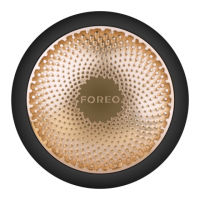
1. WHAT COMES WITH MY FAQ™ 200 LED MASK?
1x FAQ™ 200 LED Face Mask, 1x 60mL FAQ™ Silicone Cleaning Spray, 1x USB Charging Cable, 1x User Manual,1x Quick Start
Guide.
2. WHAT SHOULD I DO AFTER I RECEIVE MY FAQTM 200 LED MASK?
Congratulations on discovering a new era of anti-aging. Before you begin your rst treatment with FAQTM 202, youneed to
unlock and register your device by downloading the FAQTM Swiss app for free, and following the instructionsin the app. (For
more information, please refer to the section below titled ‘THE APP’).
3. HOW DO I TURN MY FAQTM 200 LED MASK ON?
Press the universal power button on your LED mask to turn it on.
4. HOW DO I TURN MY FAQTM 200 LED MASK OFF?
Press and hold the universal power button on your LED mask for 3 seconds to turn it o. Your device will turn oautomatically after 15 mins.
TREATMENT
5. HOW DO I START MY FIRST TREATMENT?
First, clean and dry your face and neck carefully, and apply your FAQTM primer if desired. Then place your FAQTM 200LED Face
Mask over your face, and secure it in place with the headband. Press the universal power button to turn onyour mask. You can
change the LED colors by
q
uick-pressing the button again. (
W
ith FAQTM 202, you can also accessmore settings and pre-
programmed treatments via the FAQTM Swiss app). En
j
oy your LED facial treatment for up to 15mins, while you continue with
your day - for multitasking at its best.
O
nce nished, press the universal power buttonfor 3 seconds to turn o your mask.
6
. CAN I USE MY OWN SKINCARE WITH MY FAQTM 200 LED MASK?
W
e recommend using FAQTM primer with the FAQTM 200 LED Mask due to its potent anti-aging properties.However, you can use
your own skincare instead, if desired. But make sure the skincare products you usedon’t contain any silicones or acids, or
photosensitive ingredients such as
V
itamin A, Retinol, AHAs, Ben
z
oylPeroxide and
V
itamin C.
7
. HOW OFTEN CAN I USE MY FAQTM 200 LED MASK?
W
e recommend using your FAQTM LED Mask for 5-15 minutes, 3-5 times per week for optimal results.
8
. WHAT IS LED THERA
P
Y?
LED, or light emitting diode, therapy is a skincare treatment that uses varying wavelengths of light. NASA originallydeveloped it
for plant growth experiments on shuttle missions and later found it to have promise for woundtreatment. LED light therapy is now
used by aestheticians to help regenerate the skin from aging.
9
. IS LED THERA
P
Y SAFE?
Unlike other types of light therapy, LEDs do not contain ultraviolet rays. Therefore, they’re safe for regular use. LEDlight therapy
also doesn’t cause burns like other anti-aging treatments such as chemical peels, dermabrasion, andlaser therapy.
APP
1
0
. HOW DO I
P
AIR MY FAQTM 202 LED MASK WITH THE FAQTM SWISS A
PP
?
First, download the FAQTM Swiss app to your smartphone or tablet, and turn on Bluetooth on your smartphone
/
tablet. Next,
press and hold the universal button on your mask for 3 seconds. The mask will turn blue to indicatewhen it is in Bluetooth pairing
mode. Then simply follow the instructions in the app to nish pairing your mask tothe app. (N
O
TE
:
Your mask must be o before
you can put it in Bluetooth pairing mode).



 To Next Page
 Loading...