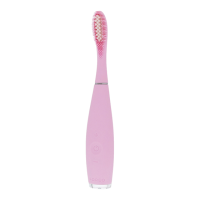
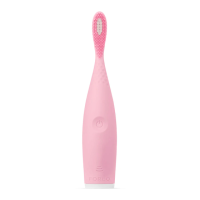
6
DISCLAIMER
Users of this device do so at their own risk. Neither FOREO nor its retailers assume any responsibility or liability for
any injuries or damages, physical or otherwise, resulting, directly or indirectly, from the use of this device. Further,
FOREO reserves the right to revise this publication and to make changes from time to time in the contents thereof
without obligation to notify any person of such revision or changes.
Model may be changed for improvements without notice.
ENVIRONMENTAL CONDITIONS FOR USE
TEMPERATURE: 5° to 40° Celsius
HUMIDITY: 40% to 80%
ATMOSPHERIC PRESSURE: 800 to 1,060 hPa
ENVIRONMENTAL CONDITIONS FOR STORAGE AND SHIPPING:
TEMPERATURE: -10° to 50° Celsius
HUMIDITY: 30% to 80%
ATMOSPHERIC PRESSURE: 500 to 1,060 hPa
FAQs
THE BASICS
1. WHAT COMES WITH MY
issa
™
3?
1x issa
™
3 Toothbrush, 1x USB Charging Cable, 1x Travel Pouch & 1x issa
™
Manual.
2. WHAT SHOULD I DO AFTER I RECEIVE MY issa
™
3?
Congratulations on taking the first step toward better brushing habits and a whiter and brighter smile by acquiring
issa
™
3! Begin your effortless brushing experience by unlocking your toothbrush to enjoy all the benefits of
sophisticated and stylish dental care in the comfort of your home, by holding down the + and - buttons at the same
time. The indicator light will then flash to indicate that your device is unlocked.
3. HOW DO I TURN MY issa
™
3 ON?
After unlocking your toothbrush for first time use, turn your issa
™
3 on by pressing the universal power button once.
4. HOW DO I TURN MY issa
™
3 OFF?
To turn your issa
™
3 off, press and hold the universal button for 3 seconds.
5. CAN I ADJUST THE SPEED / INTENSITY?
Yes, you can choose from 16 different speeds / intensities and adjust to your preference by using the + and - buttons
on your toothbrush. issa
™
3 will then remember your settings for the next time you brush.
issa
™
3 TOOTHBRUSH
6. HOW DO I BRUSH MY TEETH WITH
issa
™
3?
Use the suggested amount of your favorite toothpaste. Press the universal button to turn on your issa
™
3, (you can
use the +/- buttons to adjust the intensity to your preferred setting). Brush your teeth in the same way you would
with a manual toothbrush. issa
™
3 will prompt you to brush a new quadrant of the mouth every 30 seconds. For a
full-mouth clean, turn your brush around and use the back of the brush head to gently scrub the tongue and cheeks.
Turn of your toothbrush by pressing the universal button again, (your toothbrush will turn off automatically after 3
mins). Then rinse your mouth and clean your issa
™
3 under running water.
7. HOW OFTEN SHOULD I BRUSH MY TEETH WITH MY issa
™
3?
We recommend using your issa
™
3 twice a day (every morning and evening), for a fresher, brighter smile.


 To Next Page