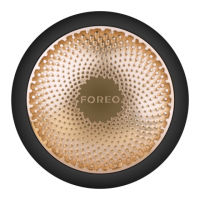
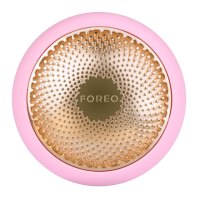
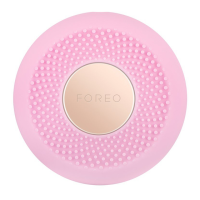
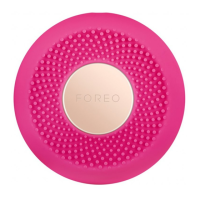
The FOREO UFO™ 2 is a Swedish beauty-tech power mask device designed to provide an advanced skincare experience at home. It integrates several technologies to enhance the effectiveness of power-activated masks and sheet masks, aiming to rejuvenate the skin and promote a refined, radiant complexion.
Function Description:
The UFO™ 2 combines Thermo-Function, T-Sonic™ Pulsations, and Full-spectrum LED light Function.
- Thermo-Function: This feature gently warms the skin, which helps to soften it and infuse mask ingredients more deeply into the skin's layers, maximizing absorption and efficacy.
- T-Sonic™ Pulsations: These soothing facial massages are designed to boost skin radiance and promote circulation. The pulsations can be set to low or high intensity, allowing for personalized comfort and effectiveness.
- Full-Spectrum LED Light Function: The device incorporates 8 different LED lights (Purple, Blue, Cyan, Green, Yellow, Orange, Red, and White), each offering various skin benefits to enhance specific treatments. These lights work in conjunction with the mask formulas to target different skin concerns.
- Cryo-Function: This feature cools the skin, which helps to shrink the appearance of pores and provides a firmer-looking complexion. This is particularly beneficial for tightening the skin and reducing puffiness.
The device is intended for use with FOREO's exclusively formulated UFO™ Power Activated Masks and FOREO Sheet Masks. The specific skincare results vary depending on the type of mask used, as each mask is paired with a unique pre-programmed treatment routine.
Usage Features:
To begin using the UFO™ 2, users must first download the FOREO For You mobile app to unlock and register the device. The app serves as a central hub for controlling settings, accessing guided routines, and managing the device.
- Device Activation and Pairing: The device is turned on by pressing the universal power button. A blinking white light indicates that the device is in Bluetooth pairing mode, allowing it to connect with the FOREO For You app on a smartphone or tablet.
- Treatment Routines: The app offers 14 pre-programmed power mask treatments corresponding to each UFO mask, lasting either 90 seconds or 2 minutes. For sheet masks, there are 5 pre-programmed treatments available. The app guides users through each treatment, explaining the benefits of the integrated technologies.
- Offline Use: Users can save up to 8 mask treatments on their UFO™ 2 device for offline use. By pressing the power button a specific number of times (e.g., 5 times for the 5th saved slot), the device will immediately start the corresponding pre-programmed treatment. "Make My Day" and "Call It a Night" routines are pre-programmed to the first two indicator lights.
- Custom Mode: The app allows users to create personalized power mask routines. In custom mode, users can select their preferred treatment duration (90, 120, 150, or 180 seconds), choose from the 8 LED lights, set the temperature (Heat or OFF), and adjust T-Sonic™ pulsations to low or high. This customized routine can also be saved for offline use.
- Application Process:
- Start with clean, dry skin.
- Remove the attachment ring from the UFO™ 2.
- Remove the UFO™ Power Activated Mask from its sachet.
- Secure the mask on the device by clipping the attachment ring in place, with the FOREO logo facing up.
- Activate the mask routine via the app or by pressing the power button for saved routines.
- Gently glide the UFO™ 2 across the skin in a circular motion, distributing the mask essence evenly. The recommended motion starts on the chin, moves up to the right cheek and forehead, then down the left cheek to the chin and neck, repeating until the treatment ends.
- After the treatment, gently pat any remaining essence into the skin or remove excess with a cotton pad. A moisturizer can be applied if desired.
- Sheet Mask Application: For FOREO sheet masks, unfold the mask and place it on the face. Then, use the UFO™ 2 device to massage the formula into the skin with circular motions as described above. The sheet mask can be left on for an additional 10 minutes or disposed of immediately after the UFO™ 2 treatment.
- Re-treatment Option: If one UFO™ 2 treatment is not sufficient, users can press the universal power button again within 30 seconds after the routine ends to restart the same treatment.
- Safety Guidelines: The device is safe for use on sensitive skin and around the under-eye area with minimal pressure. However, users with skin conditions or medical concerns should consult a dermatologist. Discontinue use if discomfort occurs. The device should not be shared for hygiene reasons and should not be exposed to direct sunlight, extreme heat, or boiling water. Close supervision is required when used by or near children or individuals with reduced physical or mental abilities.
Maintenance Features:
Proper cleaning and care are essential to maintain the device's performance and longevity.
- Cleaning: After each use, the UFO™ 2 device and its plastic ring should be thoroughly cleaned with soap and warm water, then rinsed. It should be patted dry with a lint-free cloth or towel. For optimal results, FOREO recommends spraying the device with FOREO's Silicone Cleaning Spray and rinsing with warm water before placing it on the stand to dry.
- Prohibited Cleaning Agents: Users are warned against using cleaning products containing alcohol, petrol, or acetone, as these can irritate the skin and damage the silicone material of the device.
- Charging: The UFO™ 2 is USB-rechargeable. A full 2.5-hour charge provides up to 40 uses. The device should be charged via the USB charging cable until the light emits a steady glow.
- Troubleshooting:
- If the device does not activate, it may need charging.
- If the device cannot be switched off or buttons are unresponsive, pressing and holding the universal power button will restart it.
- For syncing issues with the app, ensure the device is charged, Bluetooth is on, try toggling Bluetooth, closing and reopening the app, reinstalling the app, restarting the phone, clearing phone cookies and cache, and updating the mobile operating system.
- Warranty: The device comes with a 2-Year Limited Warranty, which can be activated by registering the device through the FOREO For You app. The warranty covers defects due to faulty workmanship or materials under normal use but does not cover cosmetic deterioration, accidental damage, misuse, or neglect. Any attempt to open or take apart the device voids the warranty.
- Disposal: The crossed-out dustbin symbol indicates that the device should not be treated as household waste but should be brought to an appropriate collection point for recycling electrical and electronic equipment. This ensures proper disposal, preventing negative environmental and health consequences, and conserving natural resources.
- Battery Removal: Instructions are provided for battery removal, which is typically done at the end of the product's life for proper disposal.

 Need help?
 General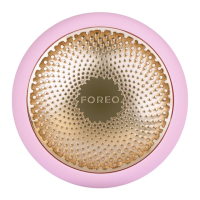

 To Next Page