6
GB
Thank you for purchasing this digital camera. Please carefully read through this product man-
ual before using and keep this manual properly for future reference.
Contents of the product manual are based on the updated information when compiled. The
screen display and gures used in the manual are for detailed and visual operation of the
camera. Due to technical development and dierent production lots, they may dier from the
digital camera you actually use.
Camera description
1. Power/mode button
2. REC/OK button
3. Camera lens
4. Microphone
5. micro USB port
6. microSD card slot
7. microHDMI port
8. Up button
9. Speaker
10. Down button
11. LCD screen
Inserting the memory card
The camera is not equipped with an internal memory. This means that before you use the cam-
corder you need to insert the memory card. Please format the card before using it.
Battery installing
1. Open the battery cover
2. Set the battery
3. Close the battery cover
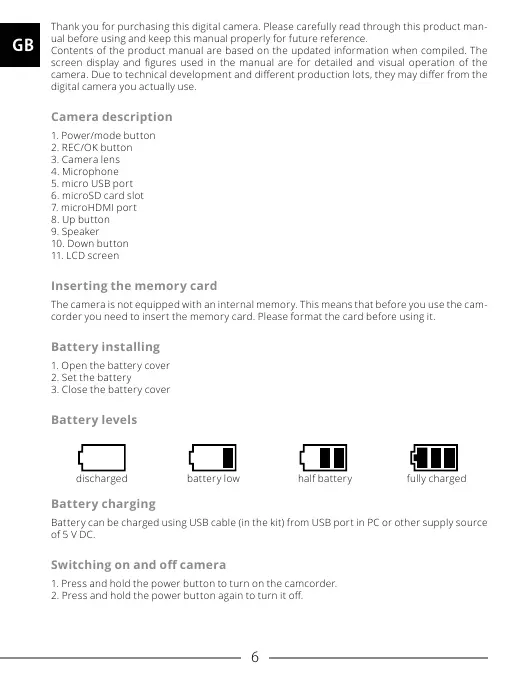
Battery levels
Battery charging
Battery can be charged using USB cable (in the kit) from USB port in PC or other supply source
of 5 V DC.
Switching on and o camera
1. Press and hold the power button to turn on the camcorder.
2. Press and hold the power button again to turn it o.
discharged battery low half battery fully charged


 To Next Page