32
Operating Procedures - Quick start guide
508DT Saving Parameters to Memory
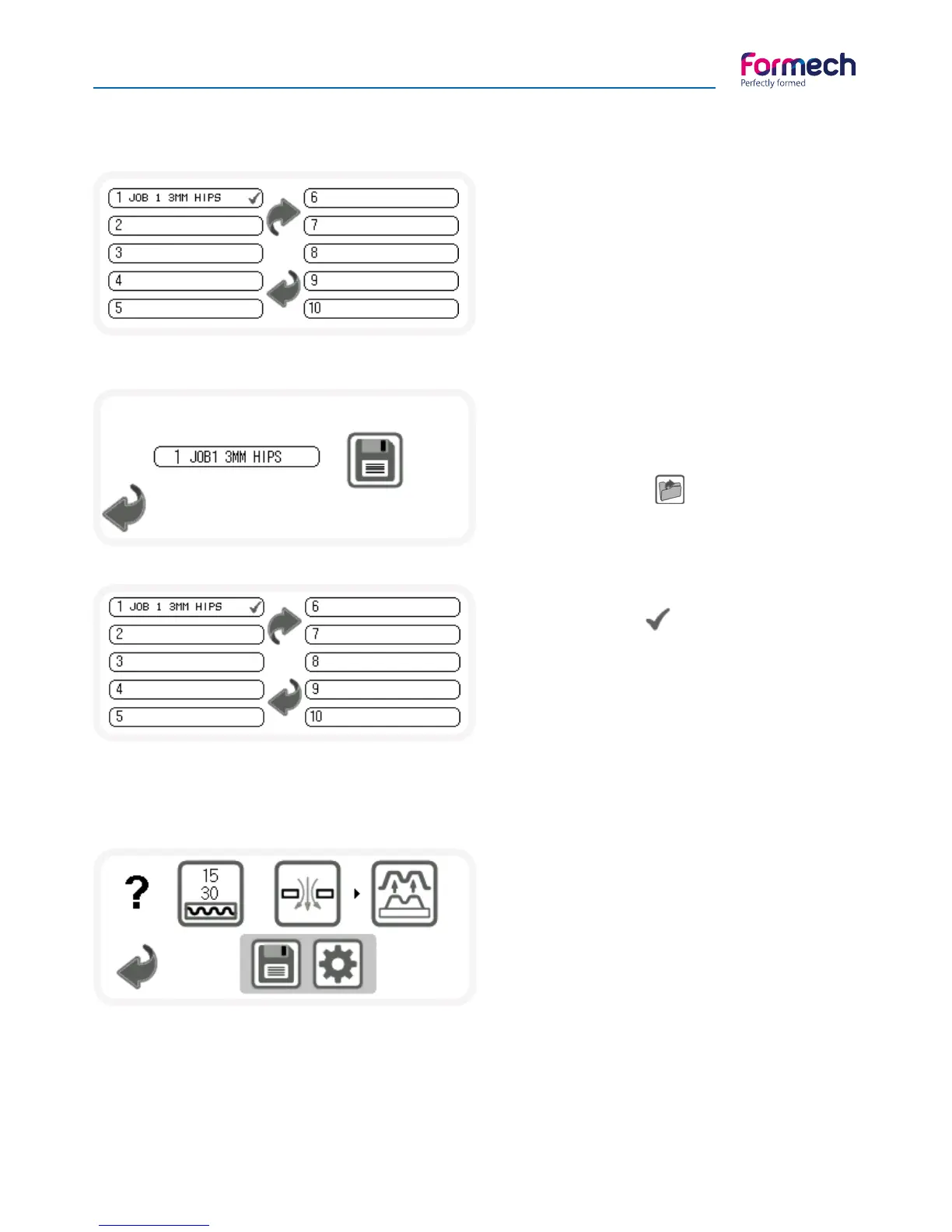
When save is pressed on the settings screen the
screen shown above will show displaying the
available memory slots. Press the forward arrow
to advance to memory positions 11-20. Press
the Back arrow to return to the settings page if
required. Press on a previously saved memory slot
to change an existing record or select a new slot
to save as required. When a memory position is
selected the following screen will open.
Press on the memory title to edit the title using the
pop-up key pad as required. Press the save button
when complete. 508DT Loading previously saved
parameters from memory.
Press the load button on the load options
screen to load previously saved parameters.
The load select screen will open.
The previously loaded memory slot will be
remembered and a will show next to the slot.
User the forward arrow to scroll to memory slots
11-20 and select the memory parameters as
required. The program memory operation screen
will open. The following section explains the
operating differences.
508DT Operating using saved parameters
The operating screen shown above will open.
2 values will show in the heater timer button.
The lower value shows the timer parameter for
the selected memory.
The top value shows the actual timer value.
When the heater is pulled forwards the timer will
count down.
When the timer reaches zero the timer buzzer will sound the timer value will continue and show a negative
value to indicate that’s it has passed zero. All other buttons operate the same as previously described.
Heater power settings can be adjusted as previously described using the settings button.
When the SAVE button is pressed the actual heat time, including its negative count, will be carried over to
the settings screen for editing and saving as previously described.



 To Next Page