EasyManua.ls Logo

Formovie M055FGN - User Manual

Formovie M055FGN
15 pages
Print Icon
To Next Page IconTo Next Page
Loading...
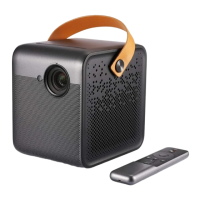
Formovie Mini Projector Dice
User Manual

Questions and Answers

Summary

Product Specifications

Product Details

Lists essential technical details like model, input, weight, and dimensions.

Product Overview

Exterior Features

Details the projector's external components and physical layout.

Safety Precautions

Provides critical warnings for safe operation and placement of the projector.

Remote Control

Remote Control Buttons and Functions

Explains the purpose and operation of each button on the remote.

Connection Ports

Projector Connectivity Options

Details the available ports for connecting external devices and power.

Power Indicator

Indicator Light Status

Explains the meaning of the power indicator light during various operations.

Battery Status Tips

Provides guidance on battery status, charging, and low battery behavior.

Quick Start Guide

Powering On and Off

Instructions for turning the projector on and off, including shutdown methods.

Remote Pairing Process

Step-by-step guide to pair the remote control with the projector.

Focus and Keystone Correction

Manual and Automatic Focus Adjustment

Explains how to adjust the projector's focus for a clear image.

Keystone Correction Setup

Guides users on correcting image distortion using keystone settings.

Network and Temperature Control

Network and Internet Setup

Instructions for connecting the projector to a Wi-Fi network.

Intellectual Temperature Control

Explains how the projector manages temperature and brightness modes.

Daily Maintenance

Heat Dissipation Guidelines

Recommendations for ensuring proper airflow and heat management.

Cleaning the Projector

Instructions for cleaning the projector casing and lens safely.

Troubleshooting

Common Display and System Issues

Solutions for screen display problems and system crashes.

Remote and Overheating Solutions

Troubleshooting steps for remote pairing and automatic shutdown due to overheating.

Internal System Faults

Guidance on addressing other internal system malfunctions.

Product Certifications

EU Regulatory Compliance

Details conformity with EU directives for radio equipment.

FCC Compliance Statement

Statement regarding compliance with FCC rules for digital devices.

ISED Canada Regulatory Compliance

Information on compliance with Canadian radio equipment regulations.

Formovie M055FGN Specifications

General IconGeneral
BrandFormovie
ModelM055FGN
CategoryProjector
LanguageEnglish

Related product manuals