EasyManua.ls Logo

Forte F2413MV5SS - User Manual

Forte F2413MV5SS
17 pages
Print Icon
To Next Page IconTo Next Page
Loading...
Read these instructions carefully before using your
microwave oven.
If you follow the instructions, your oven will provide you with
many years of good service.
SAVE THESE INSTRUCTIONS
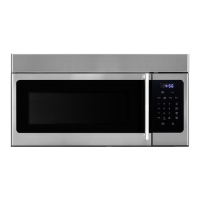
Model:F2413MV5SS
24" OVER THE RANGE
MICROWAVE

Other manuals for Forte F2413MV5SS

Questions and Answers

Summary

Microwave Exposure Precautions

General Microwave Safety

Key precautions regarding door operation, cleaning, and damage to prevent exposure.

Appliance Specifications

Important Safety Instructions

General Safety Guidelines

Essential safety rules for using electrical appliances, covering usage, maintenance, and hazards.

Grounding Instructions

Electrical Grounding Procedures

Instructions for proper grounding to prevent electric shock and ensure safe operation.

Radio Interference

Minimizing Radio Interference

Methods to reduce interference with radio, TV, or other electronic devices.

Utensils

Utensil Usage and Testing

Guidance on microwave-safe utensils and a test method for new items.

Operating Instructions

Features of Your Microwave

Identification of physical components of the microwave oven using diagrams.

Control Panel

Control Panel Button Functions

Detailed explanation of each button and its function on the control panel.

Operation: Power and Time Settings

Power Level and Clock Setting

How to adjust power levels and set the clock time.

Kitchen Timer Function

Instructions for using the kitchen timer.

Operation: Cooking Modes

Time Cook and Child Lock

How to cook manually and activate/deactivate child lock.

Speedy Cooking Function

How to use quick start cooking features.

Operation: Presets

Popcorn and Auto Defrost Programs

Using preset popcorn mode and auto defrost features.

Operation: Sensor Programs

Sensor Reheat and Sensor Cook

Utilizing sensor-based cooking and reheating functions.

Operation: Utilities

Ventilation Fan and Light Control

How to operate the ventilation fan and adjust light settings.

Operation: Turntable

Turntable On;Off Control

Instructions for enabling or disabling the turntable.

Maintenance

Troubleshooting Guide

Common problems and their solutions for the microwave oven.

Microwave Warranty

Warranty Coverage Details

Information on what is covered, terms, and exclusions.

Summary

Microwave Exposure Precautions

General Microwave Safety

Key precautions regarding door operation, cleaning, and damage to prevent exposure.

Appliance Specifications

Important Safety Instructions

General Safety Guidelines

Essential safety rules for using electrical appliances, covering usage, maintenance, and hazards.

Grounding Instructions

Electrical Grounding Procedures

Instructions for proper grounding to prevent electric shock and ensure safe operation.

Radio Interference

Minimizing Radio Interference

Methods to reduce interference with radio, TV, or other electronic devices.

Utensils

Utensil Usage and Testing

Guidance on microwave-safe utensils and a test method for new items.

Operating Instructions

Features of Your Microwave

Identification of physical components of the microwave oven using diagrams.

Control Panel

Control Panel Button Functions

Detailed explanation of each button and its function on the control panel.

Operation: Power and Time Settings

Power Level and Clock Setting

How to adjust power levels and set the clock time.

Kitchen Timer Function

Instructions for using the kitchen timer.

Operation: Cooking Modes

Time Cook and Child Lock

How to cook manually and activate/deactivate child lock.

Speedy Cooking Function

How to use quick start cooking features.

Operation: Presets

Popcorn and Auto Defrost Programs

Using preset popcorn mode and auto defrost features.

Operation: Sensor Programs

Sensor Reheat and Sensor Cook

Utilizing sensor-based cooking and reheating functions.

Operation: Utilities

Ventilation Fan and Light Control

How to operate the ventilation fan and adjust light settings.

Operation: Turntable

Turntable On;Off Control

Instructions for enabling or disabling the turntable.

Maintenance

Troubleshooting Guide

Common problems and their solutions for the microwave oven.

Microwave Warranty

Warranty Coverage Details

Information on what is covered, terms, and exclusions.

Overview

The Forte 24" Over-the-Range Microwave is a versatile kitchen appliance designed for heating, cooking, and drying food, offering a range of features to enhance convenience and safety in your culinary endeavors. This instruction manual provides comprehensive guidance on its operation, maintenance, and important safety precautions to ensure many years of good service.

Function Description

The primary function of this microwave oven is to heat, cook, and defrost various food items efficiently and safely. It utilizes microwave energy to prepare meals, offering multiple power levels and specialized cooking programs. The appliance is designed for residential use, specifically for single-family dwellings, and is suitable for installation above both gas and electric cooking equipment.

Usage Features

The microwave oven is equipped with a user-friendly control panel and a display screen that guides you through various operations.

  • Power Level Control: The microwave offers 10 distinct power levels, ranging from 0% to 100% (PL-0 to PL-HI), allowing for precise control over cooking intensity. This feature is crucial for achieving optimal results for different types of food, from gentle reheating to rapid cooking.

  • Clock Function: A 12-hour clock can be set, which is displayed when the oven is in a waiting state. This provides a convenient time reference in your kitchen.

  • Kitchen Timer: A dedicated kitchen timer function allows you to set a countdown for up to 99 minutes and 99 seconds, independent of the cooking functions. This is useful for timing other kitchen tasks.

  • Time Cook: This feature enables you to set a specific cooking time, up to 99 minutes and 99 seconds, and select a desired power level. The default power level is PL-HI (100%), but it can be adjusted as needed.

  • Speedy Cooking: For quick heating, the microwave offers two speedy cooking options:

    • Instant cooking at 100% power by pressing number pads 1 to 9 for 1 to 9 minutes, respectively.
    • Instant cooking at 100% power with 30-second increments by pressing the "Start/+30Sec" button. Each press adds 30 seconds to the cooking time, up to a maximum of 99 minutes and 99 seconds.
  • Popcorn Function: This specialized program is designed for popping popcorn, with pre-set options for different bag sizes (approximately 3.3 ounces, 3.0 ounces, and 1.75 ounces). Users can select the desired size, and the microwave will automatically adjust the cooking time.

  • Auto Defrost: The Auto Defrost feature simplifies the defrosting process by offering pre-programmed settings for various food types: Meat, Poultry, Fish, and Bread. After selecting the food type, the user enters the weight, and the microwave calculates the appropriate defrosting time. This helps ensure even defrosting and prevents overcooking.

  • Sensor Reheat: This intelligent function uses sensors to detect the moisture and temperature of food, automatically adjusting the reheating time for optimal results. It includes programs for Beverage, Dinner Plate, Pizza, Soup/Sauce, and Casserole/Lasagna, with specified quantities. During the sensing process, it's important not to open the door to avoid canceling the program.

  • Sensor Cook: Similar to Sensor Reheat, Sensor Cook utilizes sensors to automatically determine the cooking time for various dishes. Programs include Baked Potato, Fresh Vegetable, Frozen Vegetable, Bacon, Frozen Dinner, Rice, Frozen Breakfast, and Frozen Pizza, each with recommended quantities. As with Sensor Reheat, the oven door should remain closed during the sensing phase.

  • Ventilation Fan: The microwave is equipped with a ventilation fan to remove smoke and odors from the cooking surface below. It offers three settings: HIGH, LOW, and OFF, which can be cycled through by pressing the "Vent Hi-Lo-Off" button.

  • Surface Lights: To illuminate the cooking surface, the appliance features surface lights with two brightness levels: High (HI) and Low (LO), in addition to an OFF setting. These can be controlled using the "Light On/Off" button.

  • Turntable On/Off: The glass turntable can be turned on or off. While it is recommended to keep it on for best cooking results, especially for large dishes, it can be turned off if needed.

  • Lock-out Function for Children: For safety, the microwave includes a child lock feature. By pressing "STOP/CANCEL" for 3 seconds, the oven enters a locked state, preventing accidental operation. The lock indicator will light up, and the current time will be displayed. To unlock, press "STOP/CANCEL" again for 3 seconds.

Maintenance Features

Proper maintenance is essential for the longevity and safe operation of your microwave oven.

  • Cleaning: Regular cleaning of the oven cavity, door, and sealing surfaces is crucial. Use only mild, non-abrasive soaps or detergents applied with a sponge or soft cloth. This prevents the accumulation of soil or cleaner residue that could interfere with the door seal and potentially cause arcing.
  • Ventilation Hood and Filter Cleaning: The ventilation hoods and filters should be cleaned frequently to prevent grease accumulation. Corrosive cleaning agents, such as lye-based oven cleaners, should be avoided as they can damage the filter.
  • Troubleshooting Guide: The manual includes a troubleshooting chart to help identify and resolve common issues, such as the oven not starting, arcing or sparking, unevenly cooked food, overcooked food, undercooked food, and improper defrosting. This guide provides possible causes and remedies, empowering users to address minor problems before contacting service personnel.
  • Professional Servicing: For any issues that cannot be resolved through troubleshooting, or if the appliance is damaged, it should only be serviced by qualified service personnel. This ensures that repairs are performed correctly and safely, maintaining the integrity of the appliance and preventing exposure to excessive microwave energy.
  • Grounding Instructions: The appliance must be properly grounded to reduce the risk of electric shock. The manual provides detailed grounding instructions, emphasizing the use of a 3-wire grounding-type cord and a properly installed and grounded outlet.
  • Utensil Guidelines: The manual provides a comprehensive list of materials that are safe to use in the microwave oven (e.g., browning dishes, dinnerware, glass jars, glassware, oven cooking bags, paper plates/cups, paper towels, parchment paper) and those to be avoided (e.g., aluminum trays, food cartons with metal handles, metal or metal-trimmed utensils, metal twist ties, paper bags, plastic foam, wood). This guidance helps prevent arcing, fires, and damage to the oven or utensils.
  • Prevention of Overheating Liquids: Specific instructions are provided to prevent liquids from overheating beyond their boiling point, which can lead to sudden boiling over. These include not overheating liquids, stirring them before and during heating, avoiding straight-sided containers with narrow necks, allowing containers to stand after heating, and exercising care when inserting utensils.

By adhering to these usage and maintenance guidelines, users can ensure the safe, efficient, and long-lasting performance of their Forte 24" Over-the-Range Microwave.

Forte F2413MV5SS Specifications

General IconGeneral
Cooking Levels10
ColorStainless Steel
Control TypeDigital
Child LockYes
Defrost FunctionYes
TimerYes
Voltage120V

Related product manuals