EasyManua.ls Logo

Forte F3015MVC5SS - User Manual

Forte F3015MVC5SS
33 pages
Print Icon
To Next Page IconTo Next Page
Loading...
Read these instructions carefully before using your
microwave oven.
If you follow the instructions, your oven will provide you with
many years of good service.
SAVE THESE INSTRUCTIONS
MODEL:
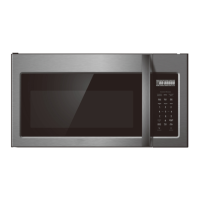
F3015MVC5SS
30" OVER THE RANGE
CONVECTION MICROWAVE

Other manuals for Forte F3015MVC5SS

Question and Answer IconNeed help?

Do you have a question about the Forte F3015MVC5SS and is the answer not in the manual?

Summary

Precautions for Microwave Energy Exposure

Safe Operation Practices

Measures to prevent harmful microwave energy exposure during oven use.

Specifications

Product Technical Details

Key specifications including model, power, dimensions, and capacity.

Important Safety Instructions

General Safety Guidelines

Essential precautions for safe operation and handling of the microwave oven.

Grounding Instructions

Electrical Safety and Grounding

Proper grounding procedures to prevent electric shock.

Radio Interference Mitigation

Reducing Signal Interference

Methods to minimize interference with radio and television signals.

Utensils and Cookware Safety

Safe Utensil Use and Testing

Guidelines for using utensils and a test for microwave-safe materials.

Microwave Oven Part Identification

Front View Components

Identification of parts visible on the front panel of the microwave.

Bottom View Components

Identification of parts visible on the bottom of the microwave.

Control Panel Guide

Display and Button Functions

Explanation of the control panel's display, buttons, and icons.

Before Operating the Microwave

Setting the Clock

Step-by-step instructions for setting the oven's clock.

Manual Cooking Basics

Time Cooking and One-Touch Start

How to perform basic cooking by time and use the one-touch start feature.

Manual Cooking Features

Add 30 Sec. and Timed Cooking

Using quick time additions and setting specific cook times/power levels.

Two-Stage Cooking Setup

Programming the oven for cooking cycles with multiple power levels.

Manual Cooking Advanced Settings

Power Levels and Rack Usage

How to adjust power levels and utilize the oven rack effectively.

Manual Defrosting Process

Step-by-step instructions for defrosting food manually.

Sensor Cooking Functionality

Sensor Cooking Principles

Understanding how sensor cooking detects and adjusts for food.

Sensor Cook and Reheat Operation

Guide to using sensor cook and reheat functions with examples.

Sensor Cooking Charts

Sensor Cook Food Guide

Chart detailing foods for sensor cooking and their procedures.

Sensor Reheat Food Guide

Chart detailing foods for sensor reheat and their procedures.

One-Touch Cook: Popcorn & Veggies

Popcorn Cooking Instructions

How to use the one-touch pad for popping microwave popcorn.

Vegetable Cooking Options

Using the one-touch pad for cooking potatoes and vegetables.

One-Touch Cook: Snacks

Snack Menu Usage

Instructions for using the snack menu for heating common snack items.

One-Touch Cook: Melt;Soften

Melt;Soften Function Guide

How to use the melt/soften feature for butter, chocolate, and ice cream.

Convection Cooking Modes

Convection Baking and Roasting

Instructions for using the oven in convection mode.

Combination Microwave-Convection

Using microwave and convection together for browning.

Convection Cooking Recipes

Baking Biscuits, Bread, and Cakes

Specific temperatures and times for baking these items.

Convection Cooking Recipes (continued)

Combination Cooking Meats

Cooking instructions for various meats using combination mode.

Convection Cooking Tips

Cookware Compatibility Guide

Suitable cookware for microwave, convection, and combination cooking.

Auto Defrost Operation

Using Auto Defrost Function

Guide to the auto defrost feature and weight input.

Weight Conversion Table

Table for converting ounces to tenths of a pound for defrosting.

Auto Defrost Settings: Meat

Meat Defrosting Procedures

Specific settings and procedures for defrosting various meats.

Auto Defrost Settings: Poultry & Fish

Poultry Defrosting Guide

Instructions for defrosting poultry like chicken, turkey.

Fish and Shellfish Defrosting

Instructions for defrosting fish and shellfish.

Auto Defrost Tips and Best Practices

Defrosting Advice and Techniques

Tips for optimal defrosting results and common techniques.

Convenient Features: Clock & Lock

Setting the Clock

Steps to set or change the oven's clock time.

Control Lock Functionality

How to enable and disable the control lock feature.

Power Save Mode Activation

Instructions for turning the power save mode on and off.

Convenient Features: Sound & Filter

Adjusting Audible Signals

How to control volume levels for beeps and alerts.

Filter Reset and Notification

Managing the filter indicator and resetting the reminder.

Convenient Features: Language & Weight

Setting Display Language

Changing the oven's interface language.

Weight Unit Selection

Switching between pounds and kilograms.

Convenient Features: Demo, Timer, Fan

Demo Mode and Kitchen Timer

Using demo mode and the oven's kitchen timer feature.

Vent Fan Operation

Controlling the vent fan speed and operation.

Convenient Features: Cooktop Light

Cooktop Light Control

How to operate the under-oven cooktop light.

Maintenance and Troubleshooting

Troubleshooting Oven Issues

Solutions for common problems like no start, arcing, or uneven cooking.

Before Service Call

Pre-Service Checklist

Steps to take before contacting customer service for issues.

Forté Microwave Warranty

Warranty Coverage and Terms

Details of the product warranty, coverage, and terms.

Warranty Exclusions

Items and conditions not covered by the microwave's warranty.

Summary

Precautions for Microwave Energy Exposure

Safe Operation Practices

Measures to prevent harmful microwave energy exposure during oven use.

Specifications

Product Technical Details

Key specifications including model, power, dimensions, and capacity.

Important Safety Instructions

General Safety Guidelines

Essential precautions for safe operation and handling of the microwave oven.

Grounding Instructions

Electrical Safety and Grounding

Proper grounding procedures to prevent electric shock.

Radio Interference Mitigation

Reducing Signal Interference

Methods to minimize interference with radio and television signals.

Utensils and Cookware Safety

Safe Utensil Use and Testing

Guidelines for using utensils and a test for microwave-safe materials.

Microwave Oven Part Identification

Front View Components

Identification of parts visible on the front panel of the microwave.

Bottom View Components

Identification of parts visible on the bottom of the microwave.

Control Panel Guide

Display and Button Functions

Explanation of the control panel's display, buttons, and icons.

Before Operating the Microwave

Setting the Clock

Step-by-step instructions for setting the oven's clock.

Manual Cooking Basics

Time Cooking and One-Touch Start

How to perform basic cooking by time and use the one-touch start feature.

Manual Cooking Features

Add 30 Sec. and Timed Cooking

Using quick time additions and setting specific cook times/power levels.

Two-Stage Cooking Setup

Programming the oven for cooking cycles with multiple power levels.

Manual Cooking Advanced Settings

Power Levels and Rack Usage

How to adjust power levels and utilize the oven rack effectively.

Manual Defrosting Process

Step-by-step instructions for defrosting food manually.

Sensor Cooking Functionality

Sensor Cooking Principles

Understanding how sensor cooking detects and adjusts for food.

Sensor Cook and Reheat Operation

Guide to using sensor cook and reheat functions with examples.

Sensor Cooking Charts

Sensor Cook Food Guide

Chart detailing foods for sensor cooking and their procedures.

Sensor Reheat Food Guide

Chart detailing foods for sensor reheat and their procedures.

One-Touch Cook: Popcorn & Veggies

Popcorn Cooking Instructions

How to use the one-touch pad for popping microwave popcorn.

Vegetable Cooking Options

Using the one-touch pad for cooking potatoes and vegetables.

One-Touch Cook: Snacks

Snack Menu Usage

Instructions for using the snack menu for heating common snack items.

One-Touch Cook: Melt;Soften

Melt;Soften Function Guide

How to use the melt/soften feature for butter, chocolate, and ice cream.

Convection Cooking Modes

Convection Baking and Roasting

Instructions for using the oven in convection mode.

Combination Microwave-Convection

Using microwave and convection together for browning.

Convection Cooking Recipes

Baking Biscuits, Bread, and Cakes

Specific temperatures and times for baking these items.

Convection Cooking Recipes (continued)

Combination Cooking Meats

Cooking instructions for various meats using combination mode.

Convection Cooking Tips

Cookware Compatibility Guide

Suitable cookware for microwave, convection, and combination cooking.

Auto Defrost Operation

Using Auto Defrost Function

Guide to the auto defrost feature and weight input.

Weight Conversion Table

Table for converting ounces to tenths of a pound for defrosting.

Auto Defrost Settings: Meat

Meat Defrosting Procedures

Specific settings and procedures for defrosting various meats.

Auto Defrost Settings: Poultry & Fish

Poultry Defrosting Guide

Instructions for defrosting poultry like chicken, turkey.

Fish and Shellfish Defrosting

Instructions for defrosting fish and shellfish.

Auto Defrost Tips and Best Practices

Defrosting Advice and Techniques

Tips for optimal defrosting results and common techniques.

Convenient Features: Clock & Lock

Setting the Clock

Steps to set or change the oven's clock time.

Control Lock Functionality

How to enable and disable the control lock feature.

Power Save Mode Activation

Instructions for turning the power save mode on and off.

Convenient Features: Sound & Filter

Adjusting Audible Signals

How to control volume levels for beeps and alerts.

Filter Reset and Notification

Managing the filter indicator and resetting the reminder.

Convenient Features: Language & Weight

Setting Display Language

Changing the oven's interface language.

Weight Unit Selection

Switching between pounds and kilograms.

Convenient Features: Demo, Timer, Fan

Demo Mode and Kitchen Timer

Using demo mode and the oven's kitchen timer feature.

Vent Fan Operation

Controlling the vent fan speed and operation.

Convenient Features: Cooktop Light

Cooktop Light Control

How to operate the under-oven cooktop light.

Maintenance and Troubleshooting

Troubleshooting Oven Issues

Solutions for common problems like no start, arcing, or uneven cooking.

Before Service Call

Pre-Service Checklist

Steps to take before contacting customer service for issues.

Forté Microwave Warranty

Warranty Coverage and Terms

Details of the product warranty, coverage, and terms.

Warranty Exclusions

Items and conditions not covered by the microwave's warranty.

Forte F3015MVC5SS Specifications

General IconGeneral
TypeMicrowave Oven
Fuel TypeElectric
Capacity1.5 cu. ft.
ColorStainless Steel
Cooking Levels10
Child LockYes
Defrost FunctionYes
TimerYes
Voltage120 V

Related product manuals