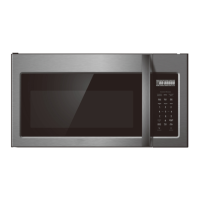
This document provides comprehensive instructions for the FORTÉ 30" Over the Range Microwave, Model F3016MV2SS, covering its operation, safety precautions, and maintenance. It emphasizes the importance of reading all instructions carefully to ensure safe and efficient use of the appliance.
Function Description
The FORTÉ microwave oven is designed for heating, cooking, and drying food using microwave energy. It is specifically an over-the-range model, integrating a hood function to ventilate cooking odors and steam. The appliance features a control panel for various cooking modes, a turntable for even heating, and internal lighting. Its primary function is to provide a convenient and efficient method for preparing a wide range of food items.
Usage Features
The microwave offers a variety of user-friendly features to enhance the cooking experience:
- Clock Setting: Users can set the 12-hour clock by pressing "CLOCK/AM/PM," inputting the time using the number keys, and pressing "CLOCK/AM/PM" again to confirm. If an incorrect time is entered, the buzzer will sound twice, and the clock will revert to 12-hour time.
- Microwave Cooking: To initiate microwave cooking, press "TIME COOK," input the desired cooking time using the number keys, and optionally select a power level by pressing "POWER" and then the corresponding number key. Press "START/PAUSE" to begin cooking. The oven provides multiple power levels, indicated by "evel" and "ower" displays. If a power level is chosen, the process can skip directly to the start step. After cooking, the buzzer sounds five times.
- Multi-stage Cooking: The microwave supports up to two cooking stages. For example, users can set the oven to cook food with microwave power for a certain duration in the first stage, followed by another duration at a different microwave power level in the second stage. This is achieved by selecting "TIME COOK," inputting the time, selecting "POWER," and then repeating "TIME COOK" and time input for the second stage. The "DEFROST" program and auto menu cannot be set as stages. The buzzer will sound once between stages. During cooking, pressing "ADD 30 SEC." will add 30 seconds to the cooking time, up to a maximum of several minutes.
- Speedy Cooking: For quick cooking, simply press "ADD 30 SEC." to start cooking for 30 seconds at full microwave power. Each subsequent press of "ADD 30 SEC." will increase the cooking time by 30 seconds, up to a maximum of several minutes. Users can also start cooking with full microwave power by pressing number keys 1 through 6 for 1 to 6 minutes, respectively. During speedy cooking, the power level can be checked and adjusted by pressing "POWER" and then selecting a new power level.
- Defrost Cooking (By Weight): To defrost by weight, press "DEFROST AUTO/TIME" once. The "efrost" indicator and "lb" indicator will flash. Input the defrost weight using the number keys. The maximum input weight is 6 lbs; exceeding this will cause the unit to return to the waiting state. Press "START/PAUSE" to begin defrosting, and the "lb" indicator will turn off.
- Defrost Cooking (By Time): To defrost by time, press "DEFROST AUTO/TIME" twice. The "efrost" indicator will light. Input the defrost time using the number keys. The maximum time can be input in minutes and seconds. Press "START/PAUSE" to begin defrosting. If half the defrost time passes, the buzzer will sound twice to remind the user to turn the food over.
- Hood Function: The appliance includes an exhaust fan with high and low-speed settings. When the fan is off, pressing "VENT FAN/H/L/OFF" once selects high speed, twice selects low speed, and three times turns the fan off. The fan can be adjusted at any time, except during lock states.
- Oven Lamp: The oven lamp can be turned on or off by pressing "SURFACE LIGHT ON/OFF" once to turn on and twice to turn off.
- Timer Function: To use the timer, press "TIMER." The timer indicator will light. Input the desired time using the number keys. The maximum time can be input in minutes and seconds. Press "TIMER" again to start the countdown.
- Display On/Off Function: In the waiting state, pressing "0" for a few seconds will cause the buzzer to sound twice, and the oven display will enter the "off" state. To turn the display back on from the "off" state, press any button, and the buzzer will ring once.
- Popcorn Menu: The microwave has a dedicated popcorn menu. Press "POPCORN" repeatedly until the desired weight (1.75, 3.0, or 3.5 ounces) appears on the display. Press "START/PAUSE" to cook.
- Baked Potato Menu: For baked potatoes, press "BAKED POTATO" repeatedly until the desired quantity (1 or 2 potatoes) appears. Press "START/PAUSE" to cook.
- Beverage Menu: To heat beverages, press "BEVERAGE" repeatedly until the desired quantity (1 or 2 cups) appears. Press "START/PAUSE" to cook.
- Reheat Menu: For reheating, press "REHEA" repeatedly until the desired quantity (1, 1.5, or 2 ounces) appears. Press "START/PAUSE" to cook.
- Inquiring Function: During microwave cooking, users can check the current power level by pressing "POWER" or check the clock by pressing "CLOCK/AM/PM."
- Lock Function For Children: To activate the child lock, press "STOP/CLEAR" for a few seconds in the waiting state; two beeps will confirm entry into the lock state. To release the lock, press "STOP/CLEAR" for a few seconds in the locked state; two beeps will confirm that the lock is released.
Maintenance Features
The manual provides troubleshooting guidance and general maintenance advice to ensure the longevity and proper functioning of the microwave:
- Troubleshooting Chart: A detailed chart helps users identify and resolve common issues such as the oven not starting, arcing or sparking, uneven cooking, overcooking, undercooking, and improper defrosting. Each problem is linked to a possible cause and a recommended remedy.
- Cleaning: For cleaning surfaces of the door or oven that come together upon closing, only mild, non-abrasive soaps or detergents applied with a sponge or soft cloth should be used. This helps maintain the sealing surfaces.
- Door and Sealing Surface Maintenance: Regular cleaning of the door and sealing surface is recommended to prevent interference with radio or TV equipment.
- Qualified Service Personnel: The manual strongly advises that any adjustments or repairs to the oven should only be performed by properly qualified service personnel. This is crucial for safety and to prevent further damage.
- Grounding Instructions: The appliance must be properly grounded to reduce the risk of electric shock. Users are instructed to consult a qualified electrician or serviceman if grounding instructions are not fully understood.
- Cord Care: The power cord should be kept away from heated surfaces and should not hang over the edge of a counter or tabletop to prevent it from being pulled or tripped over.
- Utensil Guidelines: The manual includes extensive lists of materials that can and cannot be used in the microwave oven, along with remarks for each. For instance, microwave-safe plastic containers, dinnerware, and heat-resistant oven glassware are acceptable, while metal trays, metal-trimmed utensils, and paper bags are to be avoided due to the risk of arcing or fire. A "Utensil Test" procedure is provided to help users determine if a non-metallic utensil is safe for microwave use.
- Food Preparation Precautions: Users are warned against overheating liquids, which can boil over suddenly. Stirring liquids before and during heating, avoiding straight-sided containers with narrow necks, allowing containers to stand after heating, and using extreme care when inserting utensils are recommended.
- Oven Cavity Safety: To reduce the risk of fire in the oven cavity, users are advised not to overcook food, to attend the appliance carefully when combustible materials are inside, to remove wire twist-ties from bags, and to keep the oven door closed and disconnect power if materials inside ignite. The cavity should not be used for storage.

 Need help?
 General

 To Next Page