OVERVIEW 1
1. How to use the REMOTE CONTROL
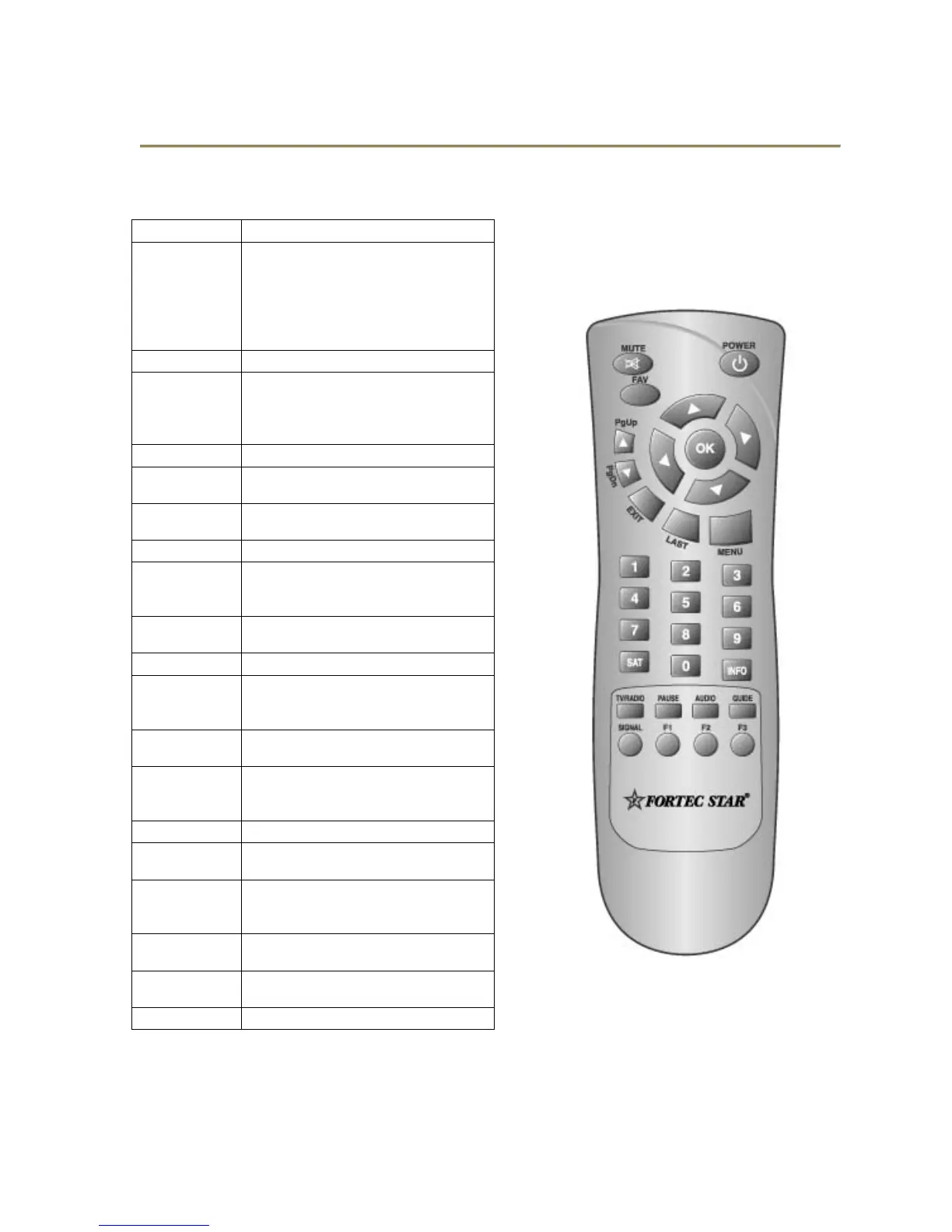
Key Function
POWER
Turns the receiver on/off.
In the standby mode, it will
automatically changed to the TV
Mode which enables watching
terrestrial TV broadcasting.
MUTE
Sound Off/On.
INFO
Shows channel information, such as
channel number, channel name,
Frequency, Polarity, Symbol Rate,
Video PID, Audio PID and PCR PID.
GUIDE
Shows program information.
TV/RADIO
Toggles between the TV channels
and radio channels.
PAUSE
Pauses the picture. Push again to
release.
SIGNAL
Shows signal quality.
AUDIO
Selects audio mode (Stereo, left only
and right only). Selects language in
case of Multilingual program.
MENU
Enters main menu screen. Or exits
menu screen.
EXIT
Moves to upper menu.
CH▲
CH▼
Channel up/down.
Moves the cursor upward/downward
in the menu screen.
OK
Shows channel list. Confirms
selection in Menu mode.
VOL◄►
Volume down/up.
Changes the value of a selected item
in the Menu mode.
LAST
Returns to previous program.
FAV
Enters favorite program or Exits from
Favorite program.
0~9
Changes channel directly.
Controls the numerical operation in
the Menu mode.
PG▲
Execute page down function in the
menu.
PG▼
Execute page up function in the
menu.
SAT
Shows the list of satellites.
5


 To Next Page
 Loading...