7
HOW TO SET THE TIMER
1. Plug into the wall outlet, the appliance will go to standby mode with a beep sound.
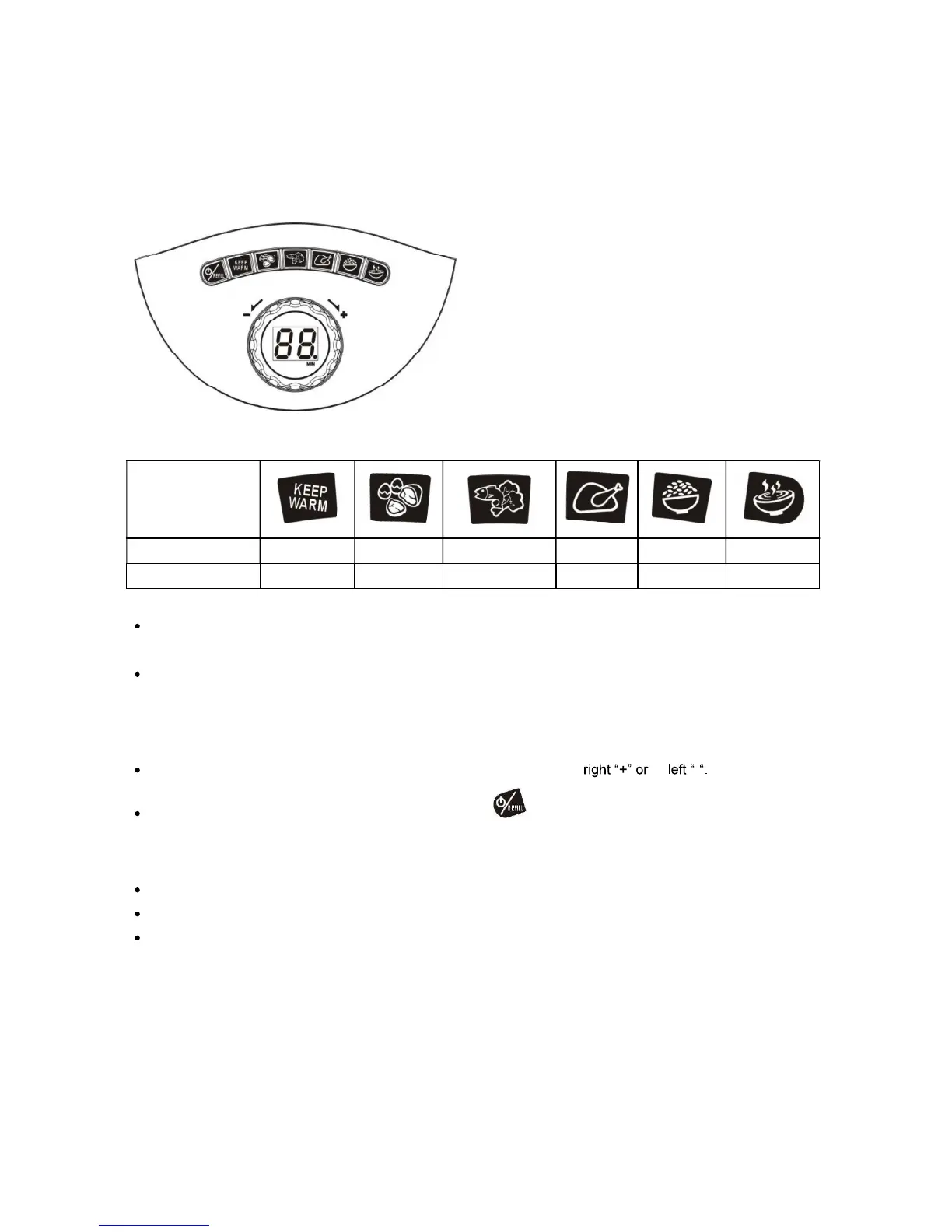
2. The appliance contains a build-in preset cooking menu for different food categories as below:
Cooking Mode Keep Warm Egg/Meat Fish/Vegetable Chicken Rice Soup
Cooking Minutes
10 15 20 30 42 60
Press the desired Cooking Mode Button. The appliance will beep once. The button will keep flashing and
starting to operate in its preset time.
To change the selected cooking mode:
I. Press the selected Mode button once, the button will stop flashing with a beep sound
II. Press the alternative Mode buttons once, it will start flashing and operating at its preset time with a beep
sound.
You can simply adjust the cooking time by turning the Timer Knob to
to -
To stop the operation, press the Power / Refill Button , or press the selected Mode Button again.
NOTE:
The Cooking Timer Knob will only function after a Cooking Mode is selected.
To turn off the appliance during processing, press the Power / Refill Button twice.
When the appliance is turned off, simply press the Power / Refill Button to switch it on.



 To Next Page