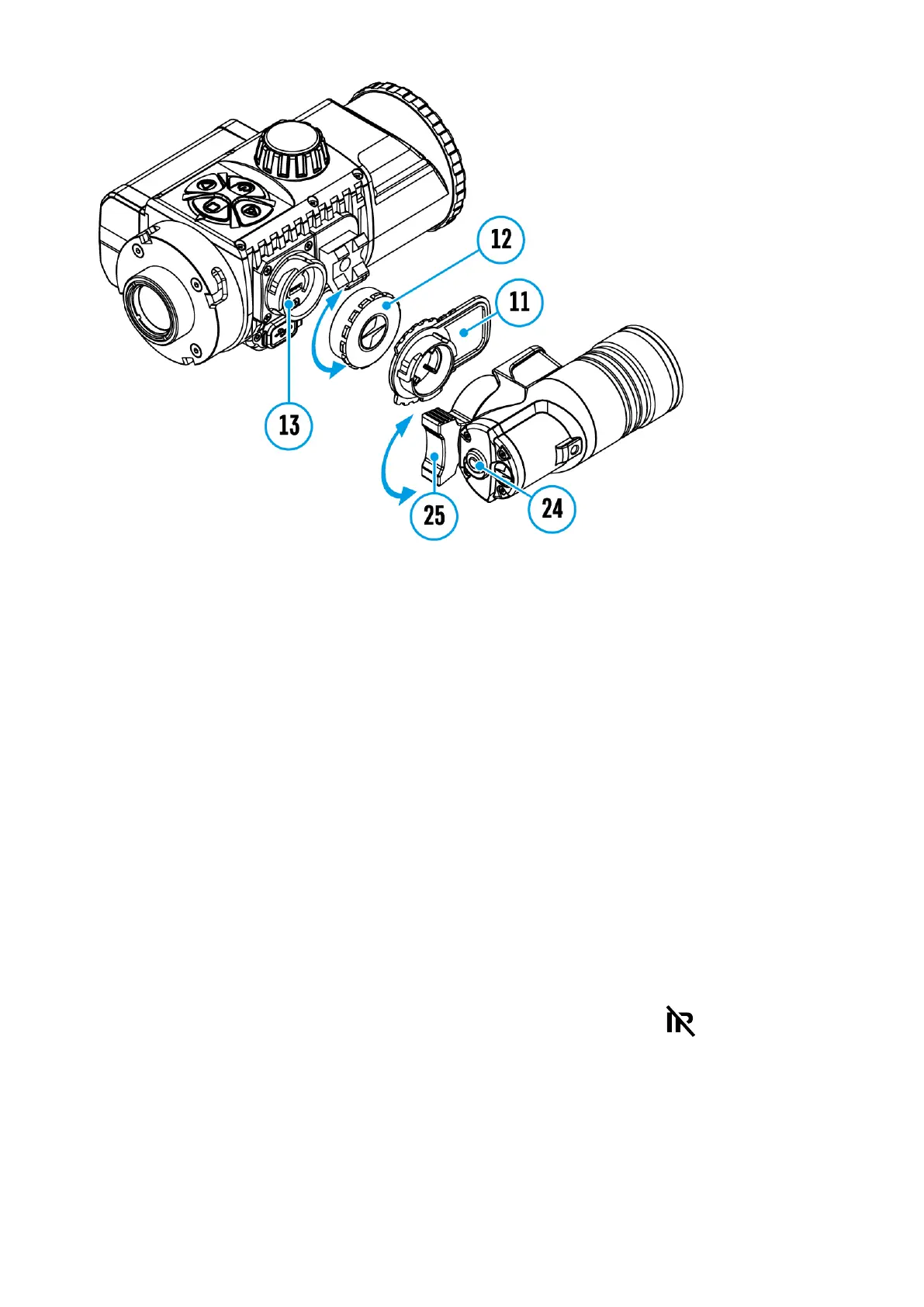
Step 1. Install the IR illuminator
1.
Remove the cap (12) from the connector to attach the IR illuminator
(13).
2.
Remove the cover(11) from the IR illuminator.
3.
Install the IR illuminator on the connector (13). The lever(25) should
be in the up position.
4.
Lock the IR illuminator by pressing the lever (25) down.
5.
Make sure that the IR illuminator is mounted and connected to the
device.
Step 2. Turn on the IR illuminator
1.
Turn on the device using the ON/OFF (9) button to activate the IR
illuminator.
2.
The status bar will display the disabled illuminator icon if the IR
illuminator is not connected. This icon is not displayed when the IR
illuminator is connected.
Step. 3. Adjust the power level of the IR illuminator
1.
Briefly press the IR (24) button at the end of the illuminator. The



 To Next Page