www.foscam.com
Shenzhen Foscam Intelligent Technology Co., Limited
Tel: 86 755 2674 5668 Fax: 86 755 2674 5168
The camera’s software will be configured for port forwarding. There may be issues with your routers
security settings, and sometimes may error. We recommend you configure port forwarding manually on
your router.
4.4.6 Port
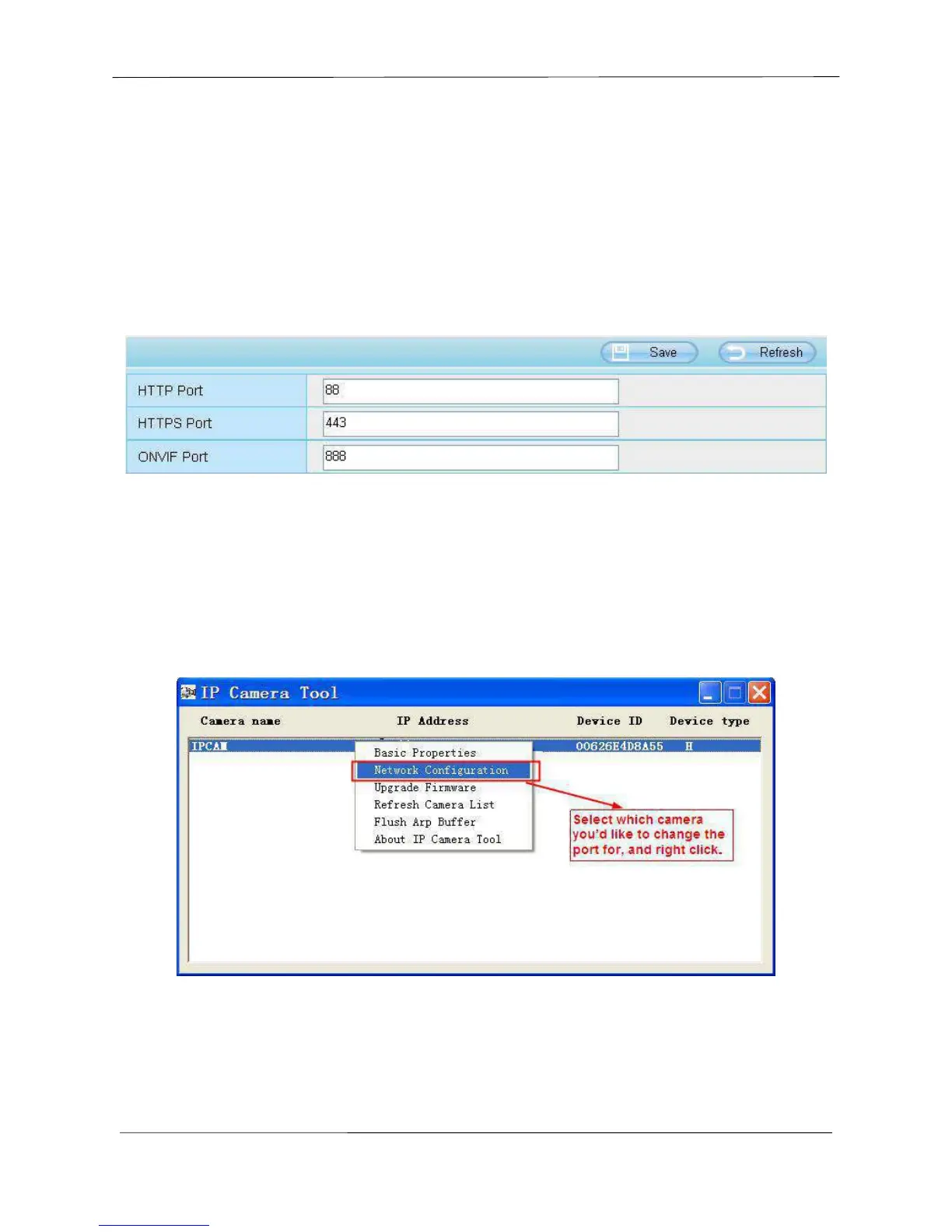
This camera supports HTTP Port. HTTP Port is used to access the camera remotely. If you want to
access the camera and view the video, the HTTP Port must both be configured correctly.
HTTP port: By default, the HTTP is set to 88. Also, they can be assigned with another port number
between 1 and 65535. But make sure they can not be conflict with other existing ports like 25, 21.
Another way to change the HTTP port NO.
Step 1: Open the IP Camera Tool, select the camera you would like to change the port of, right click on
the IP address, and click on ”Network Configuration”, this brings up the network configuration box as
shown in Figure 4.35 and 4.36.



 To Next Page