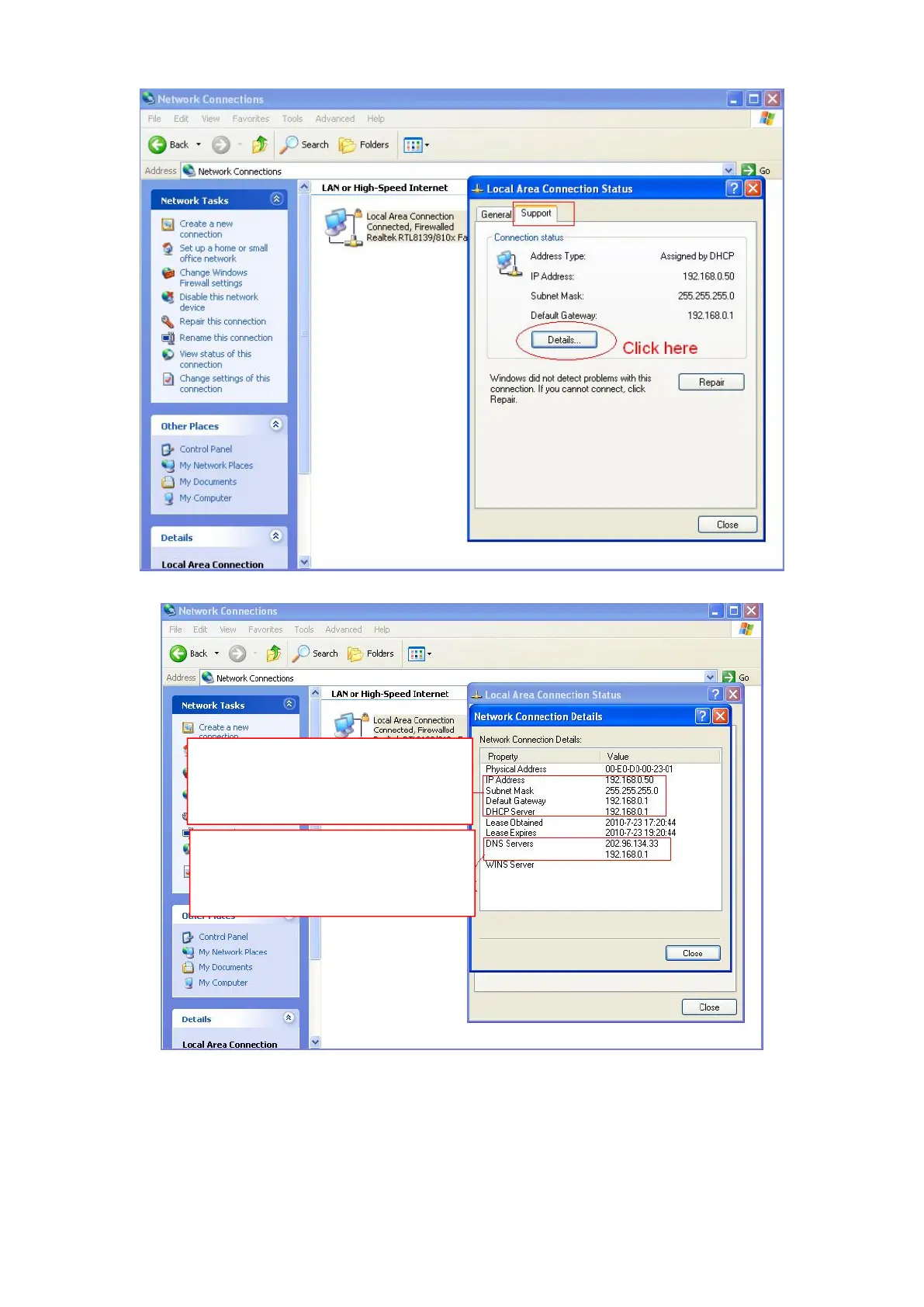
If you don't know the DNS server, you can use the same settings as the Default Gateway.
4.4.2 Wireless Settings (FI9803P / FI9804W / FI9805W / FI9900P / FI9905B / FI9800P)
Step 1: Choose Settings on the top of the camera interface, and go to the "Network" panel on the left side of
the screen, then click Wireless Settings.
Click the Scan button and the camera will detect all wireless networks around the area. It should also display
Set the same Subnet Mask and
gateway of the camera with your
PC.
There are two DNS servers. You
can set any of them. Same with
gateway is also OK.



 To Next Page