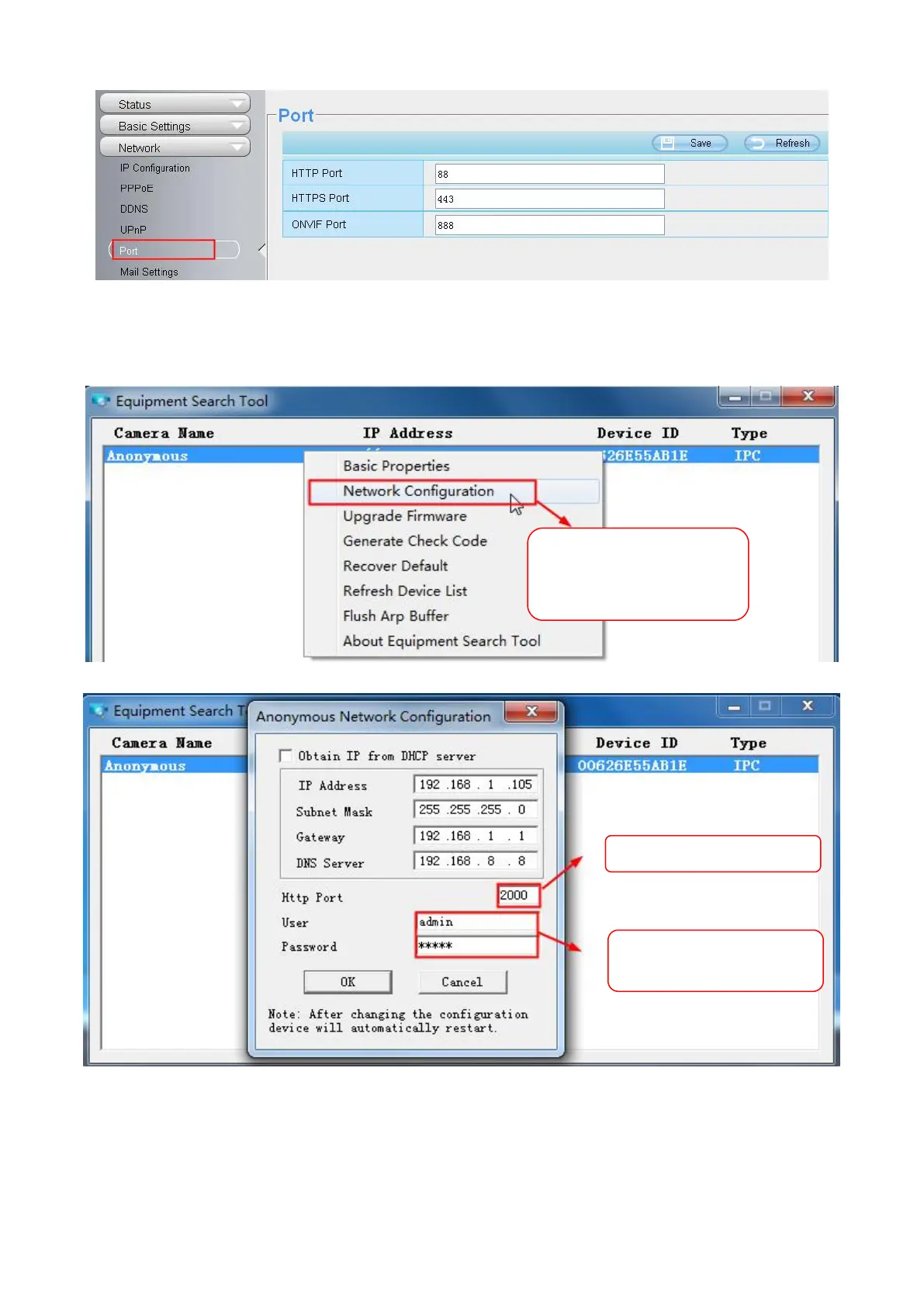
Another way to change the HTTP port no.
Step 1: Open the Equipment Search Tool, select the camera you would like to change the port of, right click on
the IP address, and click on "Network Configuration", this brings up the network configuration box .
Step 2: Enter the username and password of the Administrator (default username is admin with a blank
password), and click OK to apply changes.
Step 3: Wait around 10 seconds, you'll see that the camera's LAN IP address has changed. In our example it
was changed to 2000, so we see http://192.168.1.105:2000 in Equipment Search Tool. Also, the LAN IP
Enter the Username and
password, click OK.
Select which camera
you’d like to change the
port for, and right click .



 To Next Page