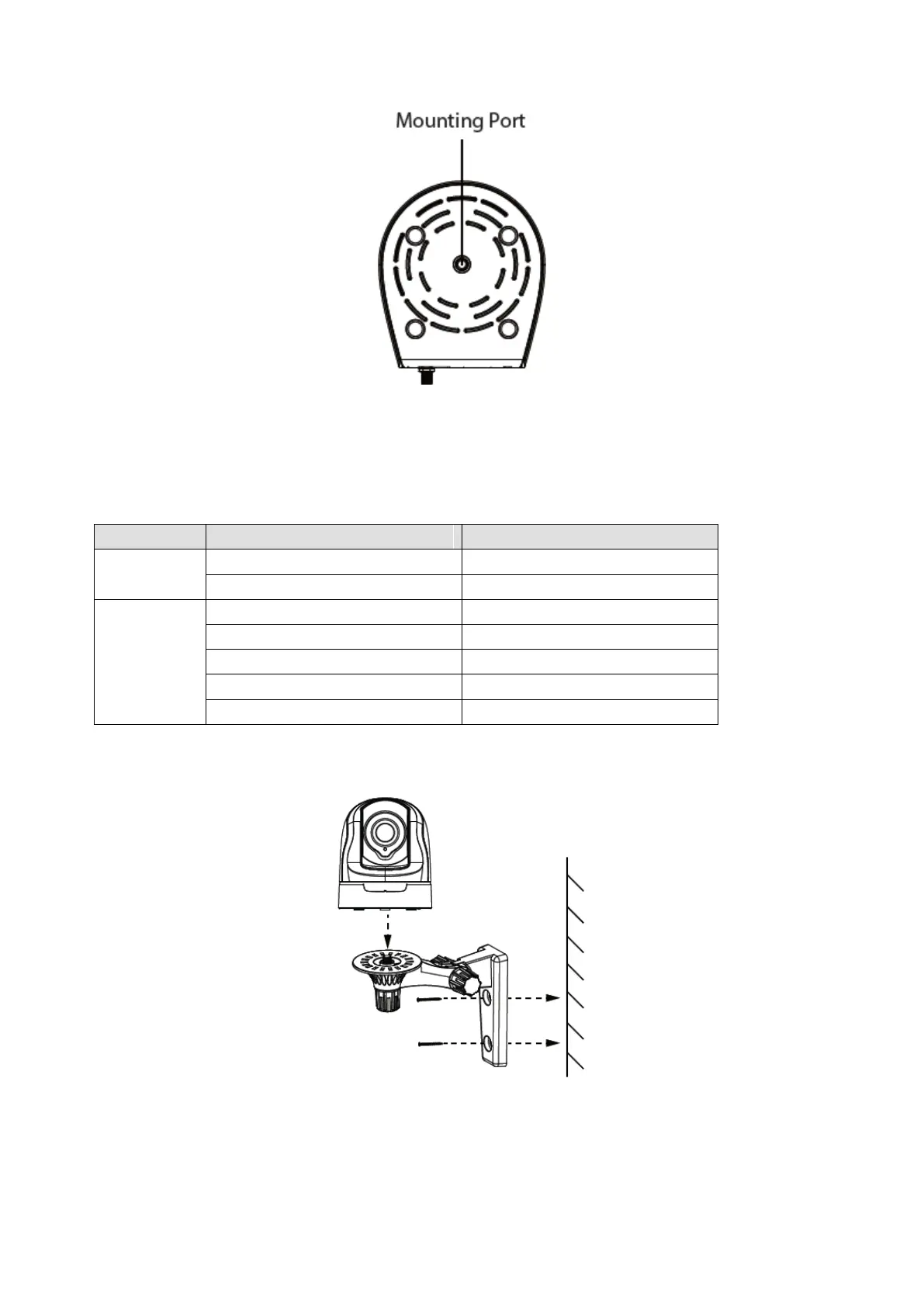
Mounting Port: Port for mounting bracket
The flashing status of the Power light and Network light are shown in the following table.
The power don't work properly.
The power supply works fine.
Slow Flash once per second
Flashing every 0.4 seconds
Flashing every 0.2 seconds
Constant for 3 seconds one time
1.5 Hardware Installation
Step 1: Screw the mount on the wall with the two screws provided.
Step2: Loosen the thumb screws to adjust the mount to the desired position. Once the position is set,
tighten the screws securely.



 To Next Page