7
Wired Connection
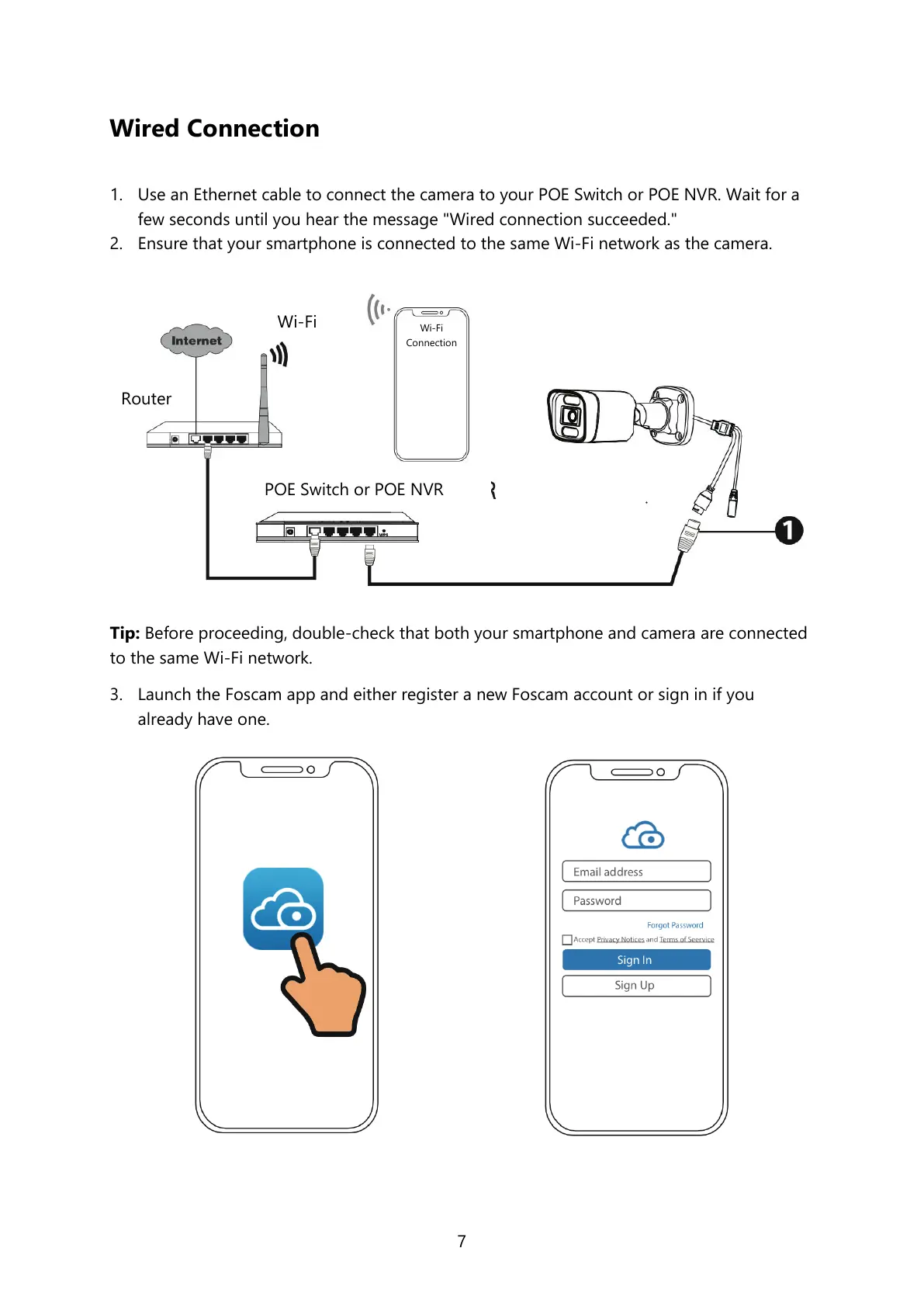
1. Use an Ethernet cable to connect the camera to your POE Switch or POE NVR. Wait for a
few seconds until you hear the message "Wired connection succeeded."
2. Ensure that your smartphone is connected to the same Wi-Fi network as the camera.
Tip: Before proceeding, double-check that both your smartphone and camera are connected
to the same Wi-Fi network.
3. Launch the Foscam app and either register a new Foscam account or sign in if you
already have one.


 To Next Page