EasyManua.ls Logo

Fostex 250 - Page 20

Fostex 250
28 pages
Print Icon
To Next Page IconTo Next Page
To Previous Page IconTo Previous Page
Loading...
to
R.
It
close
mic
or
direct
instrument
inputs
are
used,
these
can
be
panned
to
any
position
in
the
stereo
perspective,
but
during
the
initial
setup,
pan
fully
to
one
track.
7.
Initially
set
all
input
FADERS
all
the
way
down
(#0).
Then,
one
channel
at
a
time,
perform
the
following
steps:
a)
On
the
channels
with
new
signals,
raise
the
FADER
to
nominal
(#
7-
#
8).
Then,
with
signal
present
at
the
input,
adjust
the
TRIM
control
for
a
VU
METER
indication
of
approximately
—3
to
0
VU.
b)
O
n
these
same
channels,
adjust
the
EQ
as
desired,
then
set
the
4
CHAN
BUSS
to
OFF
position.
8.
Press
the
PLAY
button
to
begin
playback
of
the
existing
tracks
to
balance
these
levels
with
the
new
inputs.
a)
If
the
channel
1
&
2
INPUT
selectors
are
in
TAPE
posi¬
tion
(i.e.,
only
1
or
2
new
inputs
is
being
added),
raise
the
#1
&
#2
INPUT
FADERs
to
nominal
position
and
check
the
VU
METER
levels.
Playback
from
track
1
will
be
monitored
on
the
TRK
3
meter,
and
can
be
adjusted
with
the
channel
1
input
FADER.
Playback
from
track
2
is
seen
on
the
TRK
4
meter,
and
adjusted
with
the
channel
2
input
FADER.
(The
channel
1
&
2
trim
controls
have
no
effect
here).
b)
Bring
up
the
input
FADERS
on
the
channels
with
new
signals,
and
balance
these
with
the
previously
record¬
ed
tracks.
c)
If
3
or
more
new
inputs
are
being
added,
and
the
TAPE
OUT
1
&
2
jacks
are
patched
directly
to
RECORD
IN
3
&
4,
then
there
is
no
way
to
adjust
the
transfer
level;
instead
adjust
the
input
FADERS
for
the
new
signals
to
achieve
the
desired
balance
with
the
tracks
being
transferred.
9.
Rewind
the
tape
by
pressing
ZERO
RETURN.
10.
Depress
the
RECORD
TRACK
#
3
&
#
4
buttons
to
make
these
tracks
ready
for
recording,
11.
When
ready
to
record,
press
the
PLAY
and
RECORD
but¬
tons.
(Alternatively,
press
PLAY
and
use
the
REMOTE
PUNCH
IN
FOOT
SWITCH
to
initiate
recording;
be
sure
to
1
begin
recording
before
the
original
tracks
start.)
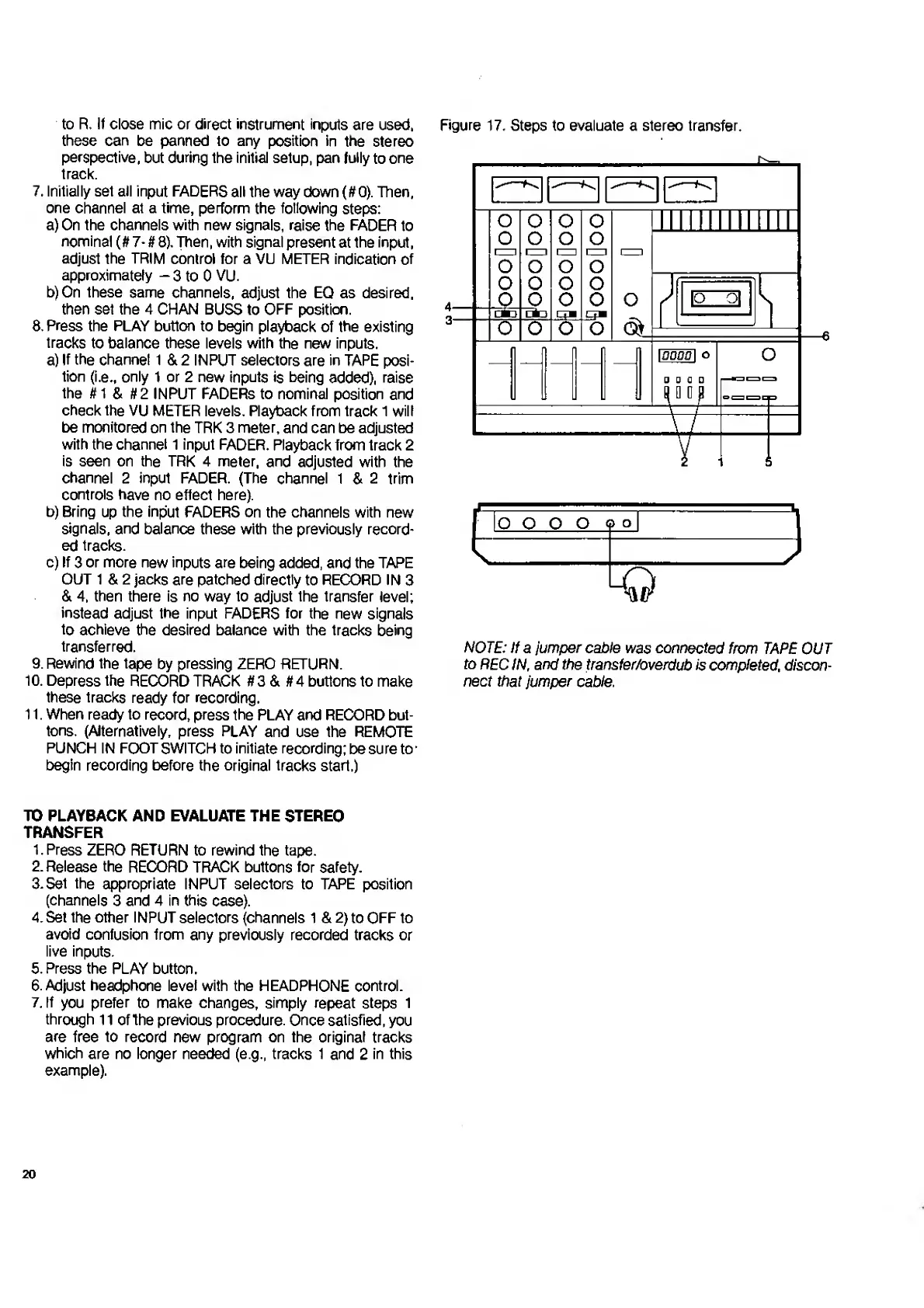
Figure
17.
Steps
to
evaluate
a
stereo
transfer.
NOTE:
If
a
jumper
cable
was
connected
from
TAPE
OUT
to
REC
IN,
and
the
transfer/overdub
is
completed,
discon¬
nect
that
jumper
cable.
TO
PLAYBACK
AND
EVALUATE
THE
STEREO
TRANSFER
1.
Press
ZERO
RETURN
to
rewind
the
tape.
2.
Release
the
RECORD
TRACK
buttons
for
safety.
3.Set
the
appropriate
INPUT
selectors
to
TAPE
position
(channels
3
and
4
in
this
case).
4.
Set
the
other
INPUT
selectors
(channels
1
&
2)
to
OFF
to
avoid
confusion
from
any
previously
recorded
tracks
or
live
inputs.
5.
Press
the
PLAY
button.
6.
Adjust
headphone
level
with
the
HEADPHONE
control.
7.
If
you
prefer
to
make
changes,
simply
repeat
steps
1
through
11
of
the
previous
procedure.
Once
satisfied,
you
are
free
to
record
new
program
on
the
original
tracks
which
are
no
longer
needed
(e.g.,
tracks
1
and
2
in
this
example).
20

Related product manuals