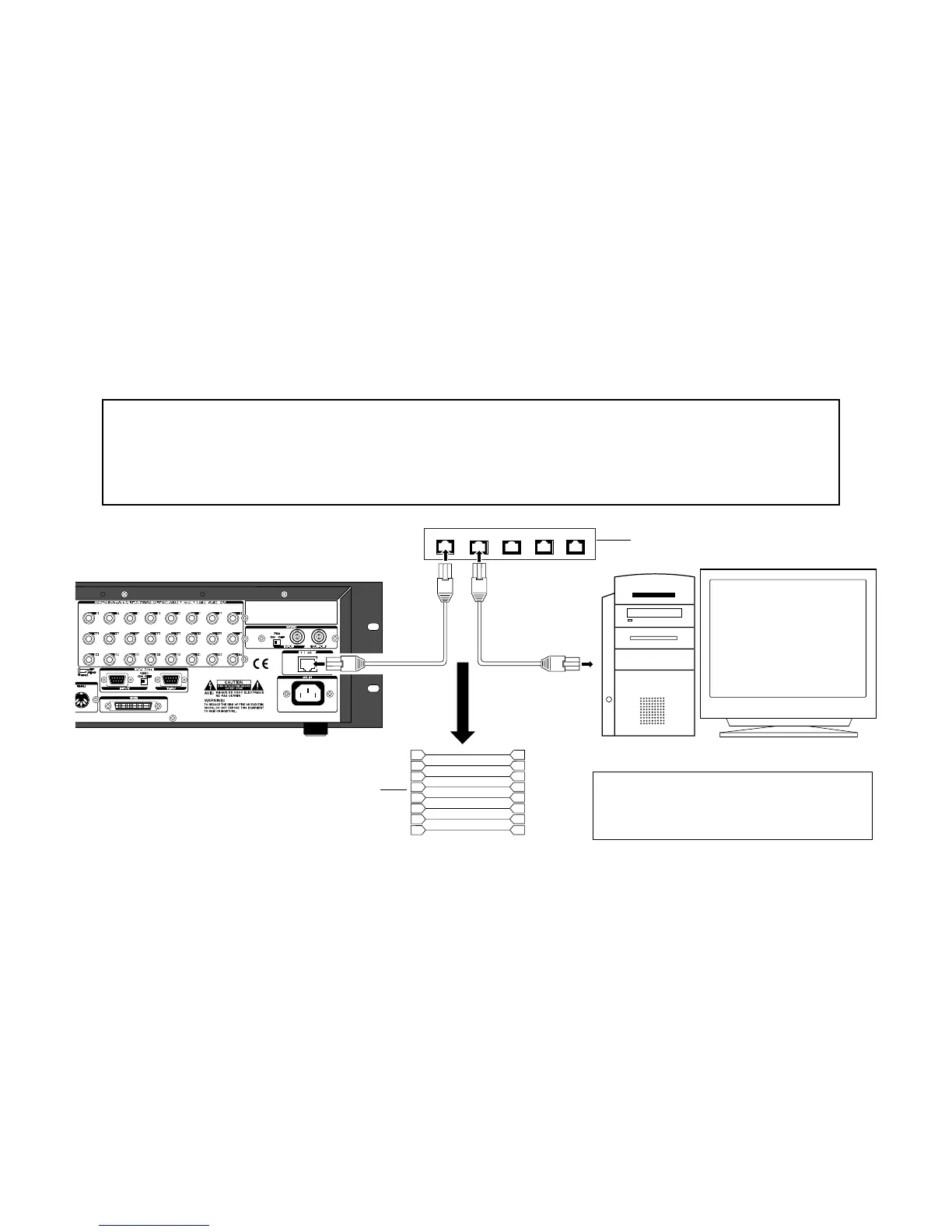
Connection to an existing LAN
To connect the recorder to an existing LAN, use a "straight cable of category 5 or higher" for connection
between the recorder and a hub, as shown below.
<Note>
When connecting the recorder to an existing LAN, set the IP address and subnet mask correctly. Other-
wise, whole LAN system may have a trouble. Before setting the IP address and subnet mask, consult the
network administrator. To use the ether card as an FTP server, see "TCP/IP setting (recorder's initial
setting)" and "Personal computer setting" described later.
1
2
3
4
5
6
7
8
1
2
3
4
5
6
7
8
D2424LV/D2424 with the ether card
Straight cable of category 5 or higher
Hub connected to a LAN
Personal computer with an FTP application installed
<Note>
A personal computer must be equipped
with a LAN card which works correctly.
4



 To Next Page