EasyManua.ls Logo

Fostex A-8 - Page 76

Fostex A-8
100 pages
Print Icon
To Next Page IconTo Next Page
To Previous Page IconTo Previous Page
Loading...
5)
After
check
of
the
OUTPUT
jack
level,
confirm
that
the
meter
reading
is
0
VU,
±1
VU.
If
the
reading
is
not
0
VU
±1VU,
repeat
the
adjustments
in
the
previous
section,
Item
5.
6)
Calibrate
tracks
2
®
8
(CHAN
2
®
8)
by
the
same
procedures
for
TRACK
1,
above.
7)
On
completing
the
above
adjustments,
return
to
INT
the
NR
INT/EXT
switch
on
the
recorder
front
panel,
6.4.3
Adjusting
the
reproduce
frequency
response
1)
Set
the
NR
INT/EXT
switch
on
the
recorder
front
panel
to
EXT
and
switch
off
all
RECORD
TRACK
buttons.
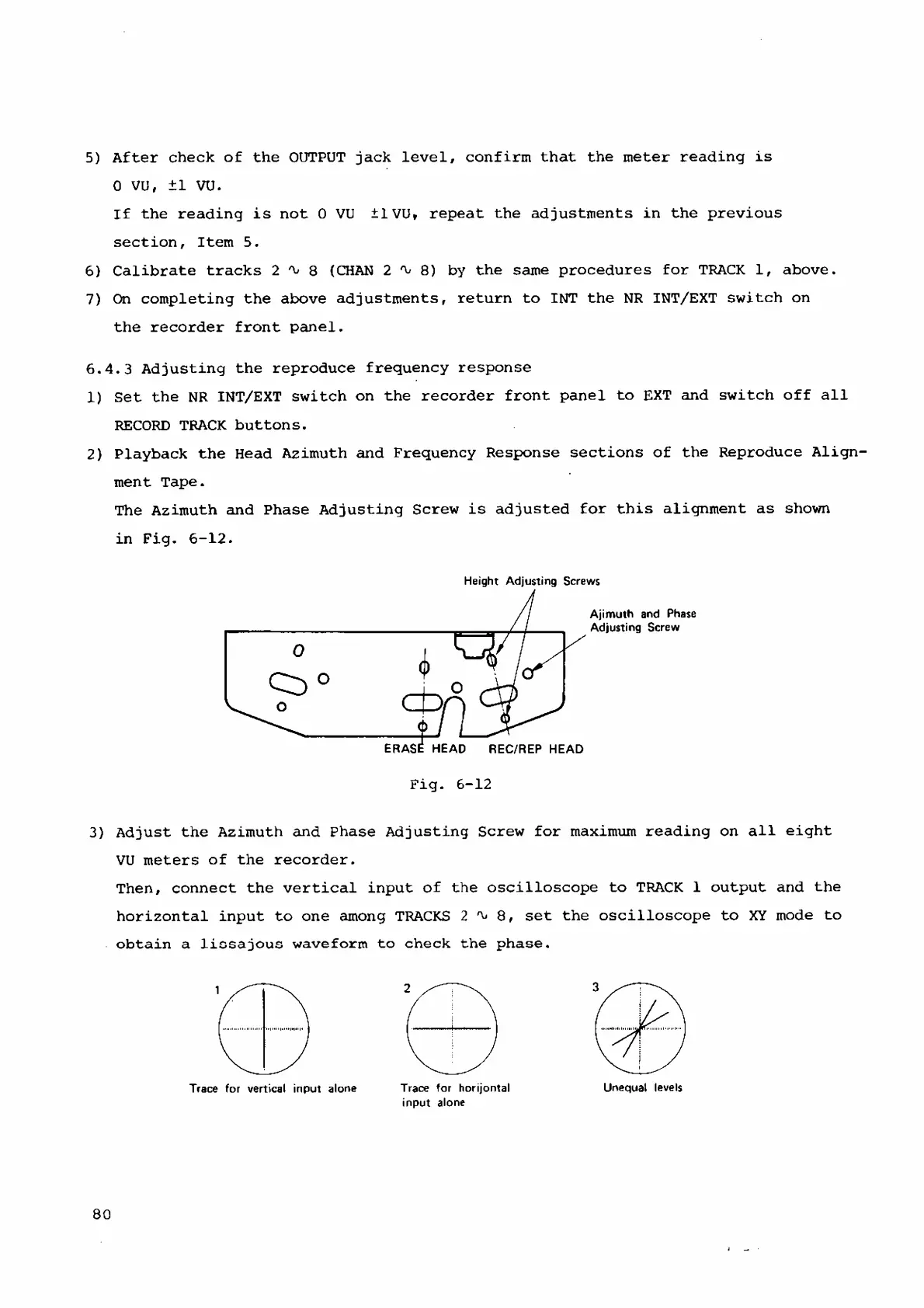
2)
Playback
the
Head
Azimuth and
Frequency
Response
sections
of
the
Reproduce
Align
ment
Tape.
The
Azimuth
and
Phase
Adjusting
Screw
is
adjusted
for
this
alignment
as
shown
in
Fig.
6-12.
3)
Adjust
the
Azimuth
and
Phase
Adjusting
Screw
for
maximum
reading
on
all
eight
VU
meters
of
the
recorder.
Then,
connect
the
vertical
input
of
the
oscilloscope
to
TRACK
1
output
and
the
horizontal
input
to
one
among
TRACKS
2^8,
set
the
oscilloscope
to
XY
mode
to
obtain
a
lissa
jous
waveform
to
check
the
phase.
Trace
for
horijontal
input
alone
Unequal
levels
Trace
for
vertical
input
alone
80

Related product manuals