EasyManua.ls Logo

Fostex E-2 - Operations; Tape Threading

Fostex E-2
22 pages
Print Icon
To Next Page IconTo Next Page
To Previous Page IconTo Previous Page
Loading...
1)
Loosen
the
four
screws
located
оп
both
sides
of
the
meter
section
and
tape
control
panel,
swing
down
the
panel
and
set
to
the
left
side
the
BIAS
select
slide
switch,
at
left
of
the
METER
selector.
The
BIAS
2
LED
will
be
lit.
2)
If
it
becomes
necessary
to
set
BIAS
2,
follow
the
procedures
below.
First,
load
a
blank
tape
to
be
used
at
the
BIAS
2
position
and
set
tape
speed
to
LOW.
Then,
set
the
bias
selector
to
BIAS
2
(LED
will
be
lit).
The
remaining
procedures
are
the
same
as
explained
in
"BIAS
LEVEL
AND
RECORD
LEVEL
ADJUSTMENTS"
but
in
this
case,
BIAS
2
(C102)
is
trimmed,
and
the
recording
equalizer
HIGH
REC
EQ
2
(R204,
1KQB)
and/or
LOW
REC
EQ
2
(8205,
1КОВ)
is
adjusted.
It
must
be
noted
here
that,
as
the
level
setting
pot
REC
LVL
(R206,
БКОВ)
is
common
for
both
BIAS
1
and
BIAS
2,
when
а
tape
with
а
large
difference
in
sensitivity
is
used,
this
REC
LVL
pot
must
be
readjusted
when
the
bias
selector
is
reset
to
BIAS
1.
The
meter
panel
is
closed
and
secured
by
the
original
screws
after
all
three
tracks
have
been
adjusted.
On
closing
the
meter
panel,
be
careful
not
to
pinch
any
of
the
internal
cables
and
wiring.
5.
OPERATIONS
Practice
each
procedure
by
referring
to
the
numbers
of
each
control
which
are
same
with
those
in
Section
3,
FEATURE
DESCRIPTIONS.
5.1
Tape
threading
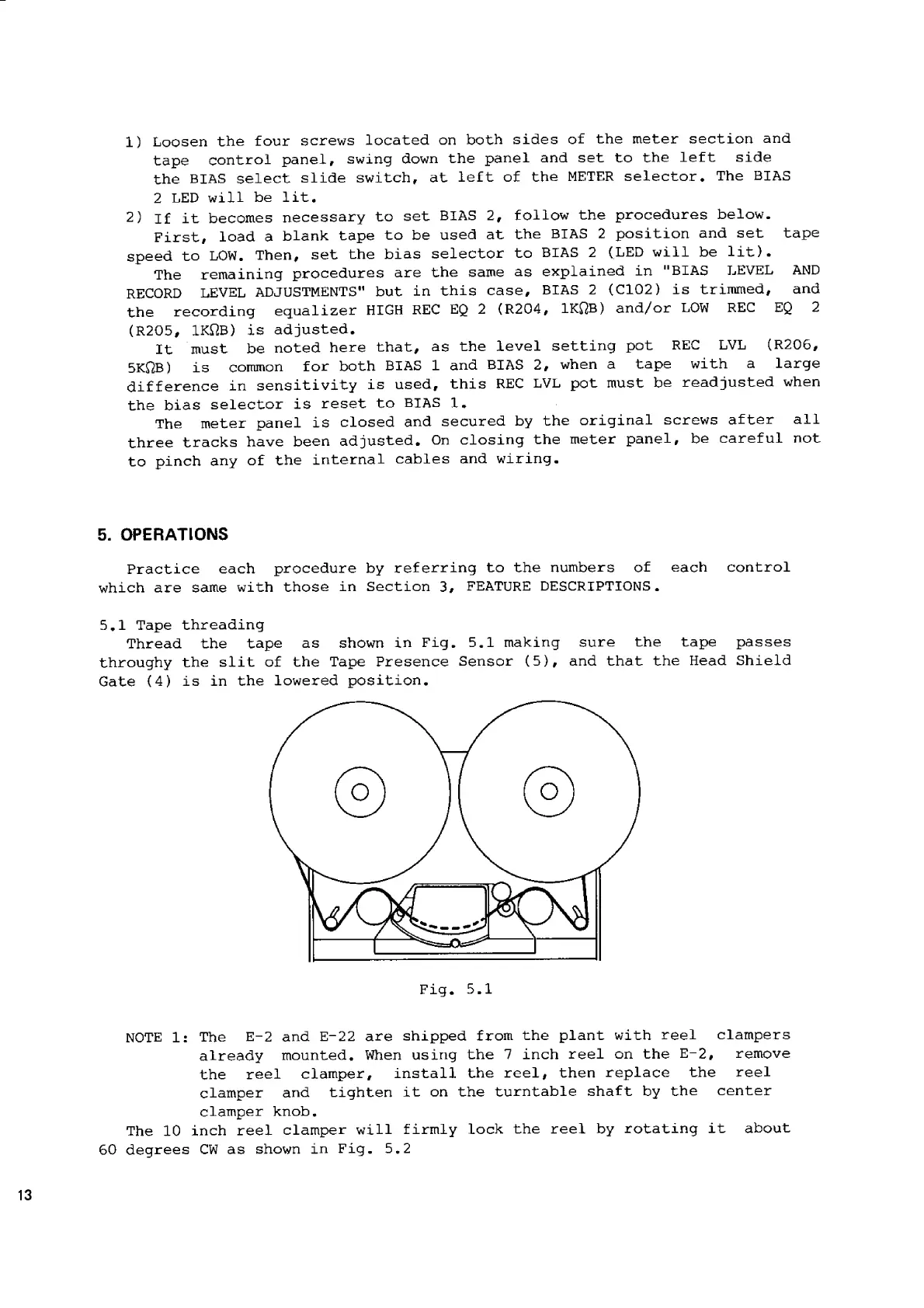
Thread
the
tape
as
shown
in
Fig.
5.1
making
sure
the
tape
passes
throughy
the
slit
of
the
Tape
Presence
Sensor
(5),
and
that
the
Head
Shield
Gate
(4)
is
in
the
lowered
position.
NOTE
1:
The
Е-2
and
E-22
are
shipped
from
the
plant
with
reel
clampers
already
mounted.
When
using
the
7
inch
reel
on
the
Е-2,
remove
the
reel
clamper,
install
the
reel,
then
replace
the
reel
clamper
and
tighten
it
on
the
turntable
shaft
by
the
center
clamper
knob.
The
10
inch
reel
clamper
will
firmly
lock
the
reel
by
rotating
it
about
60
degrees
CW
as
shown
in
Fig.
5.2

Related product manuals