6
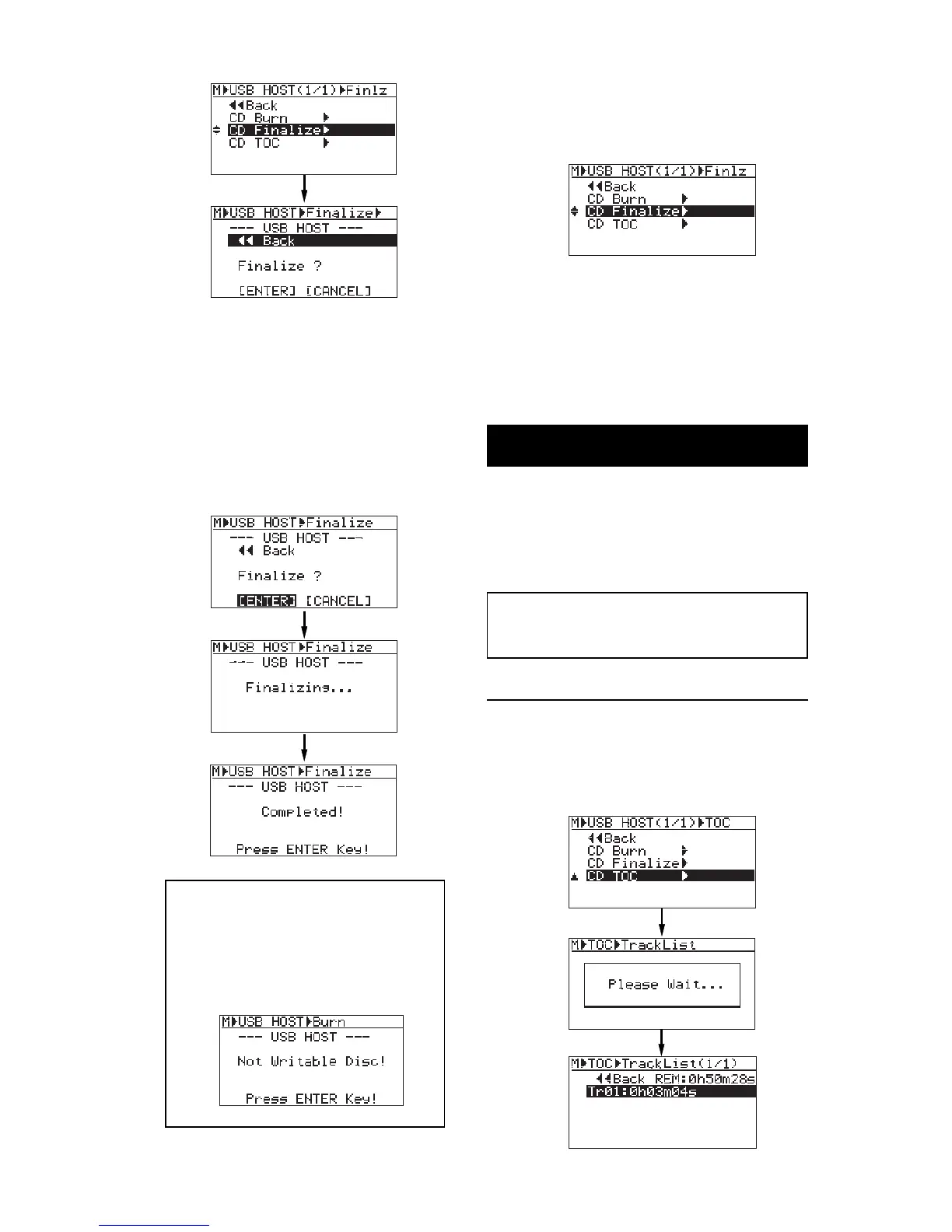
8) Use the [MENU] dial to select "[ENTER]"
and press the [ENTER] key.
The MR-8HD starts finalizing the disc, while the
screen shows "Finalizing...".
When finalizing completes, "Completed!" is shown
and the disc is automatically ejected from the
CD-R/RW drive.
9) Following the screen prompt, press the
[ENTER] key.
The display now shows the USB HOST menu
selection screen, where "CD Finalize>" is highlighted.
You can view the TOC after finalizing. See "View-
ing TOC" below for details.
To finalize the disc, press the [ENTER] key. To can-
cel finalizing, press the [CANCEL] key, followed by
the [ENTER] key.
10) Press the [STOP] key to exit the MENU mode.
You can also exit the MENU mode by selecting
"<<Back" and pressing the [ENTER] key
repeatedly.
<Note>: You cannot add any more tracks
to a finalized disc.
If you reload the finalized disc to the drive
and attempt to burn an additional WAV file,
the following warning message appears
and you cannot burn the file.
Viewing TOC
Viewing TOC after completing "CD Burn"
You can view the TOC when completing "CD Burn"
or "CD Finalize". Therefore, when you burn more
than one track to a disc, you can check the remain-
ing time (the recordable time left) by viewing the
TOC whenever you complete burning a track.
1) Use the [MENU] dial to select "CD TOC>"
and press the [ENTER] key.
The display shows "Please Wait...", followed by
the track number and playing time, as well as the
disc remaining time.
<TOC>; TOC stands for Table of Contents. TOC
lists number of CD tracks, their starting locations,
playing time of each track on the disc, etc.



 To Next Page