EasyManua.ls Logo

FOUR MP100BTi - User Manual

FOUR MP100BTi
28 pages
Go to English
Print Icon
To Next Page IconTo Next Page
Loading...
1
OMISTAJAN OPAS
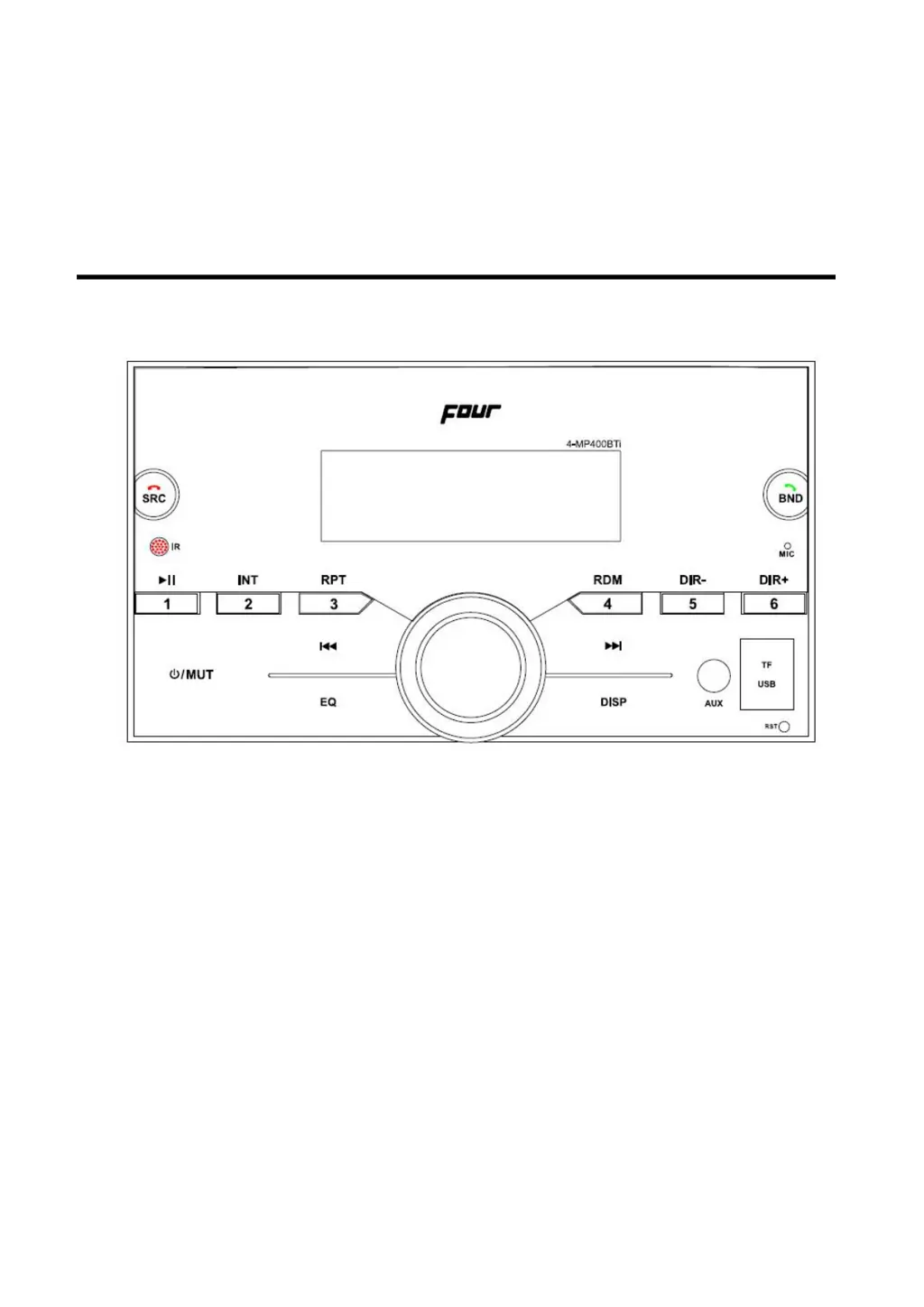
4MOBILE 4-MP400BTi
FM Radio
Automattinen muistin tallennus
Esiasetettu taajuuskorjain
Bluetooth handsfree audiostriimauksella
USB liitäntä
3.5mm AUX liitäntä
Kauko-ohjain
App Control

Table of Contents

Questions and Answers

  • D
    Douglas HillAug 12, 2025
    What to do if my FOUR MP100BTi has no power?
    • C
      csmithAug 12, 2025
      If your FOUR Stereo System isn't powering on, there are a couple of things to check. First, if the power supply is connected to the car accessory circuits, ensure the car ignition key is switched to “ACC”. Also, verify the fuse. If it's blown, replace it.
  • K
    kingshaneAug 18, 2025
    Why is there no sound coming from my FOUR Stereo System?
    • B
      Beth JonesAug 19, 2025
      If you're not getting any sound from your FOUR Stereo System, start by checking the volume level and adjust it to a desired level. Also, make sure the wiring is properly connected.
  • W
    wberryAug 27, 2025
    How to fix FOUR MP100BTi Stereo System radio when it does not work?
    • T
      taylorthompsonAug 27, 2025
      If the radio on your FOUR Stereo System isn't working, or the automatic station selection isn't functioning, check that the antenna cable is firmly inserted. If the signals are too weak, try selecting a station manually.
  • W
    wyatthenrySep 3, 2025
    What to do if operation keys do not work on FOUR Stereo System?
    • K
      Kristin HarrisSep 3, 2025
      If the operation keys on your FOUR Stereo System aren't working, the built-in microcomputer might not be operating properly due to noise. Try pressing the reset button.

FOUR MP100BTi Specifications

General IconGeneral
BrandFOUR
ModelMP100BTi
CategoryStereo System
LanguageEnglish