-18-
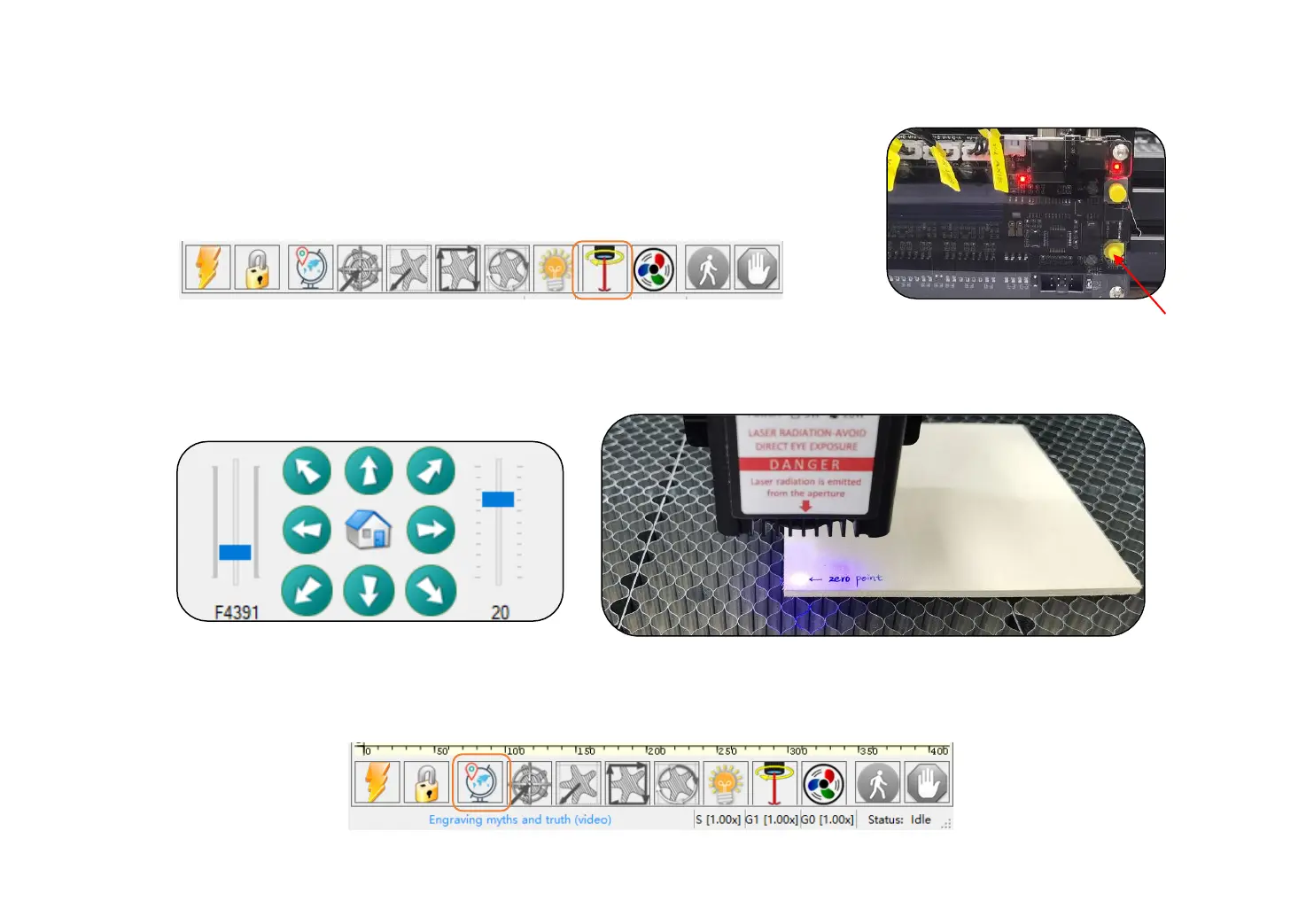
9. Click the laser focus icon. The laser can be turned on in low power. (See picture-1)
You can turn on/off the laser in low power on the control board. (See picture-2)
10. Jog the laser head to the zero point, then turn off the laser.
Make Your First Engraving
11. Click the set zero point button to set the current position as zero. (The default power-on position is zero)
Picture-1
Picture-2


 To Next Page