15
2
15
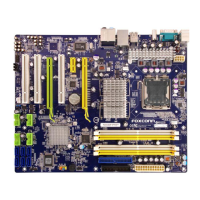
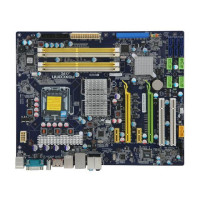
Audio Connector : F_AUDIO
The audio connector supports HD Audio standard. It
provides the Front Audio output choice.
Speaker Connector : SPEAKER
The speaker connector is used to connect speaker
of the chassis.
USB Connectors : F_USB1/2/3
In addition to the six USB ports on the rear panel, this
product also provides three 10-pin USB headers on
its motherboard. By connecting through USB cables
with them, user can quickly expand another eight USB
ports on the front panel.
Serial ATA Connectors : SATA_1/2/3/4/5/6
The Serial ATA connector is used to connect with SATA
Hard Disk or CD devices which support this feature.
The current Serial ATA interface allows up to 600MB/s
data transfer rate.
IDE Connector : PIDE
With the provided Ultra DMA IDE ribbon cable, you
can connect to any IDE type of hard disk and CD/DVD
ROM/RW drive.
A_MIC2_L
A_MIC2_R
A_LINE2_L
SENSE_SEND
SENSE1_RETURN
PRESENCEJ
EMPTY
SENSE2_RETURN
AUD_GND
1
2
109
F_AUDIO
A_LINE2_R
NC
PWR
EMPTY
SPEAKER
SPKJ
1
2
3
4
1 2
109
NC
GND
VCC
D+
D-
D+
GND
D-
VCC
EMPTY
F_USB 1/2/3/4
SATA1/2/SATA3_4/SATA5_6
GND
TX+
TX-
GND
RX-
RX+
GND
1
Connect a 4-pin
power plug
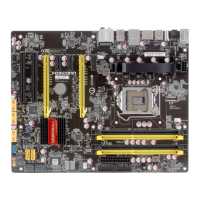
We recommend you using an 8-pin ATX 12V power supply. If
you are using a 4-pin power supply, you need to align the ATX
power connector according to the picture on the right.
C
A
U
T
I
O
N
!


 To Next Page
 Loading...