EPS Box -TP Series User Manual www.fox-ess.com P a g e | 5
3. Mounting
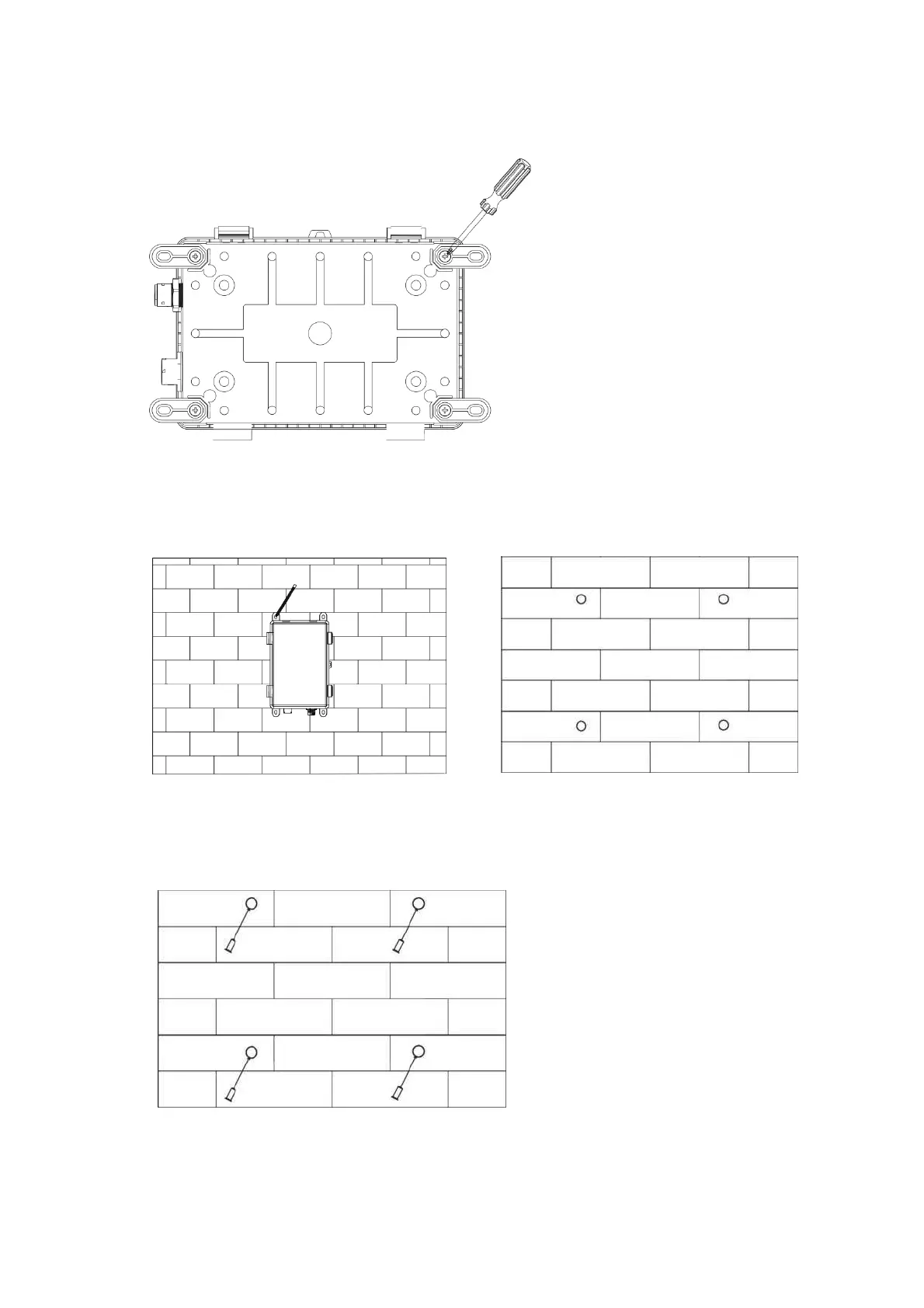
Step 1: Install the four cushion blocks on EPS Box -TP with self-tapping screws.
Step 2: Use EPS Box-TP with cushion blocks as a template to mark the four holes' position on the wall with
marker pen.
Step 3: Drill holes with 力 6 driller carefully, make sure the holes are deep enough for installing. Install the
expansion tubes through cushion blocks into the holes and tighten them.


 To Next Page