27
• COM
ESTOP: Close the inverter.
Generator: Connect the generator and start-up it.
CAN: External debug.
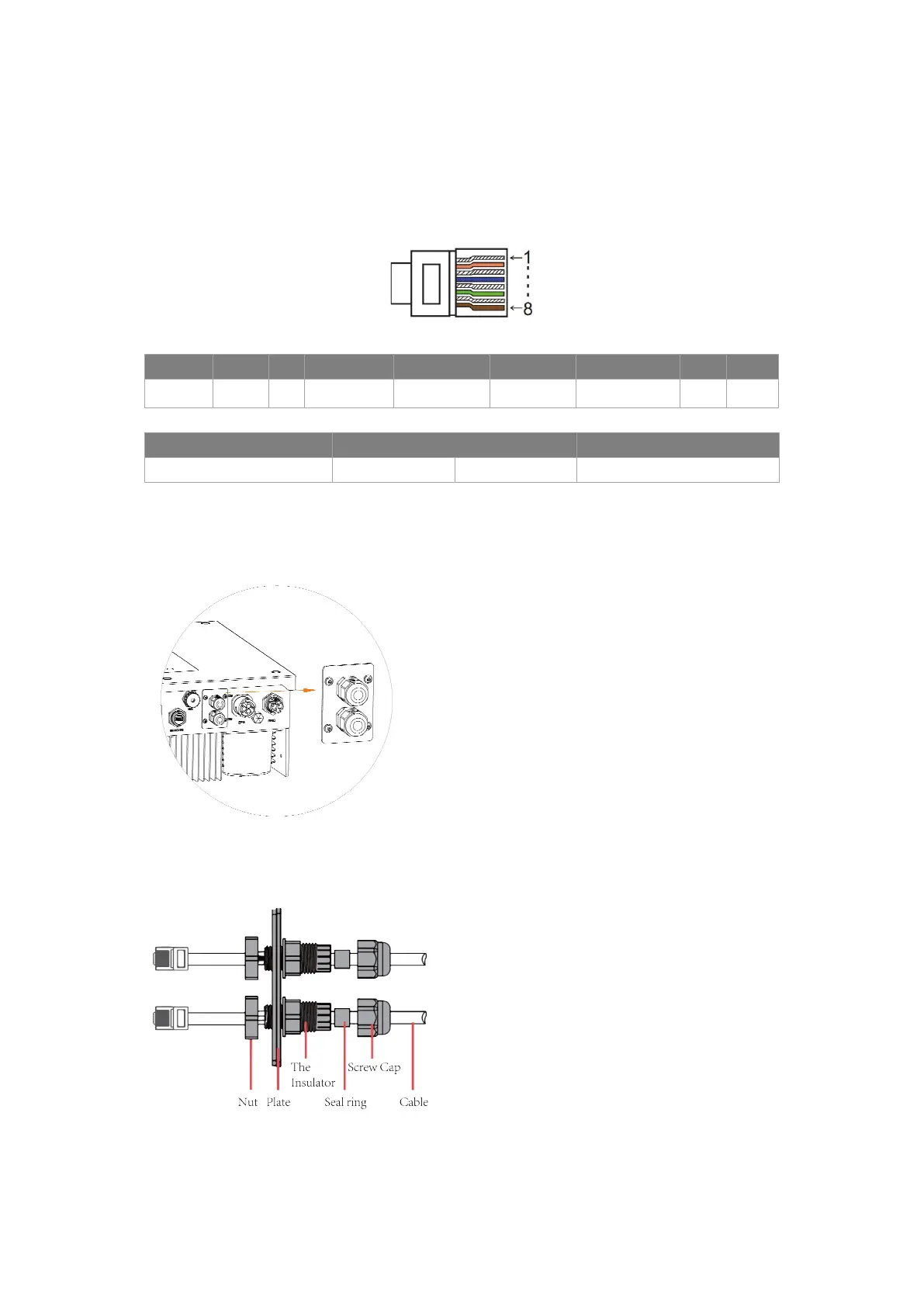
PIN 1 2 3 4 5 6 7 8
Definition
+3.3 V GND GENERATOR BMS-CANL BMS-CANH +3.3V GND ESTOP
Model Socket asserted by shorting pins Function
ESTOP 7 8 Emergency stop the inverter.
Connection steps:
Step 1: Screw this plate off from inverter.
Step 2: Prepare a standard network cable and cable connector, then insert the network cable through the
cable connector.
Step 3: Insert the cable connector into DRM/COM port at the bottom of inverter and screw it tightly. Then
insert other side of the network cable into PC or other device.



 To Next Page