39
Foxwell ET2709 OBDII&Battery Tester User’s Guide_ English Version_V1.00
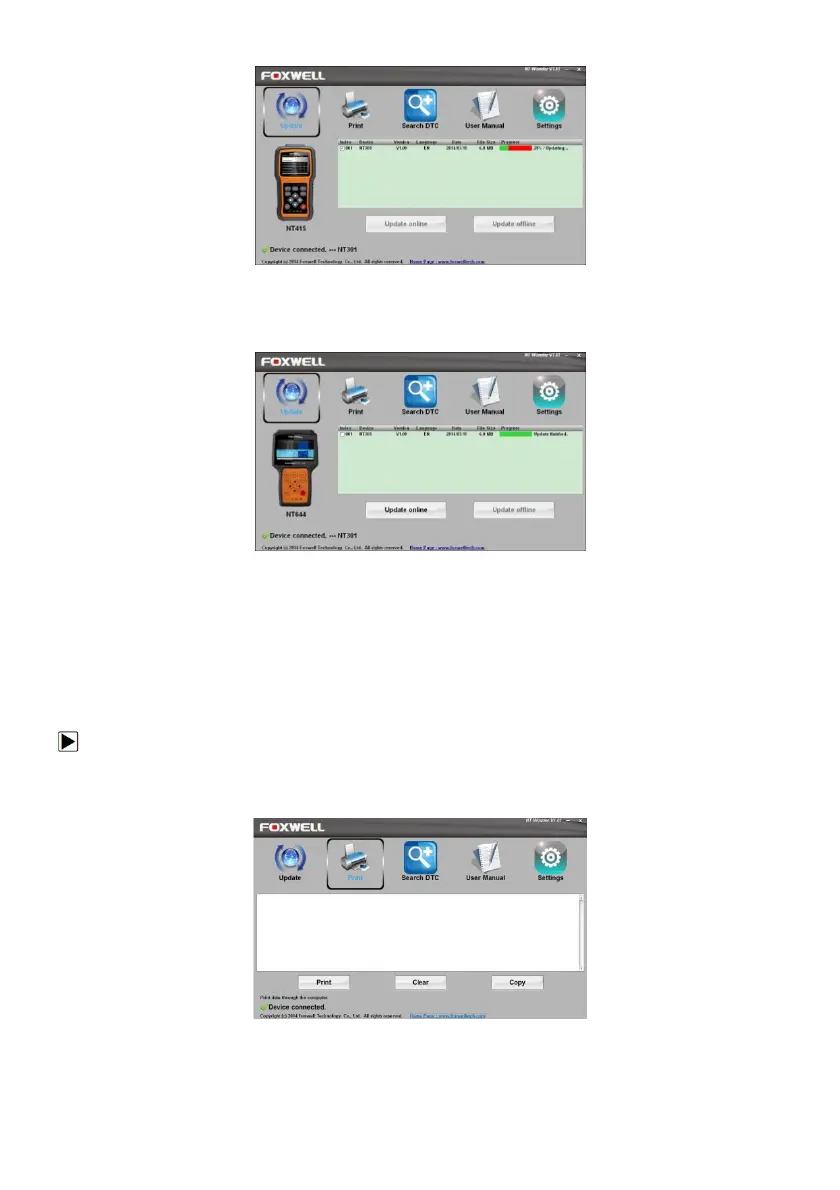
Figure 9-2 Sample Update Process Screen
8. A Update Finished Message displays when the update is completed.
Figure 9-3 Sample Update Done Screen
8.2 Printing
The Print Data function is used to print test results through computer. It is not available to perform this
function when the device is in Update Mode.
To print test results:
1. Download and launch NT Wonder as instructed on page 38 of 9.1 Updating the
OBDII&Battery tester.
2. Activate the application by clicking the Print Button from the menu.
Figure 9-4 Sample Printing Activation Function
3. Connect ET2709 to computer with the USB cable supplied to power it on.
4. Use the LEFT/RIGHT key to select Print Data from home screen of the ET2709 and press the
ENTER key to confirm.



 To Next Page