NT630Plus ABS & Airbag Reset Tool Manual_English_V1.02
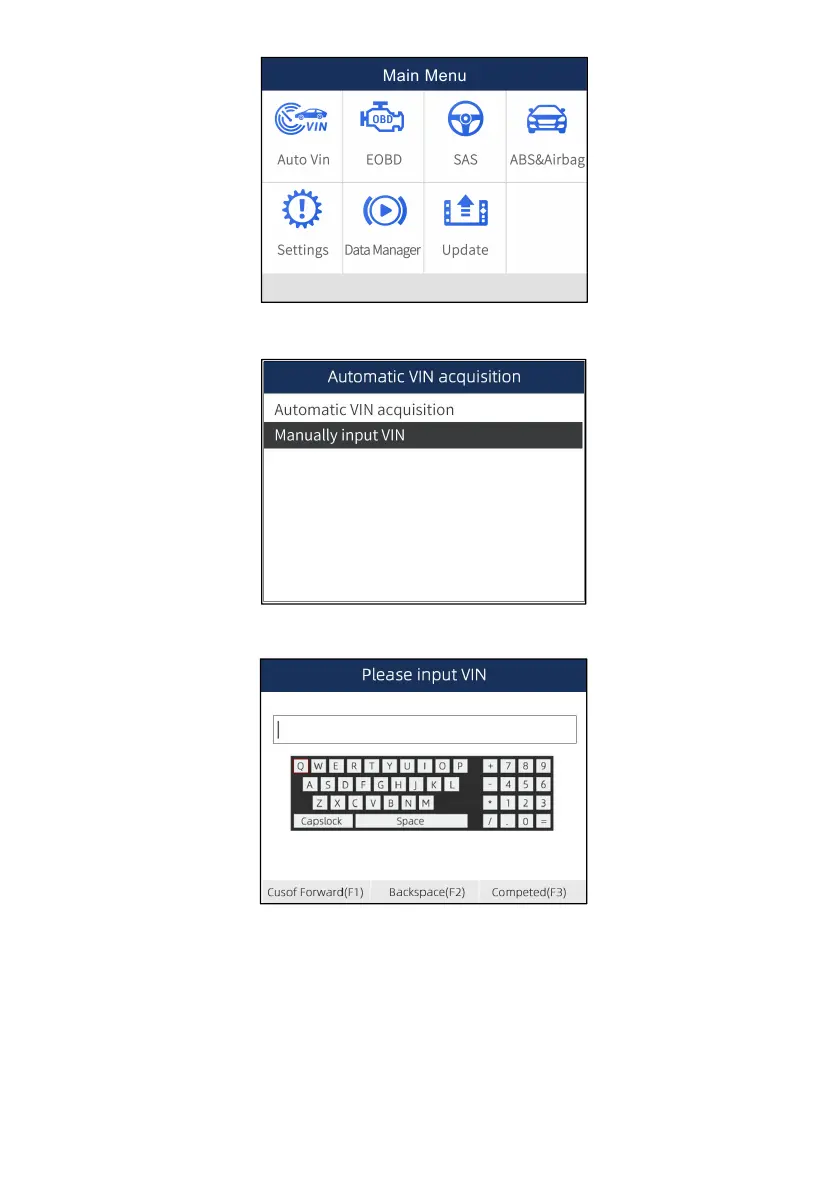
Figure 4-6 Sample Main Menu Screen
2. Select Manually input VIN from the menu, and press the ENTER key.
Figure 4-7 Sample VIN Reading Screen
3. Press the function key Keyboard and a virtual keyboard opens for VIN entry.
Figure 4-8 Sample Manual VIN Entry Screen
5. Input a valid VIN code and use the function key Completed to confirm. The scan tool starts to
identify the vehicle.
4.2 Manual Vehicle Selection
Select vehicle brand you are to test, and two ways of getting to the diagnostic operations are
available.
● SmartVIN
● Manual Selection



 To Next Page