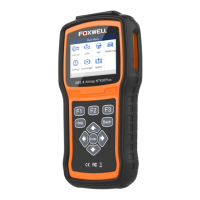
NT630Plus ABS & Airbag Reset Tool Manual_English_V1.02
connect the scanner with your PC via USB cable, choose the Update icon and press the Enter Key
on the scanner, then your serial number will be automatically acquired by the FoxAssist and please
click Activate to complete.
Figure 8-19 Sample New Product Activate Screen
8.3 Update the Scanner
To update scanner, you need the following tools:
●
PC application FoxAssist
●
PC or laptop with USB ports
To be able to use update tool, PC or laptop must meet the following minimum requirements:
●
Operation System: Windows 7, Windows 8 and Windows 10.
●
Hard Disk Space: 30MB or better
●
Display: 800*600 pixel, 16 byte true color display or better
●
Internet Explorer 4.0 or newer
Before updating, please make sure your network works correctly.
Before updating, please make sure you have already created a Foxwell ID.
1. Double click the desktop icon to launch the application.
2. Connect the scanner with your PC via USB cable.
3. Log in with your Foxwell ID and password.


 To Next Page