7
3 - First Steps: Installing the PostBase
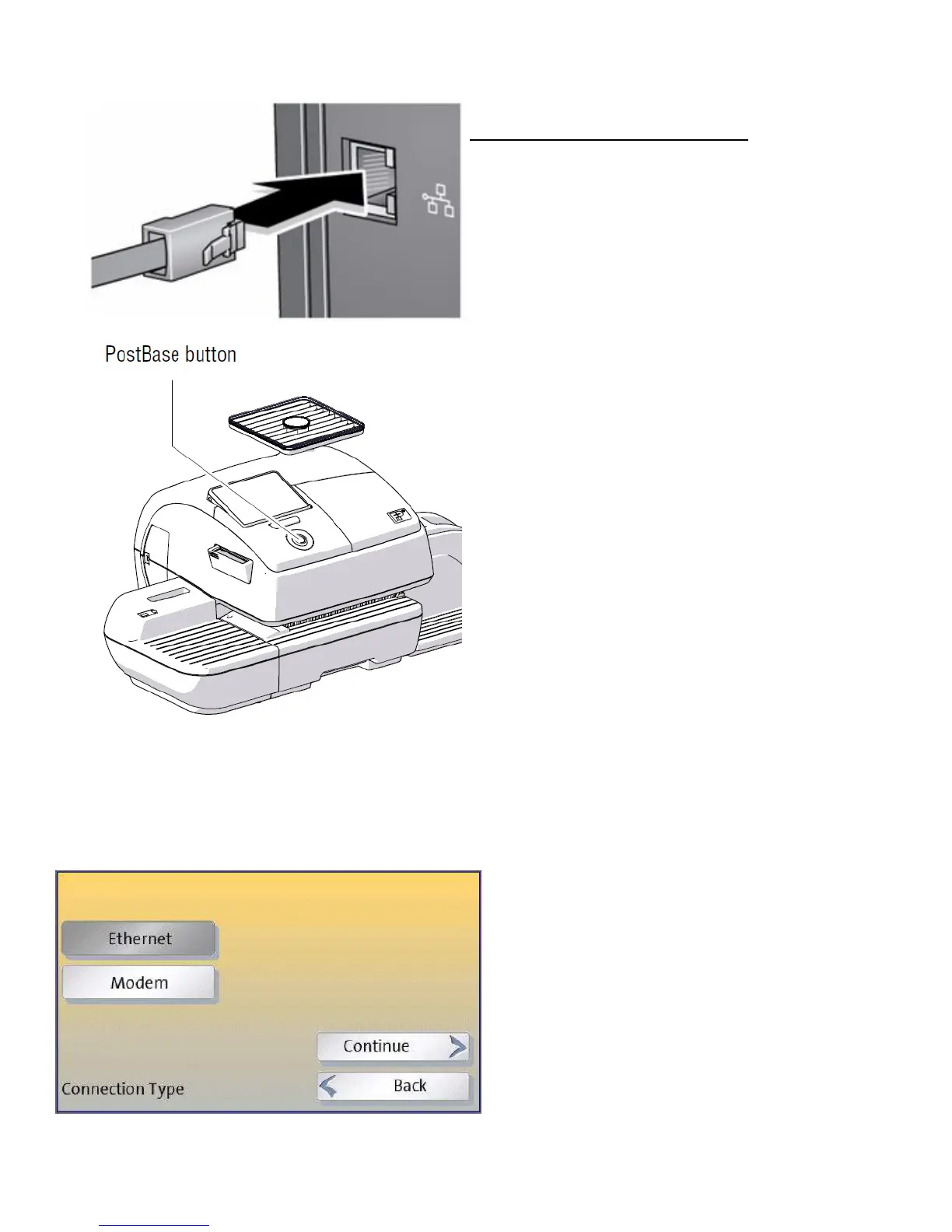
Before switching PostBase on...
please ensure you have connected the
PostBase via Network cable to a live
Ethernet port or switch
Turn PostBase on: Press the PostBase
button.
The display lighting and button illumination
switch on. PostBase performs a self test
and then starts the installation procedure.
The first step of the installation wizard will ask you for your desired language
selection. The PostBase will then try to connect to the FP network automatically to
download its software and your settings. If this is unsuccessful then follow the next
steps:
You will then be asked whether you want
to use an Ethernet or Modem based
connection. We strongly recommend
using an Ethernet connection.
The set up for Ethernet connections is
described in the next section.
For Modem connections see section 6.



 To Next Page