9
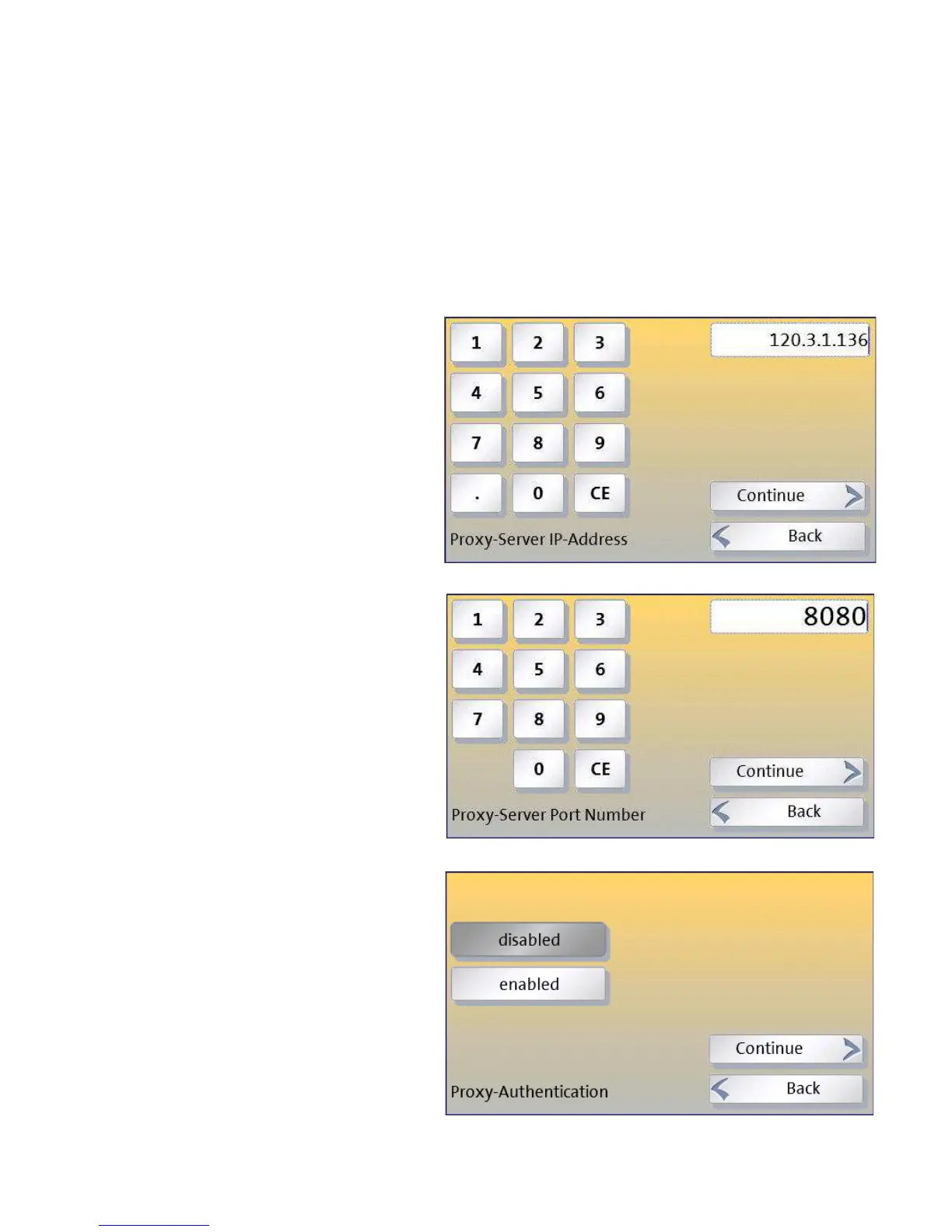
4.2a - Entering Proxy Server Settings (if applicable)
If your network uses a proxy server, you will need to enter its details into the wiz-
ard. Before you can do this, you will need to obtain the needed information.
You will need the following:
• The IP address of the proxy server and the port
number to use
• Whether authentication is to be used, and if
so, the corresponding user name and password.
1) Enter the IP address of the proxy
server -
A keyboard will appear on the
display in which you can enter the IP
address.
You can use the CE (bottom right key)
to successively
correct the last entries.
2) Enter the Port Number
The ‘port number’ must be entered
next. This will normally have the
value “8080”.
Occasionally another value might be
needed, for example “80”.
Contact your IT network
administrator if unsure.
3) If your proxy server needs
authentication, then you must set
E
NABLED
here and enter the details
on the next wizard pages.
If in doubt, contact your IT
network administrator. If the
proxy needs authentication they
may need to give you a special user
name and password for the device.



 To Next Page