Customer Service: 1800-914-9835 | support@frameitall.com
ASSEMBLY INSTRUCTIONS – stack and extend
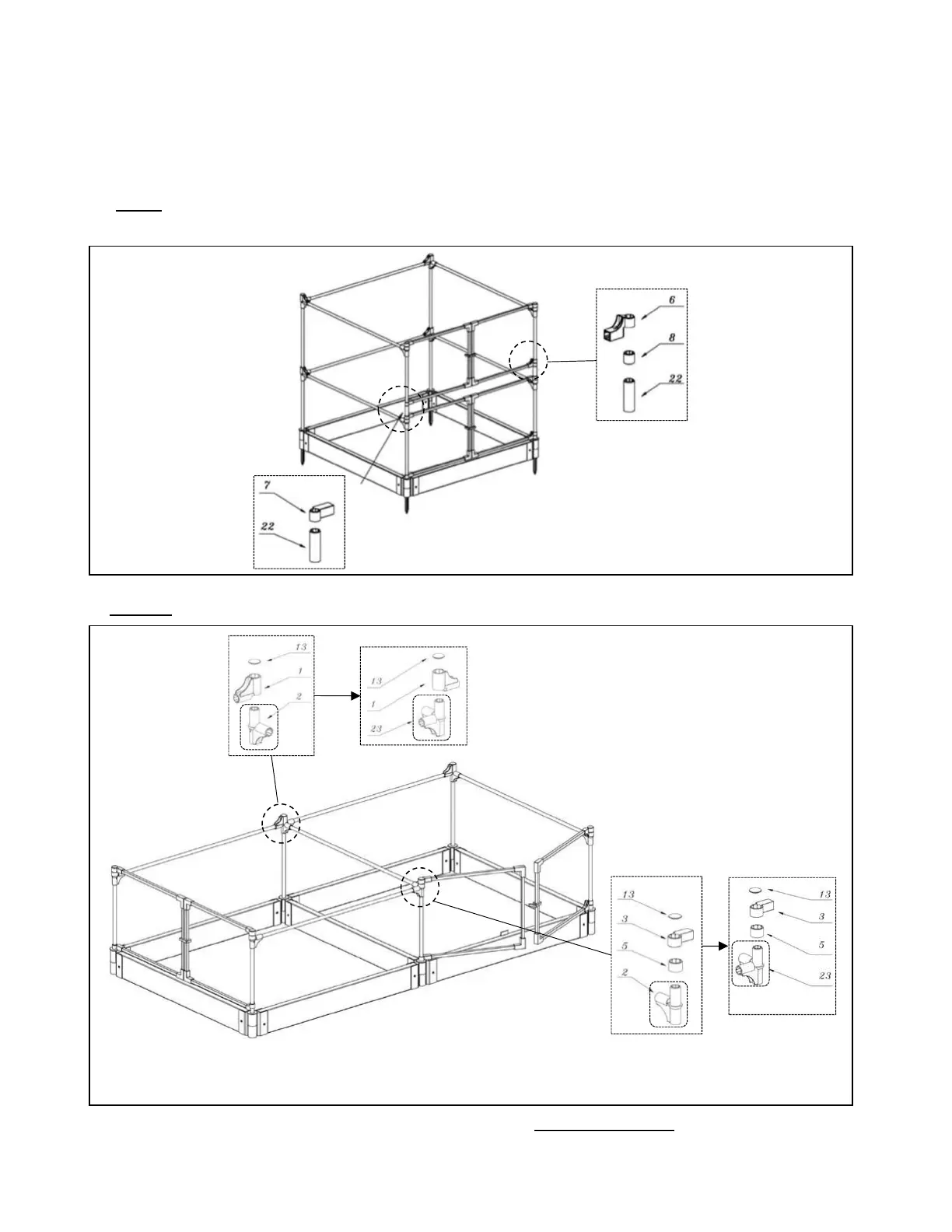
Add additional kits to create a higher or larger barrier area.
To stack another animal barrier – same way of assembling the barrier and use the
additional round sleeves (part 22 – 1 sleeve is included in each pack).
Slide the round sleeve
(22) below the short
sleeve.
Slide the round
sleeve (22)
below the hinge
connector
To extend another animal barrier - where the door is at a different side
Remove bottom hinge connector (2) and
replaced it with extension connector (23)
Remove bottom hinge connector (2)
and replaced it with extension
connector (23)


 To Next Page