Home
Framery
Office Equipment
One
Page 20
Framery One - Page 20
51 pages
Manual
Save Page as PDF
To Next Page
To Next Page
To Previous Page
To Previous Page
Loading...
Framery One
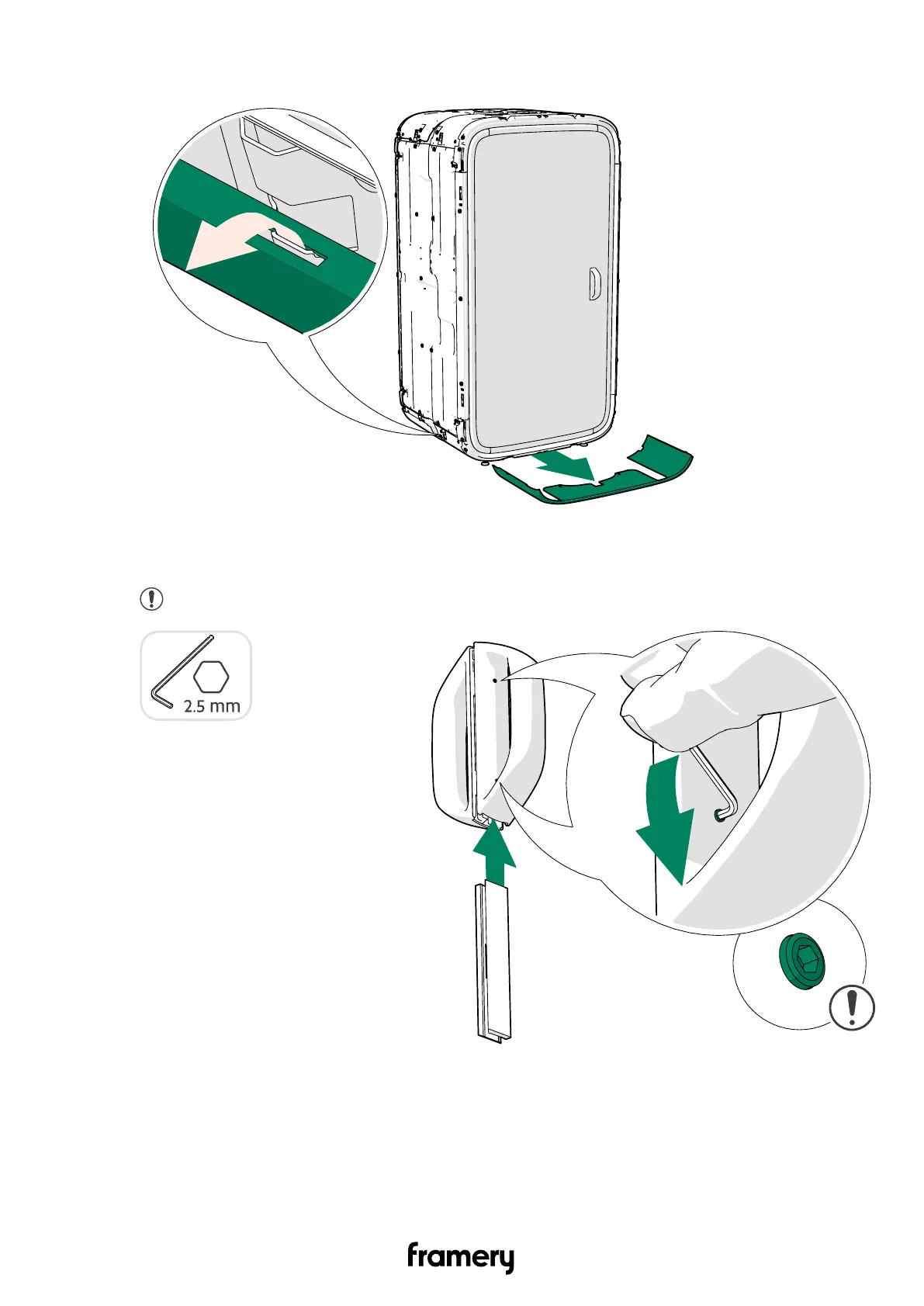
5.
Remove the front floor body cover
.
6.
Remove both door handles.
Loosen the set screws to remove the handles.
Note:
Do not remove the set screws.
20
Changing the door handedness
info@frameryacoustics.com
19
21
Table of Contents
Main Page
Table of Contents
3
Important Safety and Product Instructions
5
Preface
5
Product Information
5
Copyright
5
Manual Contents
5
Intended Use
5
Non-Conventional Use
5
Ambient Conditions for Use
6
Warning, Information, and Safety Symbols in this Manual
6
Main Safety Risks Related to the Installation, Maintenance, Disassembly, and Use of the Product
6
Installation, Maintenance, and Disassembly
7
Electrical Safety
7
Fire Safety
8
Lifting Safety
8
Use
9
Moving the Product on Casters (Optional)
10
Radio Frequency
10
Location of Product Markings
12
Required Tools and Accessories
16
Disconnect the Power Cord
17
Disassemble the Necessary Parts
18
Change the Door from Left- to Right-Handed
24
Change the Door Handedness (Left to Right)
24
Change the Door from Right- to Left-Handed
37
Change the Door Handedness (Right to Left)
37
Related product manuals
Framery Q
148 pages
Framery Four
70 pages


 To Next Page