Franke Kaffeemaschinen AG Cleaning | 11
User manual A300 61
Applies to machines with a wastewater connection! On machines with a wastewater connection, if water remains
in the drip tray, this can escape when the drip tray is removed.
a) Before removing the drip tray, ensure that the remaining water has drained.
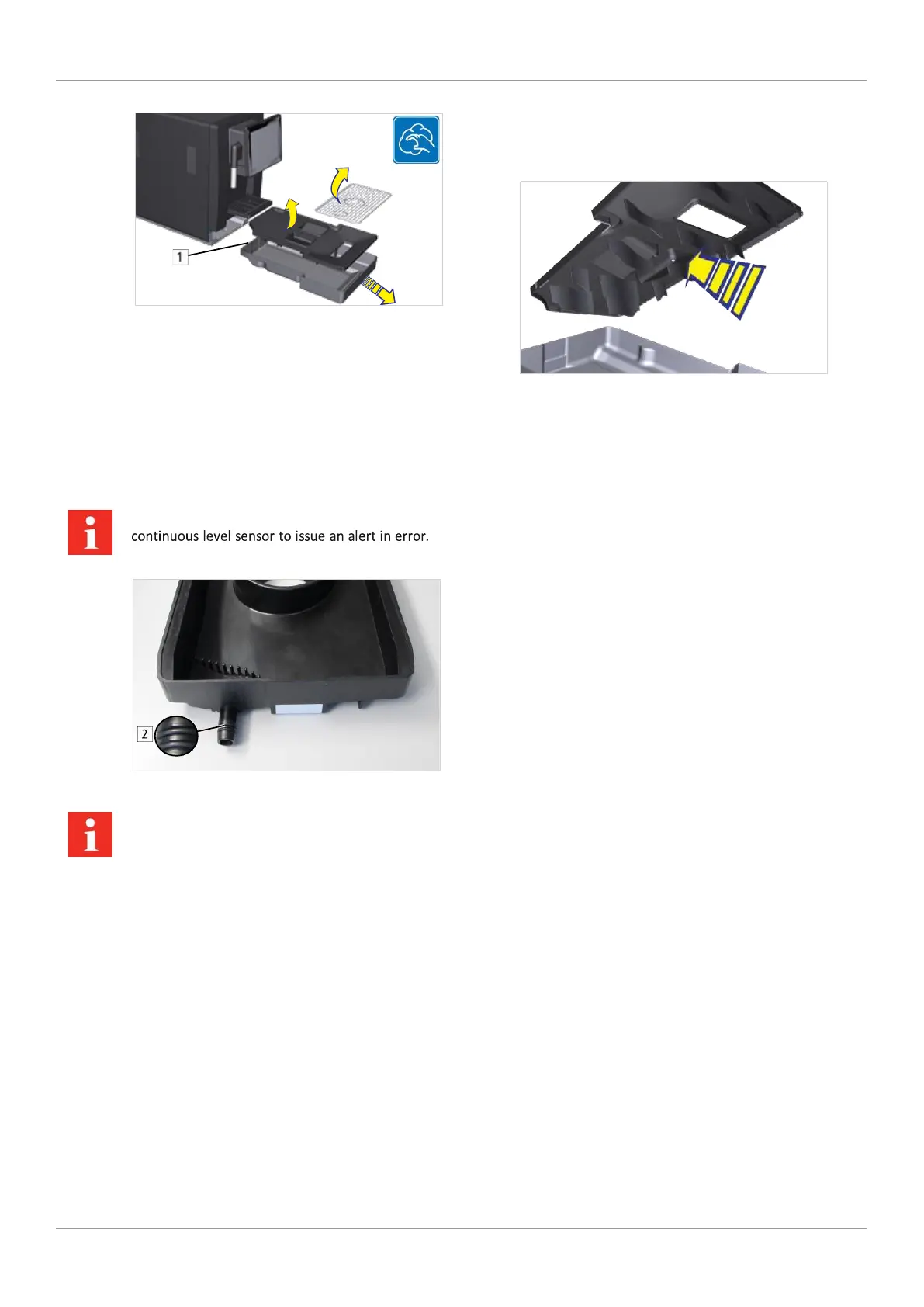
1. Clean the drip tray and drip grid using the 5-step 2. Thoroughly clean the projecting features on the method.
underside of the drip tray lid.
The rear [1] of the drip tray must be clean and
dry, both inside and out. If it is not, this may
cause the drip tray's
If the coffee machine has been connected to the wastewater system, there are two O-rings [2] on the rear of the drip tray.
These must be moistened with water so that the drip tray can lock in place properly. Otherwise, the ca-
pacitive sensor cannot detect the drip tray. 11.3.5 Cleaning the surface of the
machine
11.3.4 Cleaning the screen
1. Clean the surface of the machine
1. Tap the Settings symbol at the top left.
with a damp cloth.
2. Select Cleaning and maintenance. The operating interface is locked for 20
seconds.
3. Select Wipe Protection.
4. Clean the surface with a damp cloth.



 To Next Page