
 Need help?
Do you have a question about the Franke FS 913 P BK DCT TFT AUS and is the answer not in the manual?
Ensuring correct and safe installation of the oven, including power connection and ventilation.
Guidelines for correct oven usage, avoiding overheating, and preventing burns or electric shock.
Procedures for appliance repair and contacting authorized service centers.
Instructions for safely decommissioning and disconnecting the oven.
Recommendations for operating the oven efficiently to reduce energy consumption.
Diagram and description of the oven, cooling fan, racks, and accessories.
Explanation of the control panel buttons, their names, and specific functions.
Overview of menu icons, modes (Manual, Auto, Eco), and their functions.
Descriptions of MANUAL, RECIPES, COMPLETE MENU, and WELLNESS mode views on the display.
Details on icon functions (light, timer) and navigating submenu views.
Steps for the initial activation and first use of the oven, including a cleaning cycle.
How to configure time, language, brightness, sound volume, and display type.
Guide to setting up and executing cooking programs in manual mode.
Instructions for using automatic modes, recipes, and complete menus.
Guide to healthy, natural, low-fat cooking programs for various dishes.
How to schedule cooking end times and use the oven's timer.
Steps for connecting the meat probe and adjusting temperature for precise cooking.
Detailed explanations of various manual cooking functions like Hot Air, Pizza, and Gentle Heat.
Guidance on interpreting the cooking table for ideal function, temperature, and duration.
Information on tested cooking parameters and tips for cooking multiple dishes simultaneously.
Detailed cooking parameters for Meat Menu 1 through 8, including food, recipes, and accessories.
Low energy cooking details for Meat Menu 1-5, covering food, recipes, shelf, time, and accessory.
Low energy cooking details for Meat Menu 6-8, covering food, recipes, shelf, time, and accessory.
Detailed cooking parameters for Fish Menu 1 through 8, including food, recipes, and accessories.
Details for Fish Menu 3-7, specifying food, recipes, shelf position, cooking time, and accessory.
Details for Fish Menu 8, including food, recipes, shelf position, cooking time, and accessory.
Low energy cooking details for Fish Menu 1-4, covering food, recipes, shelf, time, and accessory.
Low energy cooking details for Fish Menu 5-8, covering food, recipes, shelf, time, and accessory.
Cooking programs for 4 Pizzas and Bread, detailing food, recipes, shelf, time, and accessory.
Low energy programs for 4 Pizzas and Bread, detailing food, recipes, shelf, time, and accessory.
Wellness cooking programs for lamb, fish, poultry, veal, and vegetables, with cooking details.
General advice for cleaning the oven, including recommendations and warnings.
Instructions for using the AUTO CLEAN function for automatic oven cleaning.
Detailed steps for cleaning the oven chamber and the oven door.
Step-by-step guide on how to remove and remount the oven door for cleaning.
Guide to thoroughly cleaning the internal and external glass panels of the oven door.
Correct procedure for re-mounting glass panels and cleaning side frames and telescopic guides.
Steps for removing upper trims and the internal glass panel for thorough cleaning.
Guide to safely replacing the oven lamp, including safety warnings and technical specifications.
Instructions for maintenance, contacting service, and providing necessary information.
Accessing software version and explanation of the demo mode for display navigation.
Information on environmentally friendly disposal of the oven at the end of its life.
Information on how to contact customer service for support and inquiries.
Details on oven dimensions, power supply voltage, frequency, and fuse rating.
Specifications for oven components like motors, fans, heating elements, and light bulbs.
 General
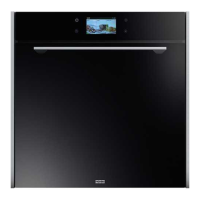
| Model | FS 913 P BK DCT TFT AUS |
|---|---|
| Category | Oven |
| Type | Built-in |
| Size | 60cm |
| Energy Class | A |
| Energy Rating | A |
| Display | TFT |
| Colour | Black |
| Number of Cooking Programs | 9 |
| Voltage | 220-240 V |
| Frequency | 50/60 Hz |
| Door | Triple glazed |
| Cooling Fan | Yes |
| Child Lock | Yes |
| Self-Cleaning | Pyrolytic |



 To Next Page