15
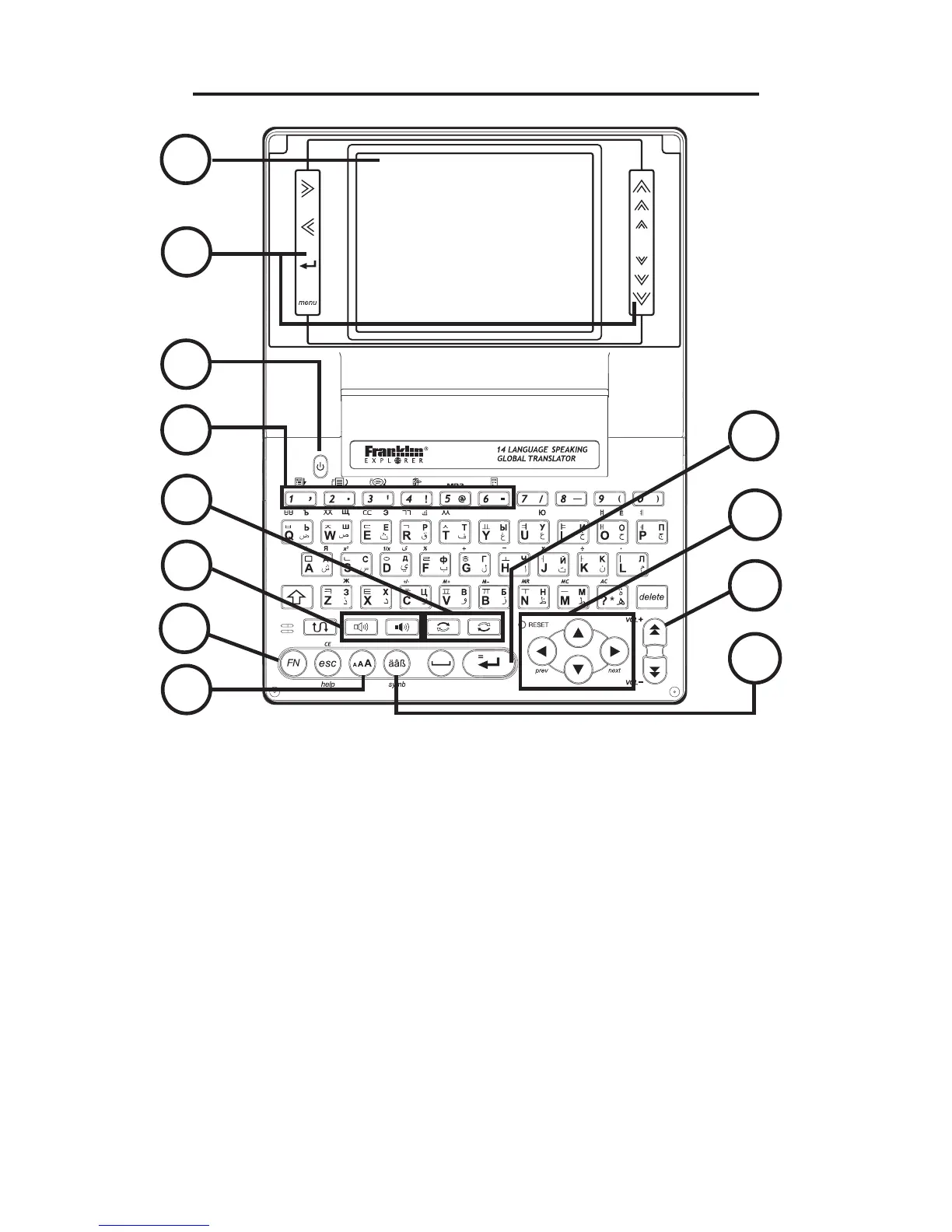
Understanding Your Device
1. Screen
2. Touch-sensitive Keys
3. Power Key
4. Short-cut keys for Main Menu, Translator,
Phrases, Visual Dictionary, Music Player
and Calculator (Hold Function Key (FN)
and press the corresponding number key
(1-6) for access)
5. Source and Target Language Keys
6. Speak Source and Target Language Keys
1
2
3
4
5
6
7
8
10
12
11
9



 To Next Page