6
7. General Operations
• Press and hold to switch on or o the device. You hear a
long beep sound when the device turns on or o.
• Press and hold + or – to adjust the volume.
• Press HD to obtain high denition sound. Press NORMAL to
restore to normal sound.
• When listening to music, press to start, pause or resume
playback. Press – or + to skip to the previous or next
song.
8. Using as a Microphone for Phone Calls
You can use the device as a microphone to make phone calls.
During a phone call, press to mute the microphone. Press
again to deactivate the mute function.
Making Calls via Internet Phone
For Skype or other IP calls via the speaker, all controls (including
making calls and hang up) have to be done on your computer.
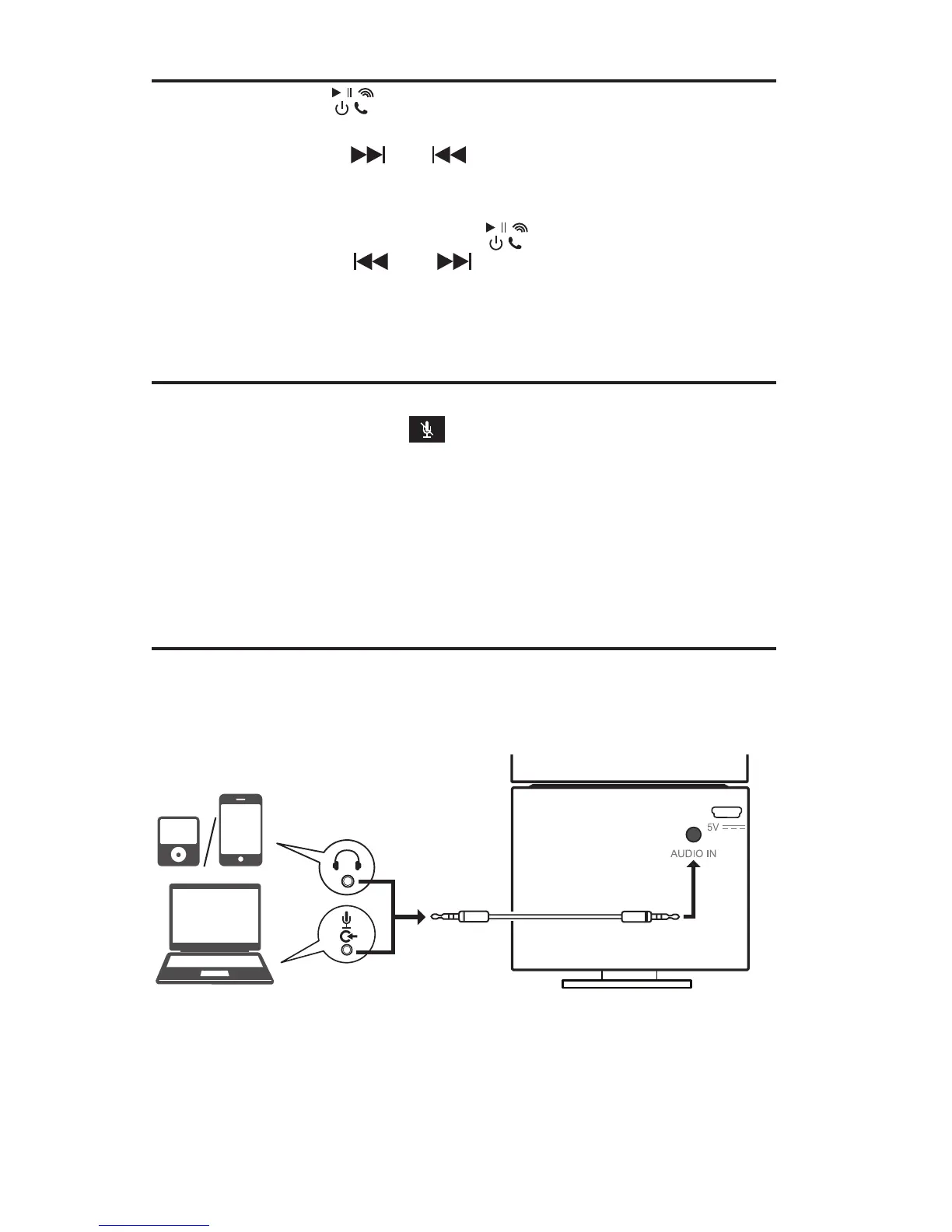
9. Using the Audio Cable
You may also use the supplied audio cable for audio input from
computer, smartphone or audio device. All playback controls
must be made on the respective device.
Computer
Audio device/Smartphone
Audio Cable


 To Next Page