FranklinWH System User Manual
12
aPower Overview
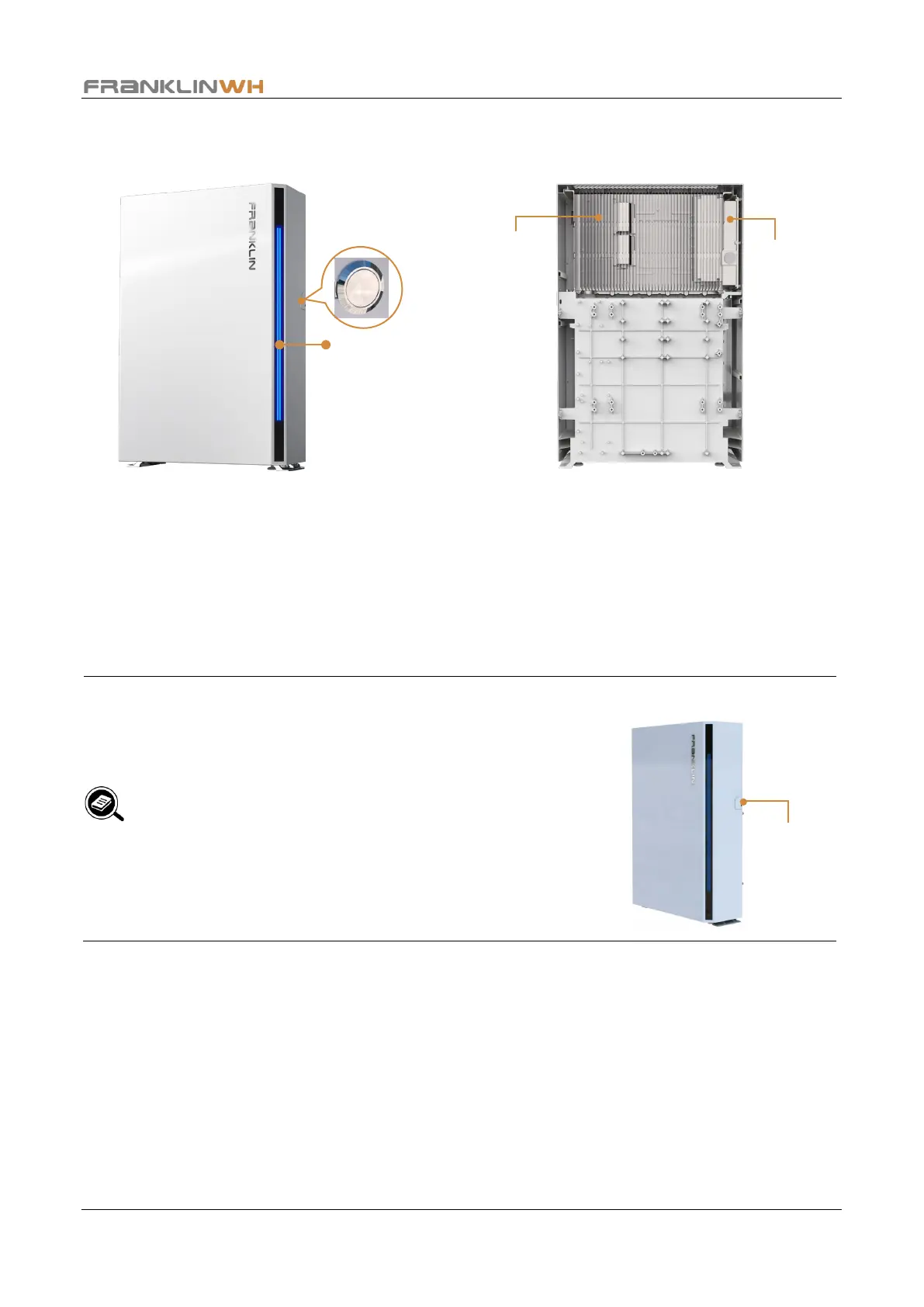
aPower switch: Starts up or shuts off aPower power transfer.
LED strip: Turns on when the aPower is started, indicates the battery power level.
Heat sink: Used to cool the aPower components.
Wiring compartment: The location for electric terminals and communications cable
terminals.
NOTE:
According to the requirements of NEC 706.15, a lockable
cover needs to be added for the aPower power switch.
Users need to provide their own padlock. Please select an
appropriate lock based on the lock hole diameter (d= 0.31
in. (7.87 mm)) and the available space to ensure smooth
installation.
It is recommended for users to choose an outdoor
waterproof lock and to keep the key secure.
Heat sink
compartment


 To Next Page