9
GB
2
Driver installation
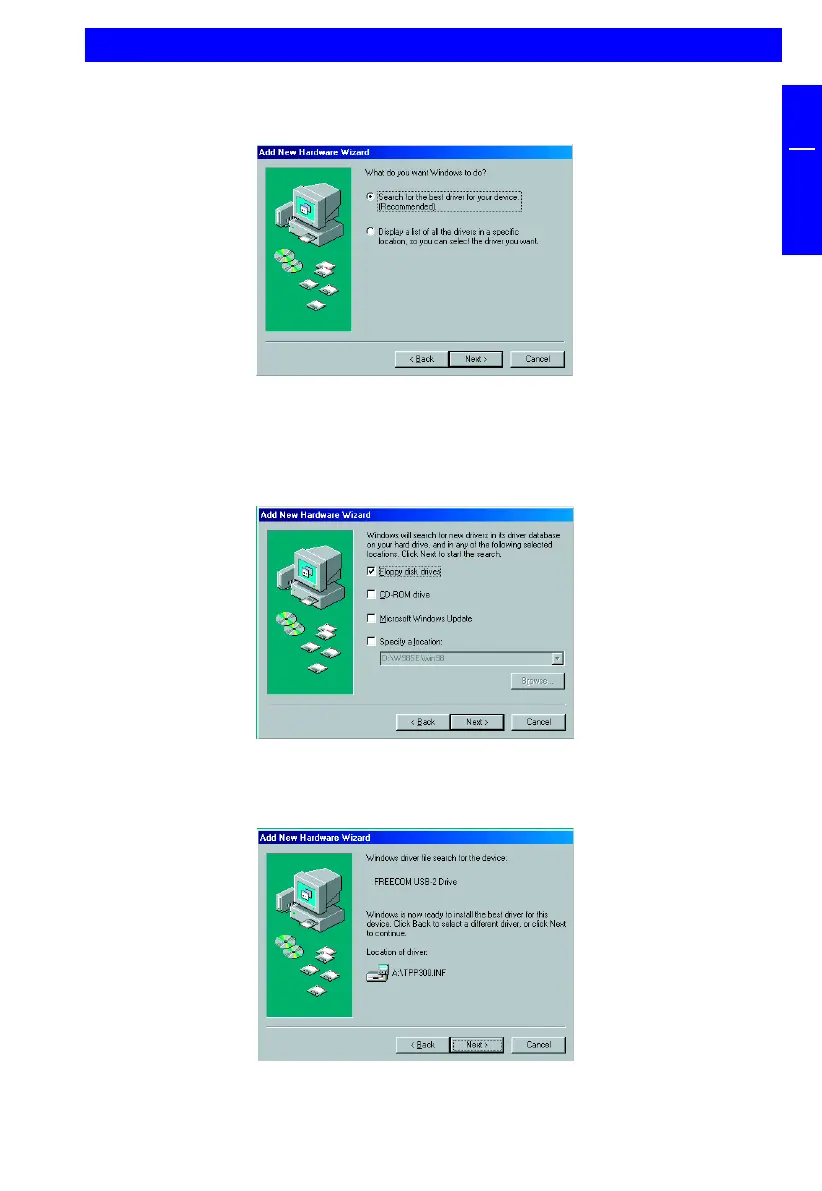
4. In the next window select “Search for the best driver for your device.
(Recommended)”.
Click on “Next”.
5. Make sure that the checkbox “Floppy disk drives” is activated in the next
window.
Continue by clicking on “Next”.
6. The Hardware Wizard finds a “Freecom USB 2.0 Drive”.
By clicking on “Next” the necessary files will be installed. Afterwards click on
“Finish” to complete the installation.


 To Next Page