4. Program the FA80 Bridge
1. Using an ethernet cable, connect the FA80 Bridge to the appropriate port of the
Mako or switch. See Mako diagrams for correct configuration.
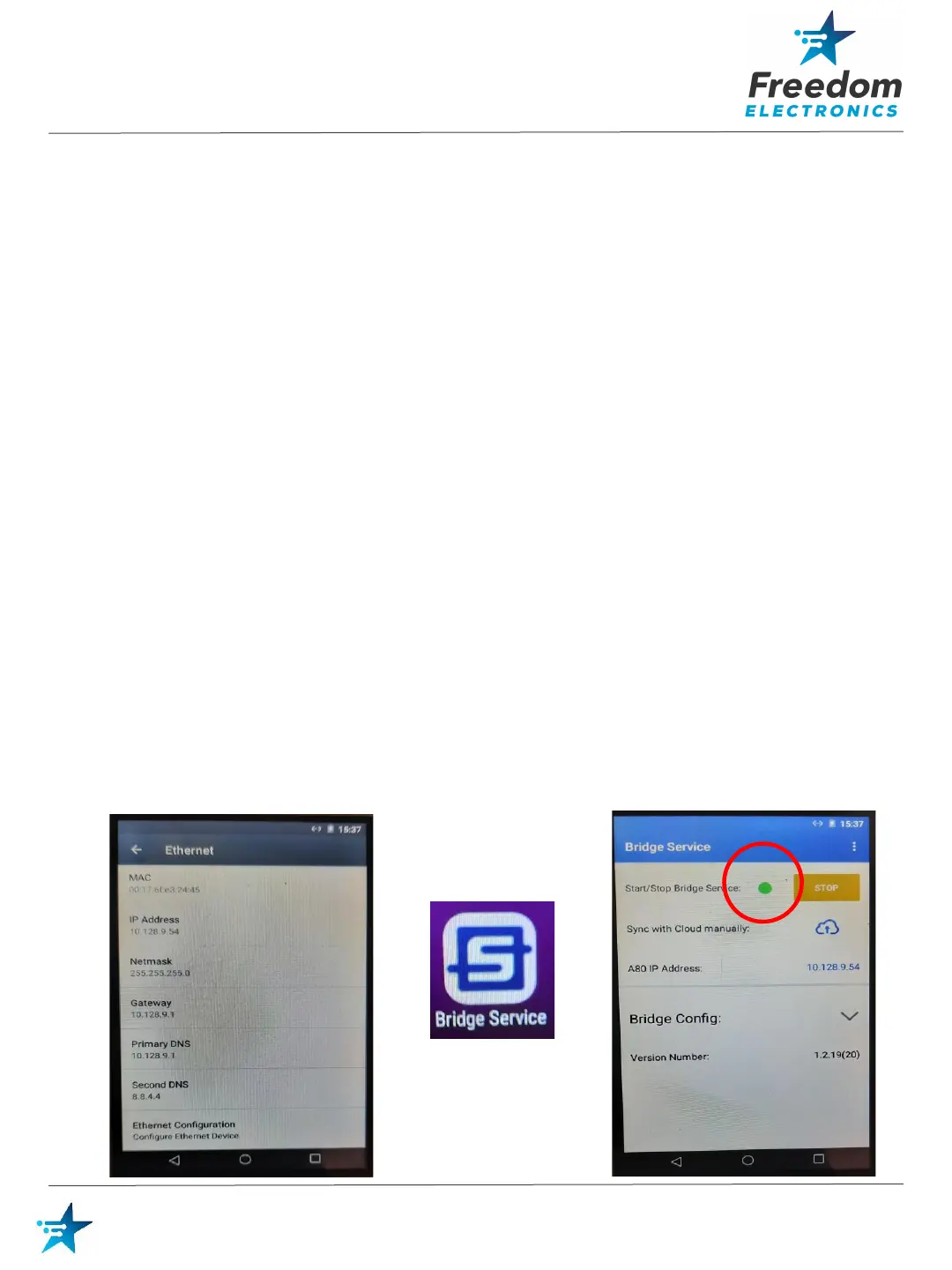
2. Open Settings and configure: (Password: pax9876@@)
• Disable Wi-fi
• Disable Bluetooth
• Enable Ethernet
• IP Mode: Static
• IP Address: 10.128.9.54
• Netmask: 255.255.255.0
• Gateway: 10.128.9.1
• Primary DNS: 10.128.9.1
• Secondary DNS: 8.8.4.4
Select Save and close settings.
3. From the FA80 Bridge desktop, open the Bridge Service Application.
Password is the date: MMDDYYYY Note: This may be tomorrow’s date
according to UTC.
4. Select Start - The Bridge service will start and the indicator should turn Green.
12
Freedom Easy Pump
Freedom Easy Pump: Mako



 To Next Page