38| AIRCRAFT FLIGHT MANUAL
RADIO MAPPING
ALTA 8 can be used with a variety of radio controllers. Different radio controllers
can map functions to different channels, so properly mapping controller channels
to ALTA 8 functions is an important step before flying. Radio mapping is performed
using the ALTA App.
This section describes the steps required to complete radio mapping.
If you are uncertain about your channel mapping, obtain assistance from an
experienced pilot or from Freefly Customer Support.
CONFIGURATION JUMPER
A small jumper is used to prevent motor operation while configuring radio mapping
parameters. With the jumper in place, the motors may operate, but channel
mapping is prevented. With the jumper removed, channel mapping may take place,
but motor operation will be prevented.
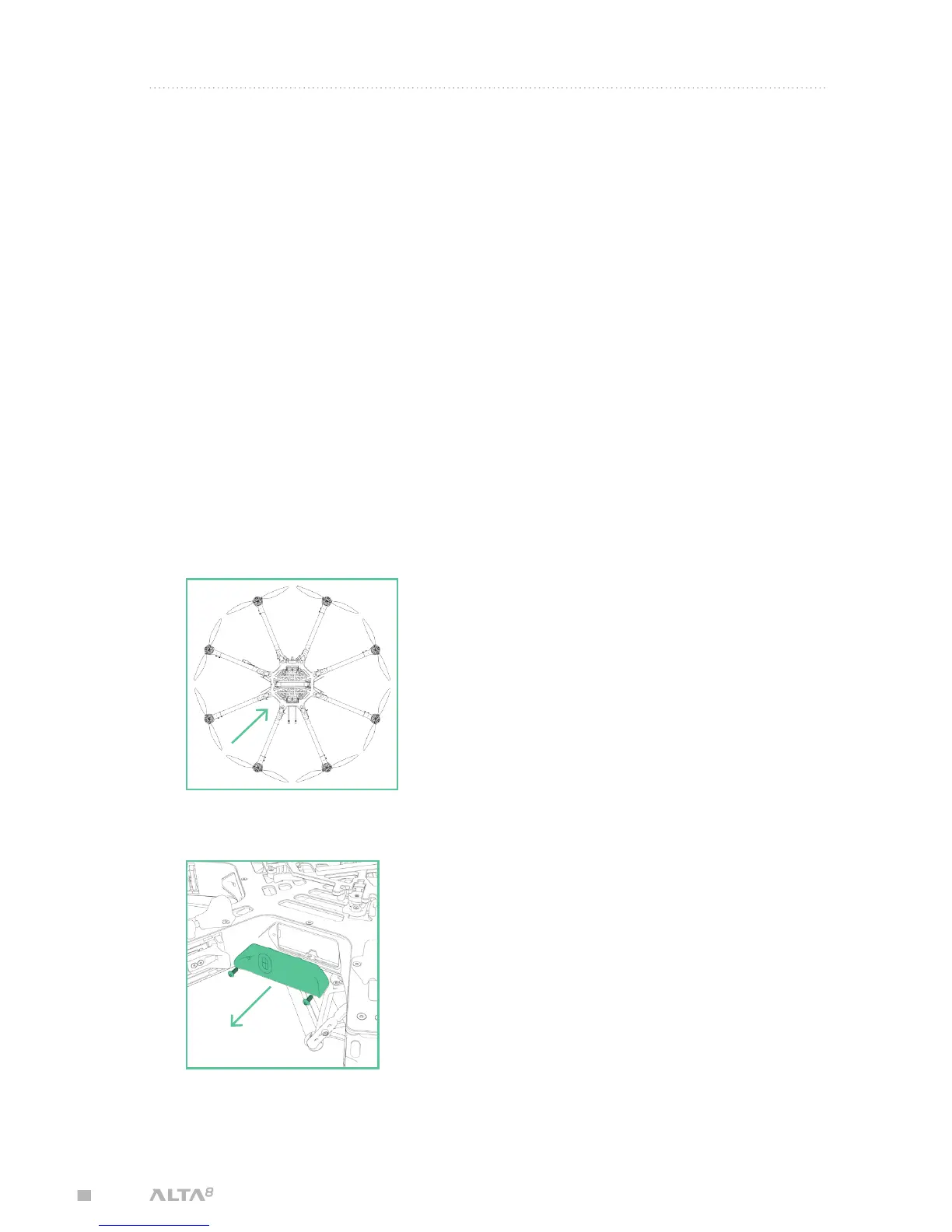
To remove or replace the Configuration Jumper:
1. Locate the closeout panel between booms 5 and 6 where the jumper is installed
2. Remove the closeout panel using a 2.0mm hex driver



 To Next Page