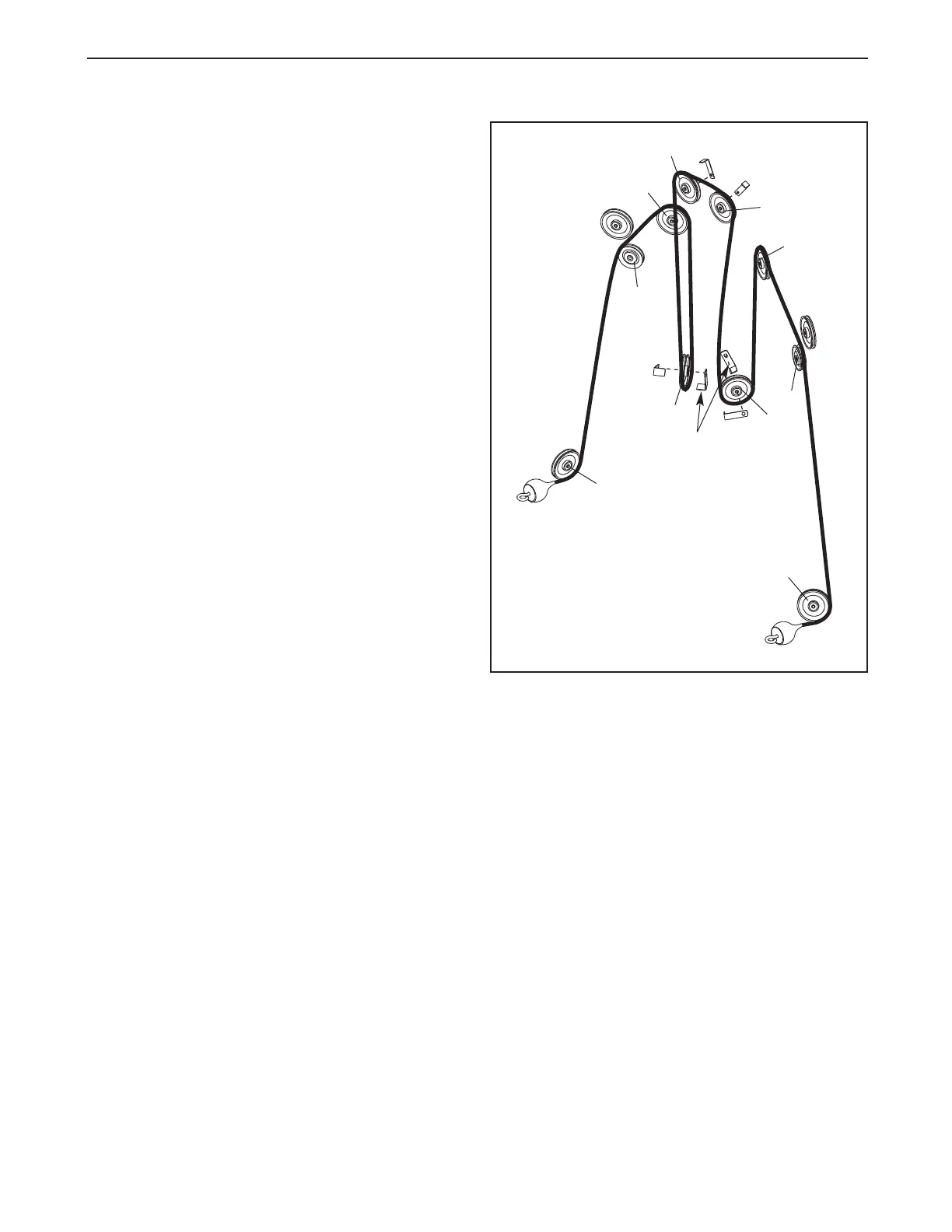
CABLE DIAGRAM
The cable diagram shows the proper routing of the
cable. Use the diagram to make sure that the cable
and the cable traps have been assembled correctly. If
the cable has not been correctly routed, the weight
system will not function properly and damage may
occur. The numbers show the correct route for the
cable.
Make sure that the cable traps do not touch
or bind the cable. Note: The indicated cable traps
on pulleys 4 and 7 should be in a five o’clock
position, as shown.
10
6
5
7
Cable
Trap
8
9
1
2
3
4
9








 To Next Page