Need help?
Do you have a question about the Freemotion S11.8 and is the answer not in the manual?
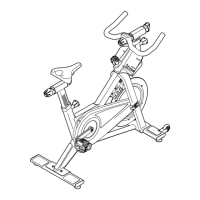
Attaching the front stabilizer to the frame using bolts, washers, and locknuts.
Attaching the rear stabilizer to the frame using bolts, washers, and locknuts.
Inserting and adjusting the handlebar post into the frame using the post knob.
Tightening the right and left pedals into the crank arms with washers.
Placing the bike in its location and adjusting leveling feet for stability.
Ensuring all parts are properly tightened after assembly is completed.
Adjusting seat position, seat carriage, and handlebar for comfort and fit.
Setting the correct seat post height for optimal pedaling with a slight knee bend.
Using pedals with toe cages or clips, and adjusting pedaling resistance.
Leveling the bike for stability and performing routine maintenance for safety.
 General
| Resistance | Magnetic |
|---|---|
| Display | LCD |
| Weight Capacity | 350 lbs |
| Flywheel Weight | 40 lbs |
| iFit Enabled | Yes |

 To Next Page