3
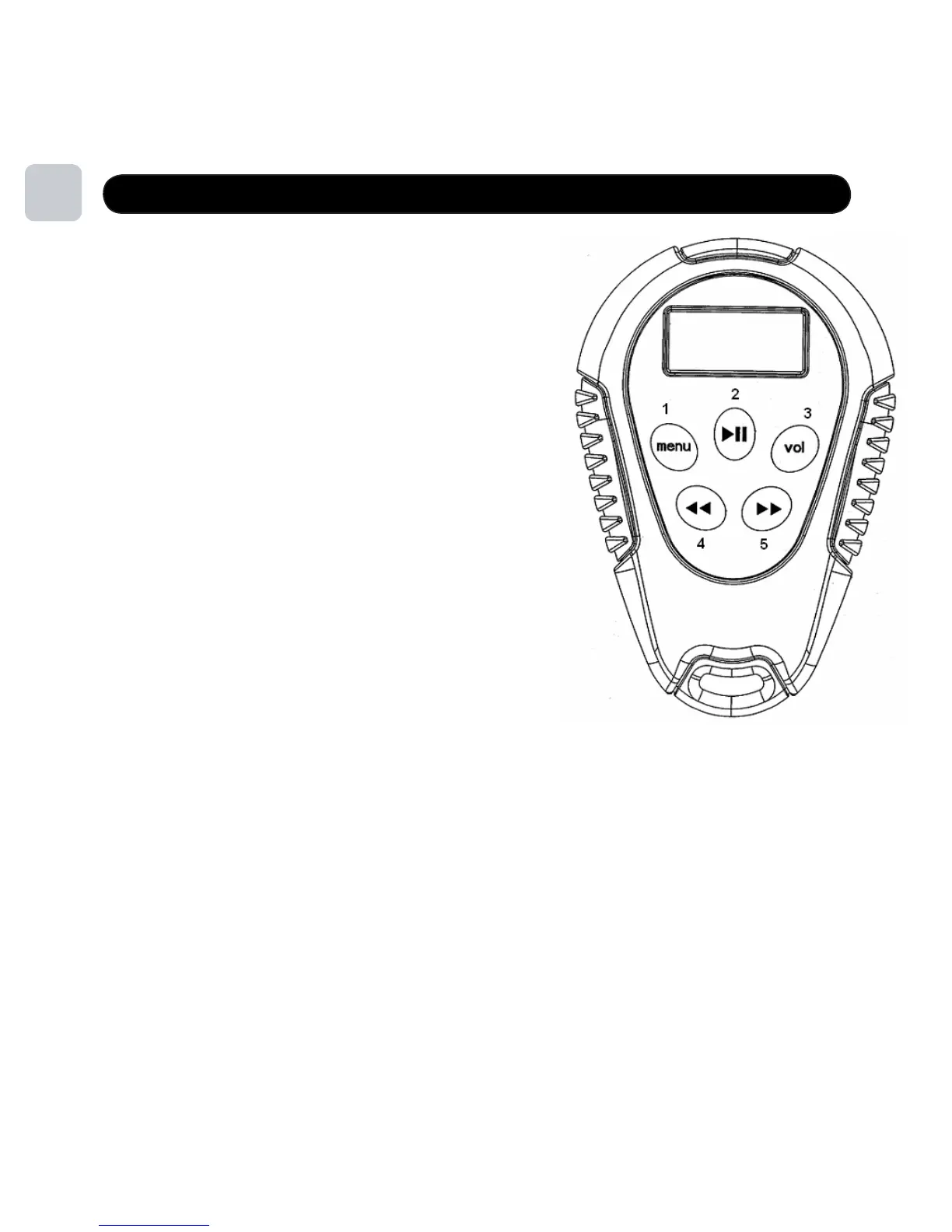
Player Overview
1. MENU
Shows the root menus: Music, FM, Player Settings
2. PLAY/PAUSE/POWER
Power On/Off, Play, Pause
3. VOL
Volume Control Option
Lock/Unlock all keys (when held)
4. PREV
Previous Song
Volume Down (Pressed after VOL button)
Rewind (when held)
5. NEXT
Next Song
Volume Up (pressed after VOL button)
Note: Length of time each button is pushed changes the functionality,
Short Press less than 2 seconds
Long Press 2 seconds – 5 seconds
Hold greater than 5 seconds
Double Press two quick presses
Note: From time to time it may be necessary to “reset your player”. To do this, simply
press and hold the Play/Pause and Menu B utton simultaneously for approximately 5 seconds.
The screen will go blank and the player will reset.
5
M ute (when double click ed)
F ast F orward (when held)
from here on out the duration that the button should be pressed
will be denoted as such:



 To Next Page