6
Basic Operations
Turn On
To turn the player on, long press the <PLAY> Button.
Menu Selections
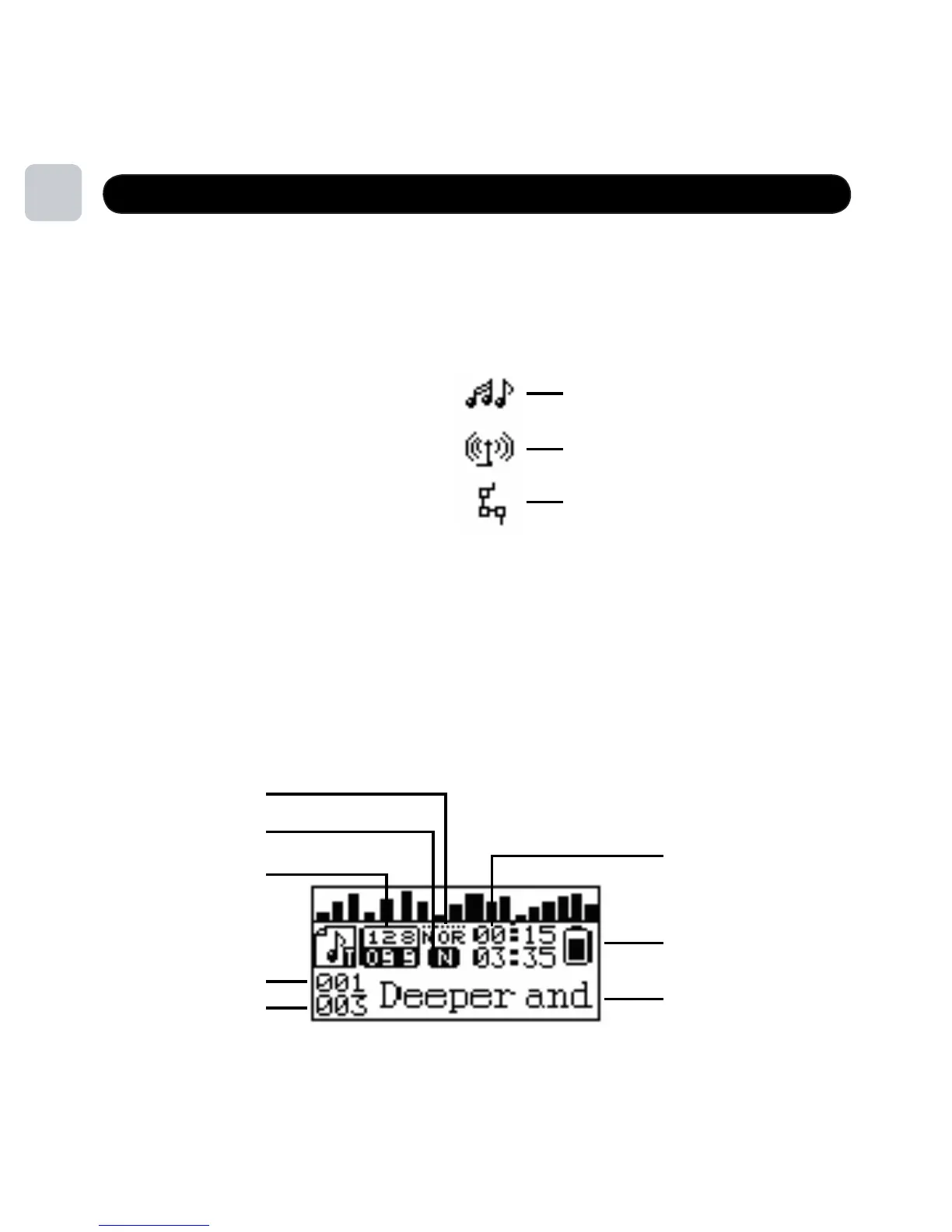
The menu button has three options:
Long press <MENU> button to select between Music, FM and Settings. Press
<NEXT> OR <PREV> to view each option, and short press <MENU> to enter each
option mode and view the content of each. Long press <MENU> and exit to get
back to main menu.
EQ Mode
Repeat Mode
Bit/File Format
Song #
Play Time
Battery Indicator
Artist And Song Name
Music
FM Mode
Settings
9
Screen Overview
# Songs In
Playlist or Folder



 To Next Page