25. A 7-channel computer radio is required to
fly the F-18E. The following instructions
are for the Spektrum DX-7 transmitter with
the Spektrum AR7000 receiver. Make
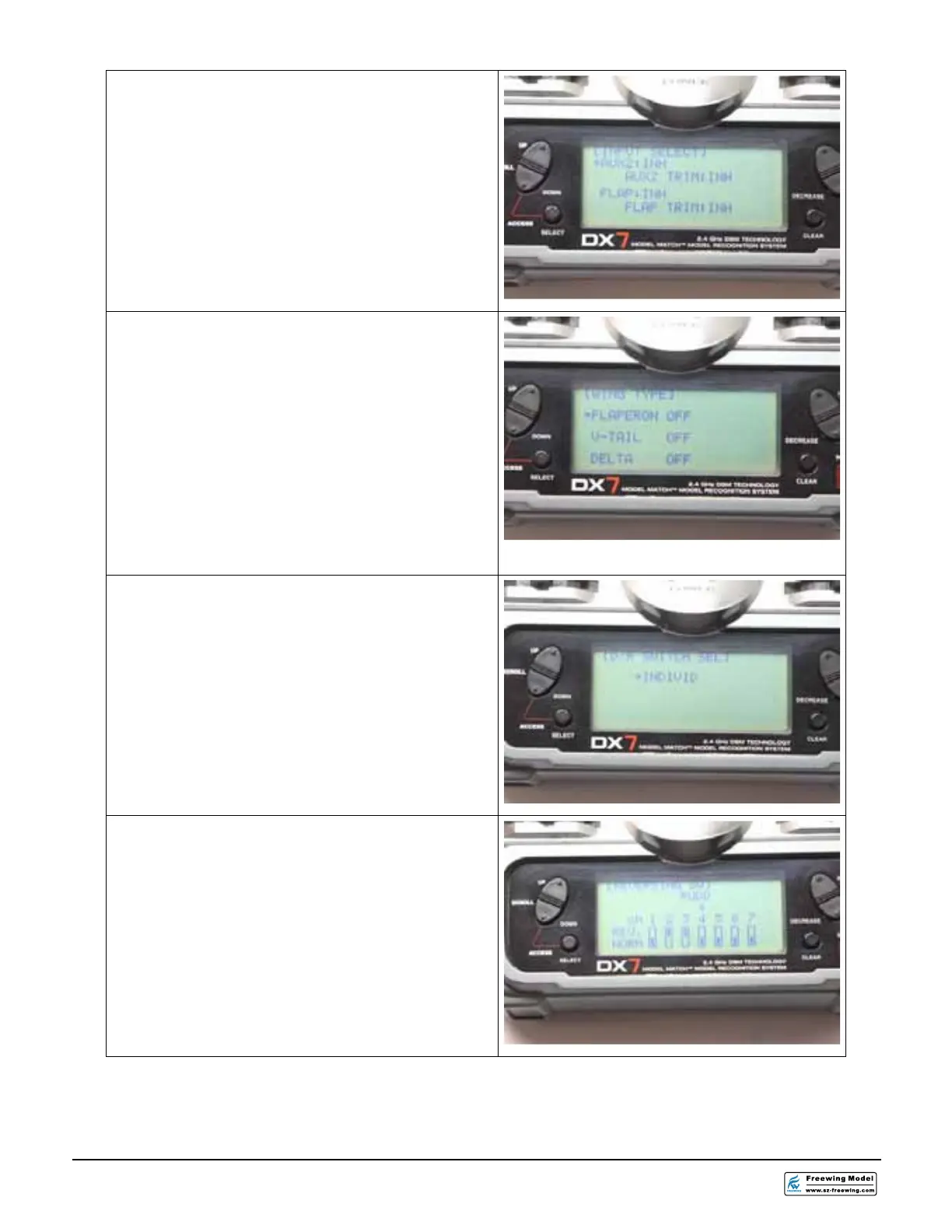
sure your screen matches the photos.
26.From the INPUT SELECT screen, inhibit
AUX2 and FLAP.
27. From the WING TYPE screen, Make sure
all selections are OFF
28.In the D/R SWITCH SELECT screen
select INDIVID. This sets all the control
surfaces onto their own D/R switch.
29.The image to the right shows the positions
for servo reversing. Select REVERSING
SW from the radio menu and set channels
2 and 3 to reverse (REV). All other
channels will be in the (NORM) position.





 To Next Page